Synthetische monitoring is een proactieve testmethode die volgens een vast schema, vanaf vooraf bepaalde locaties, gescripte en gesimuleerde transacties uitvoert op je website, API of server, zodat je storingen en trage prestaties opmerkt voordat echte gebruikers erop stuiten. In tegenstelling tot monitoring die afhankelijk is van live verkeer, draaien synthetische checks ongeacht of er daadwerkelijk iemand je site bezoekt. Daardoor zijn ze het juiste middel om problemen in de gaten te vangen: om 3 uur 's nachts, in regio's met weinig verkeer of bij een gloednieuwe functie die nog niemand heeft gebruikt.
De term omvat alles van een simpele ping elke minuut tot een volledig gescripte browsersessie die inlogt, een product aan de winkelwagen toevoegt en afrekent, allemaal zonder dat er een mens aan te pas komt.
Hoe synthetische monitoring precies werkt
Een synthetische check is een script dat volgens een schema vanaf een of meer probelocaties draait en vastlegt wat er gebeurt. In de eenvoudigste vorm is dat een HTTP-request naar een URL en een controle of de responscode en de body kloppen. In de meest complexe vorm is het een headless browser die stap voor stap een workflow over meerdere pagina's doorloopt en meet hoe lang elke stap duurt.
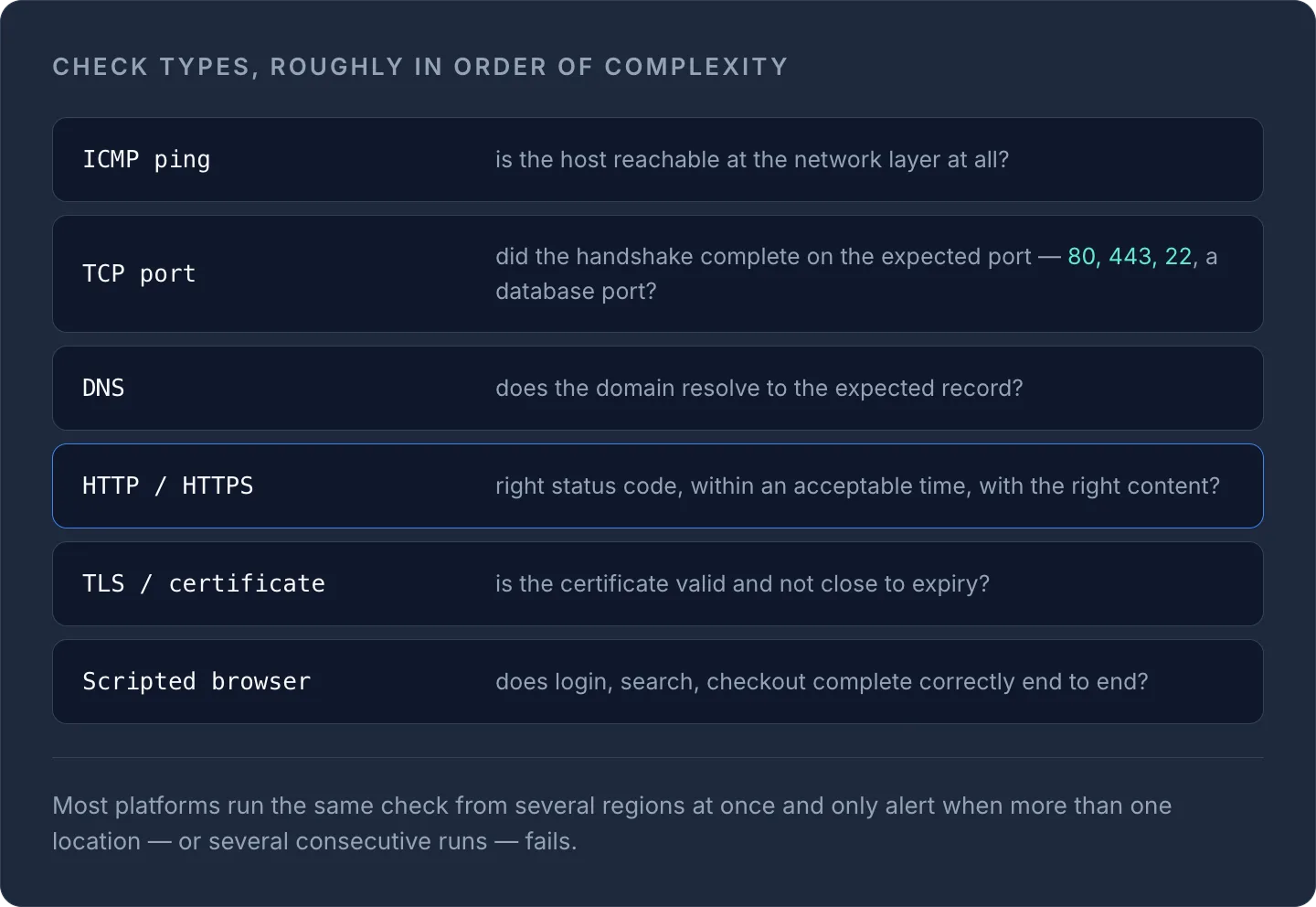
Veelvoorkomende typen checks, grofweg op volgorde van complexiteit:
- ICMP-ping: is de host op netwerkniveau überhaupt bereikbaar?
- TCP-poortcheck: is de handshake op de verwachte poort voltooid (80, 443, 22, een databasepoort)?
- DNS-check: resolvet het domein naar het verwachte record?
- HTTP/HTTPS-check: gaf het request de juiste statuscode terug, binnen een acceptabele tijd en met de juiste inhoud?
- TLS-/certificaatcheck: is het certificaat geldig en verloopt het niet binnenkort?
- Gescripte browsertransactie: verloopt een volledige gebruikersflow (inloggen, zoeken, afrekenen) van begin tot eind correct?
In onze gids over ping- vs. HTTP- vs. HTTPS-monitoring lees je uitgebreider wat elk type check precies aantoont en waar elk type op zichzelf tekortschiet.
De meeste platforms voeren dezelfde check tegelijk vanuit meerdere regio's uit en sturen pas een alert als meer dan één locatie, of meerdere opeenvolgende runs, een fout geeft. Dat patroon bestaat omdat het veel vaker voorkomt dat één probe even last heeft van zijn eigen netwerk dan dat je dienst echt down is. Door overeenstemming tussen locaties te vereisen, krijg je veel minder vals-positieve meldingen om 3 uur 's nachts.
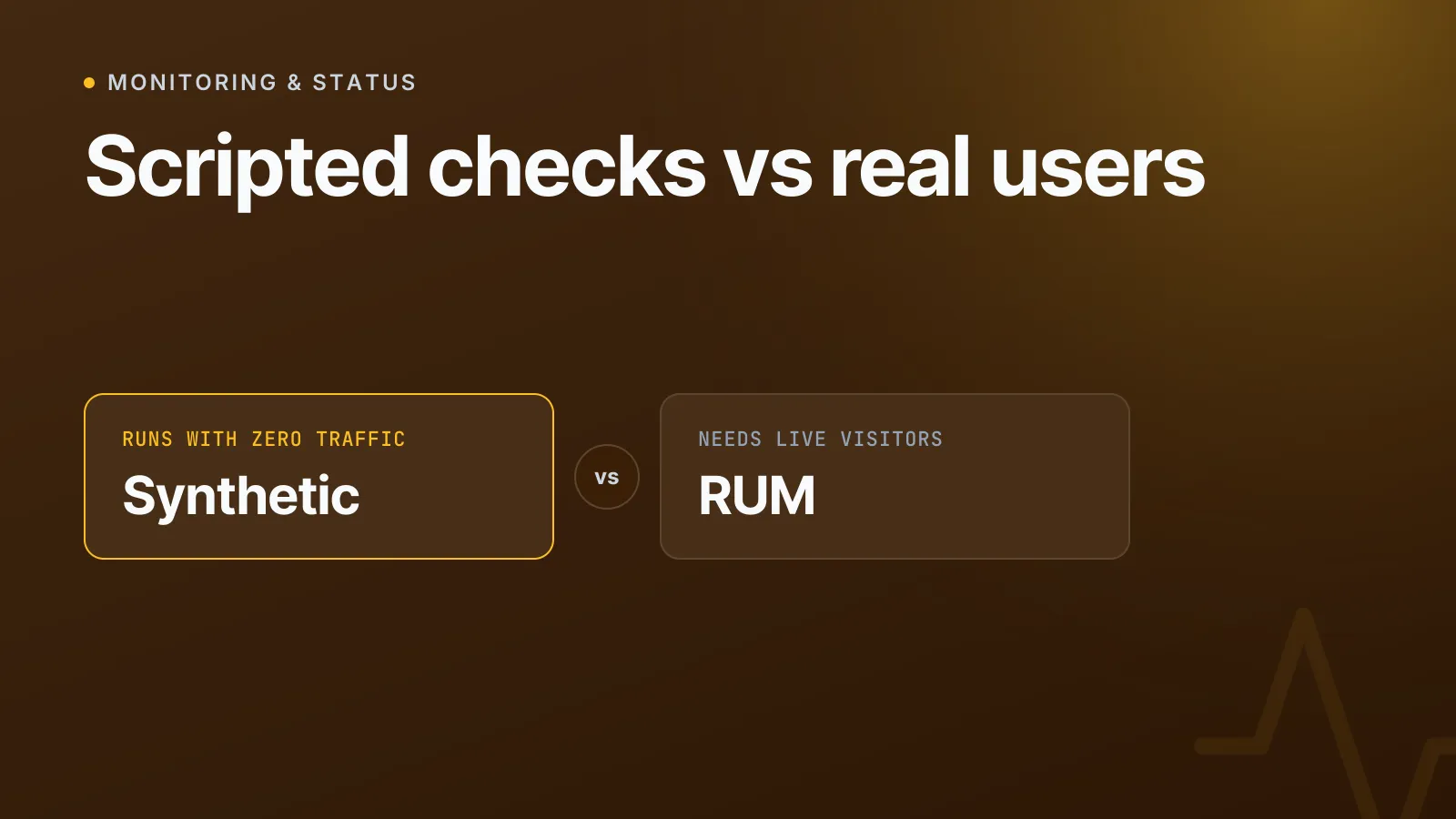
Synthetische monitoring vs. real user monitoring (RUM)
De twee benaderingen beantwoorden verschillende vragen, en de meeste serieuze monitoringopstellingen gebruiken ze allebei.
| Synthetische monitoring | Real user monitoring (RUM) | |
|---|---|---|
| Gegevensbron | Scripted checks die je zelf definieert | Echte bezoekerssessies |
| Werkt zonder verkeer | Ja | Nee, vereist live gebruikers |
| Consistentie | Dezelfde test, dezelfde omstandigheden, bij elke run | Verschilt per apparaat, netwerk en locatie |
| Het meest geschikt voor | Uptime, SLA-tracking, testen vóór een release | Praktijkervaring, echte knelpunten |
| Vangt problemen voordat gebruikers ze zien | Ja | Nee, rapporteert achteraf |
| Installatie | Check één keer definiëren | Vereist verkeer + trackingscript |
RUM vertelt je wat er daadwerkelijk gebeurde bij echte mensen op echte apparaten, handig om te begrijpen of je trage mobiele checkoutpagina echt conversies kost. Synthetische monitoring vertelt je wat er bij iedereen zou gebeuren, op dit moment, onder gecontroleerde en herhaalbare omstandigheden. Dat is precies wat je nodig hebt voor uptime-SLA's, want je kunt niet wachten tot een klant het merkt.
TipGebruik synthetische checks om storingen snel en consistent op te sporen; gebruik RUM (als je genoeg verkeer hebt) om te begrijpen hoe de prestaties in de praktijk variëren tussen apparaten en regio's.
Wanneer gebruik je synthetische monitoring?
Synthetische monitoring bewijst zijn waarde vooral in een paar specifieke situaties:
- Voordat je noemenswaardig verkeer hebt. Een nieuwe site, een stagingomgeving of een interne tool met weinig verkeer heeft geen RUM-gegevens om mee te werken; synthetische checks zijn dan de enige optie.
- Voor SLA- en uptimerapportage. Als je 99.9% uptime belooft, heb je een consistente, externe meting nodig, geen steekproef van het verkeer dat toevallig op de site terechtkwam.
- Voor kritieke paden die weinig worden gebruikt. Wachtwoordherstel, afrekenen, API-authenticatie: flows die heel belangrijk zijn, maar misschien niet vaak genoeg worden gebruikt om een storing via RUM snel op te merken.
- Voor checks op afhankelijkheden en derde partijen. DNS-resolutie, het verlopen van certificaten, mailroutering (MX): geen van deze zie je terug in de browsersessie van een gebruiker, maar als er één kapot is, ligt je dienst toch plat.
- Voor validatie over meerdere regio's. Bevestigen dat je CDN- of DNS-configuratie ook vanuit Sydney correct resolvet en reageert, en niet alleen vanuit je kantoor in Londen.
Een eenvoudige HTTP-check elke minuut is een redelijke basis voor vrijwel elke publiek toegankelijke dienst. Vul die aan met TLS-/certificaatchecks en DNS-checks, want verlopen certificaten en kapotte DNS behoren tot de meest voorkomende, en best te voorkomen, oorzaken van downtime.
Een eenvoudig voorbeeld
Een minimale configuratie voor een synthetische check op een login-endpoint kan er zo uitzien:
Check type: HTTPS GET
URL: https://app.example.com/api/health
Expected status: 200
Expected body contains: "status":"ok"
Timeout: 10s
Interval: 1 minute
Locations: London, Frankfurt, N. Virginia, Singapore
Alert if: fails from 2+ locations, or fails 3 consecutive times
Die ene check vangt een gecrasht proces, een mislukte deploy, een verkeerde DNS-configuratie of een certificaat dat 's nachts ongemerkt is verlopen, allemaal zonder te wachten tot een klant een supportticket indient.
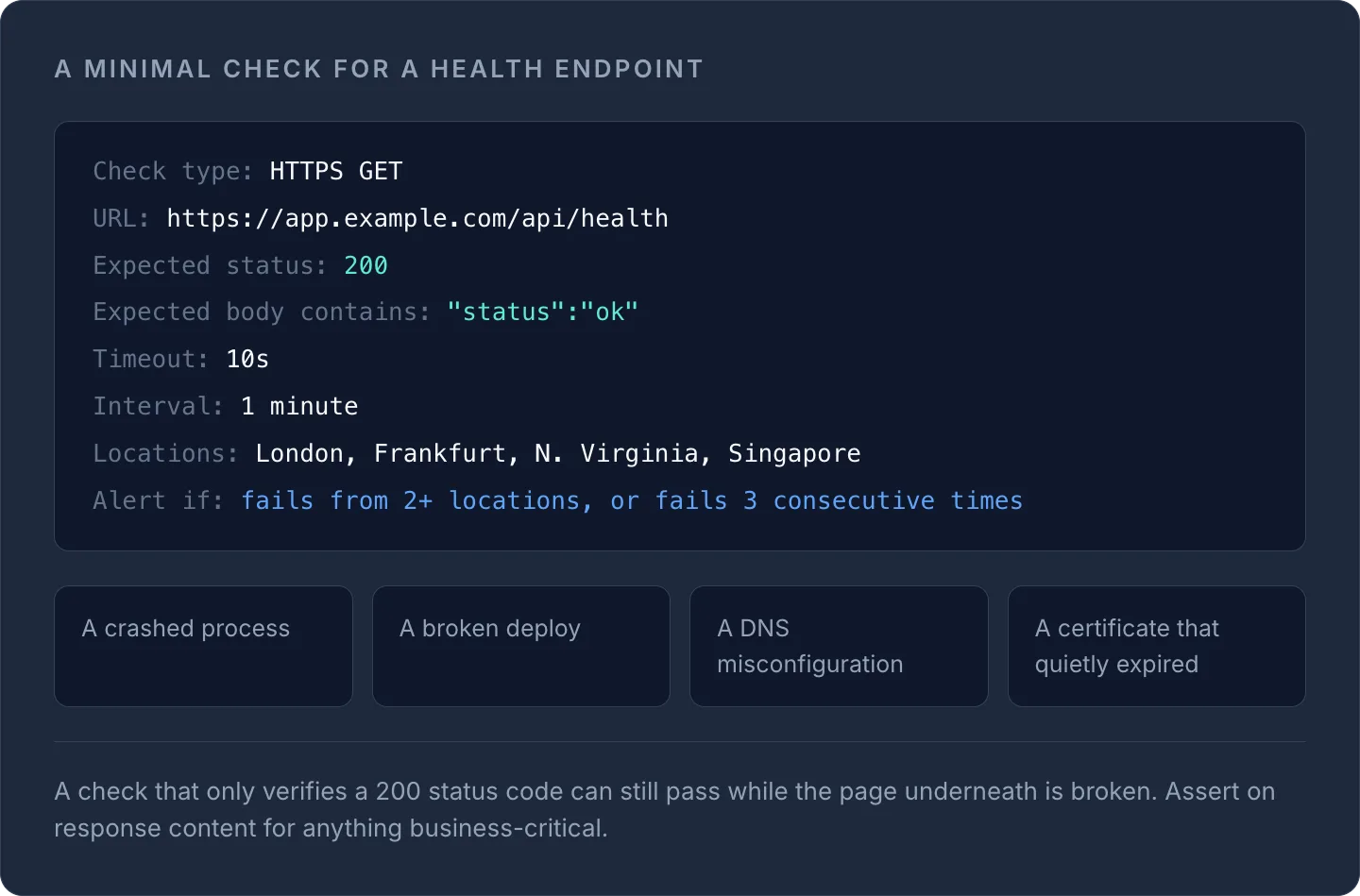
WarningEen check die alleen een 200-statuscode controleert, kan nog steeds slagen terwijl de pagina eronder kapot is. Controleer bij alles wat bedrijfskritisch is de daadwerkelijke inhoud van de respons, niet alleen de statuscode.
Hoe synthetische monitoring past bij je andere checks
Synthetische monitoring is één laag van een bredere observability-stack, geen vervanging voor de andere lagen. Het gaat goed samen met het bewaken van certificaatverloop, DNS-healthchecks en alerts bij infrastructuurwijzigingen. In ons artikel website monitoring uitgelegd lees je hoe uptime-, prestatie- en SSL-checks samenwerken, en detectie van infrastructuurdrift laat zien hoe je onverwachte configuratiewijzigingen opmerkt die synthetische checks alleen misschien missen.
De monitoring van InfraNest voert geplande synthetische HTTP-, TCP- en SSL-checks uit op je domeinen en servers vanuit één dashboard, naast je DNS- en certificaatbeheer. Zo kan dezelfde plek die je vertelt dat een check is mislukt, je ook vertellen of een DNS-wijziging of een verlopend certificaat de oorzaak was.
Veelgestelde vragen
#Is synthetische monitoring hetzelfde als uptime monitoring?
Uptime monitoring is een veelvoorkomende toepassing van synthetische monitoring, maar synthetische monitoring is de bredere techniek: die omvat ook gescripte transactietests, DNS-checks en checks op het verlopen van certificaten, niet alleen "is de site online".
#Hoe vaak moeten synthetische checks draaien?
Een eenvoudige HTTP- of pingcheck elke 1-5 minuten is voor de meeste publiek toegankelijke diensten een redelijke basis; gescripte browserchecks met meerdere stappen draaien meestal minder vaak, bijvoorbeeld elke 5-15 minuten, omdat ze per run meer resources kosten.
#Kan synthetische monitoring real user monitoring volledig vervangen?
Nee. Synthetische monitoring vertelt je wat er onder gecontroleerde omstandigheden zou gebeuren, terwijl RUM je vertelt wat er daadwerkelijk gebeurde bij echte bezoekers op echte apparaten; de meeste productieomgevingen hebben baat bij allebei.
#Moeten synthetische checks vanaf meerdere locaties draaien?
Door dezelfde check vanuit meerdere regio's uit te voeren, kun je een echte storing onderscheiden van een lokaal netwerkprobleem bij één probe, en de meeste platforms sturen pas een alert als meerdere locaties het erover eens zijn dat de check is mislukt.
Probeer het met een gratis tool
Was dit artikel nuttig?