A dangling DNS record is an A, AAAA, CNAME, MX, or NS record that still resolves but points at a cloud resource, IP address, or nameserver that no longer exists — a deleted storage bucket, a released server IP, a closed SaaS account. If an attacker can claim that same resource under their own account, they can serve their own content on your subdomain. This is called a subdomain takeover, and it's one of the quieter ways a trusted domain ends up hosting someone else's phishing page or malware. The fix is to delete or repoint a DNS record the moment the resource behind it is decommissioned, and to periodically audit the rest of the zone for records nobody remembers creating. With Cybersecurity Awareness Month putting attack-surface reviews back on everyone's checklist, a zone audit is one of the highest-value, lowest-effort tasks you can run this month.
What is a dangling DNS record?
The term isn't defined in any RFC — it's operational shorthand for a record whose target has quietly disappeared. The DNS entry itself is perfectly valid and still answers queries; what's missing is the thing it used to point to. Four patterns cause almost all of them:
- A CNAME still aliases a hostname to a cloud service endpoint (an S3 bucket, a CDN distribution, a PaaS app) that was deleted.
- An A/AAAA record still points at an IP address that was released back to a cloud provider's pool.
- An NS delegation still points a subdomain's zone at nameservers belonging to a provider account that was closed.
- An MX record still routes mail to a mail platform the team stopped using.
None of these are protocol errors. The DNS doesn't know or care that the thing on the other end is gone — it just keeps answering. That's exactly what makes dangling records invisible until someone checks.
How a subdomain takeover actually works
Many cloud and SaaS platforms let a customer claim a resource by name — a bucket name, an app slug, a distribution alias — and that name becomes available to anyone the moment the original owner deletes it. If your DNS still has a CNAME pointing at old-bucket.s3-website-us-east-1.amazonaws.com, and nobody at your company owns that bucket any more, an attacker can create a new bucket with the exact same name, upload their own page, and your subdomain will serve it — complete with a valid TLS certificate if they request one through a provider that doesn't check domain ownership against your records.
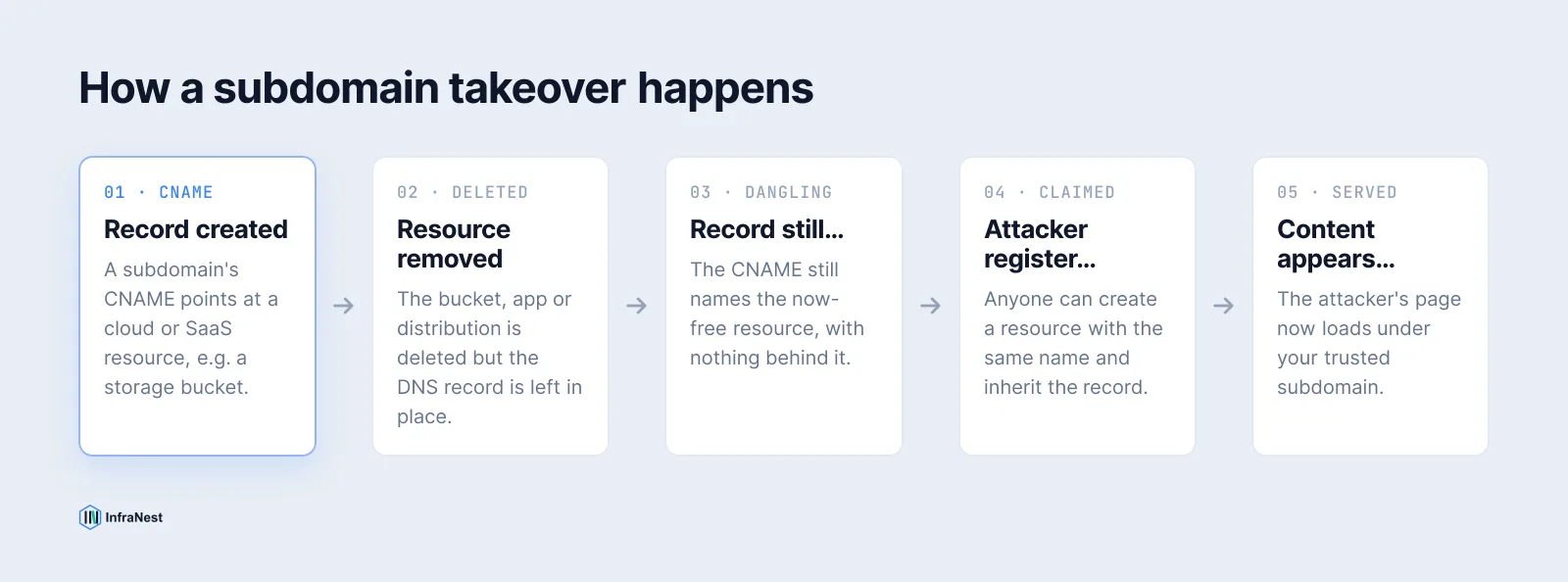
asuid.<subdomain> TXT requirement) are much harder to exploit this way, but plenty of older or smaller services still aren't.
Which services are the usual culprits
| Service | Dangling record points to | Typical "unclaimed" signal |
|---|---|---|
| AWS S3 static site | CNAME to bucket.s3-website-region.amazonaws.com |
NoSuchBucket XML error |
| AWS CloudFront | CNAME to *.cloudfront.net |
"The request could not be satisfied" |
| GitHub Pages | CNAME to username.github.io |
"There isn't a GitHub Pages site here" |
| Heroku | CNAME to *.herokuapp.com |
"No such app" |
| Azure App Service | CNAME to *.azurewebsites.net |
"404 Web Site not found" |
This is not an exhaustive list — Fastly, Shopify, Zendesk, Surge.sh, and several other platforms have appeared in the same catalogue at various points. The pattern is always the same: a friendly error page confirming the name is free, sitting behind a DNS record you still control.
How to audit your zone for dangling records
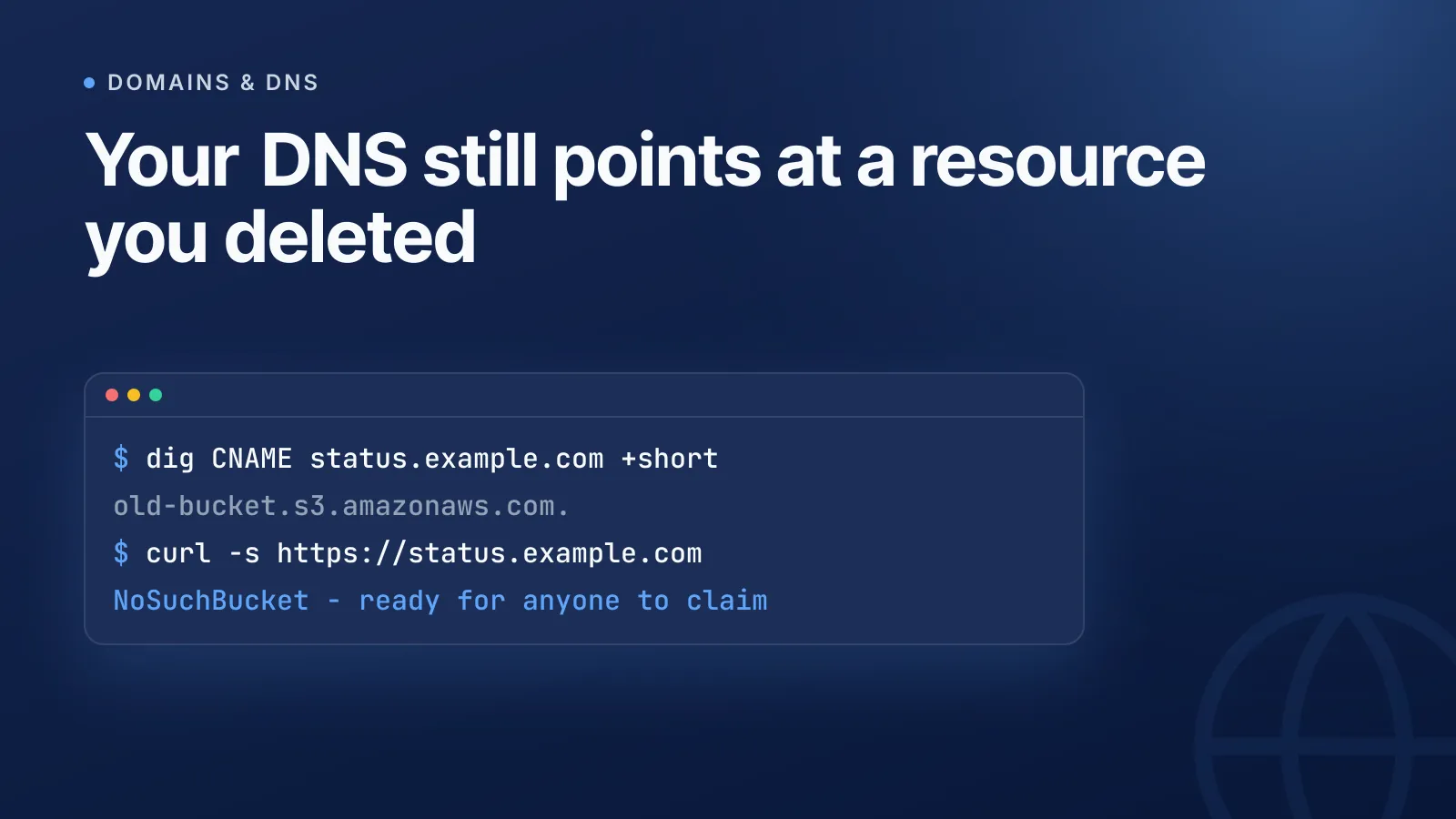
Start by exporting every record in the zone and resolving the chain for each hostname. For CNAMEs, follow the target and see what answers:
$ dig CNAME status.example.com +short
old-bucket.s3-website-us-east-1.amazonaws.com.

$ curl -s https://status.example.com
<Error><Code>NoSuchBucket</Code><Message>The specified bucket does not exist</Message></Error>
A bare NXDOMAIN on the target, or a provider-specific "unclaimed" error page like the one above, both mean the resource is gone and the name may be free to claim. Our free DNS lookup tool is a fast way to pull A, CNAME, MX and NS records for a hostname without reaching for a terminal, which is useful when you're checking a long list of subdomains by hand.
For anything beyond a handful of subdomains, script it: enumerate subdomains (from your own inventory, certificate transparency logs, or a subdomain wordlist), resolve each one, and flag any CNAME whose target doesn't resolve or returns a known "unclaimed" fingerprint. Open-source tools like Subjack, tko-subs, dnsReaper, and Nuclei's subdomain-takeover templates automate exactly this workflow against public fingerprint databases.
TipDon't rely on memory for what's "still in use." Cross-reference the zone export against your actual provisioned cloud resources — anything in DNS with no matching live resource is a candidate for removal, regardless of how old or harmless it looks.
Removing a dangling record safely
Once you've confirmed a record is dangling, delete it — don't try to "fix" it by adding another record type at the same name. RFC 1034 is explicit that a name with a CNAME should carry no other record types, so you can't layer an A record on top without removing the CNAME first. If you're not ready to remove it outright, repoint it at a resource you control — a parking page or a server you own — rather than leaving it pointed at nothing.
WarningCheck whether the record is also serving as a domain-ownership proof (a TXT or CNAME verification record for the platform you're leaving) before you delete it. Removing a verification record too early can break an in-progress migration rather than close one off.
NS delegation takeover: a different animal
A dangling NS delegation is a separate, more serious case: it happens when a subdomain's zone is delegated to nameservers run by a third-party account (a DNS host, a CDN, a dev tool) that's since been closed, and the nameserver names themselves become available for someone else to register. Whoever controls those nameserver names then controls DNS for that entire subdomain, not just one record. Audit NS delegations the same way — resolve each nameserver hostname and confirm it still belongs to an account you operate. If you manage every zone from one place, this is much easier to keep straight; see how centralised DNS management handles delegations alongside ordinary records.
Make removal part of decommissioning, not an afterthought
The real fix isn't a one-off audit — it's a process. Delete or repoint the DNS record at the same moment you decommission the resource behind it, as a required step in the teardown checklist, not a follow-up ticket that may never get filed. Pair that with an up-to-date infrastructure inventory so every record has a known, currently-active owner, and consider drift detection so a record that starts dangling gets flagged automatically instead of waiting for the next manual audit.
Run this audit on a schedule, not just once. New dangling records get created every time a project is retired, a trial account expires, or a team migrates off a platform — it's an ongoing maintenance task, not a project with an end date.
Start with a free scan of your own zone using the DNS lookup tool, then make deletions part of every decommissioning checklist.
Frequently asked questions
#Can a dangling A record cause a subdomain takeover, or only CNAMEs?
CNAMEs pointing at cloud/SaaS endpoints are the classic case because the target name itself can become re-claimable, but a dangling A record pointing at a released cloud IP can also be exploited if someone else is reassigned that same IP and runs a service on it.
#Will deleting a dangling record break anything?
If you've confirmed the resource it points to no longer exists, deleting the record won't break live traffic — it was already failing or serving nothing useful. Check first that the record isn't also doubling as a domain-ownership verification entry for a migration still in progress.
#How often should I audit my DNS zone for dangling records?
Audit after every decommissioning (app shutdown, server teardown, SaaS cancellation) and on a recurring schedule, such as quarterly, since records are easy to forget between planned reviews.
#Does a valid TLS certificate mean a subdomain is safe?
No — if an attacker successfully claims a dangling resource, many certificate authorities will issue them a certificate for your subdomain because domain control validation checks the DNS record you left in place, not who originally created the project.
Probeer het met een gratis tool
Was dit artikel nuttig?