

Free tool
SSL Certificate Check
See a domain’s certificate in full — who issued it, when it expires, what it covers and whether the chain of trust is complete.
Check the whole domain at once: website, SSL, DNS and email →
Go beyond this tool. Manage Certificates across every provider — in one dashboard.
Get started free →An SSL/TLS certificate encrypts traffic and proves your site’s identity. If it’s expired, misconfigured or untrusted, browsers show a scary warning and visitors leave. This tool confirms a domain currently serves a valid, trusted certificate.
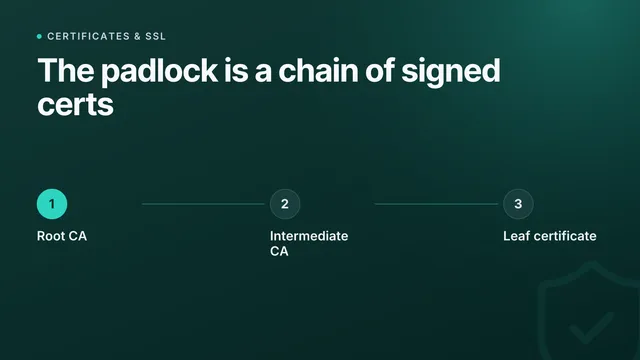
The check reads the certificate the server actually presents, then says what each part of it means: the expiry date and how long is left, the names it covers, the authority that signed it, and every certificate in the chain between the two. Where something is wrong it says what a visitor experiences and what fixes it.
It is still one check, at one moment. Expiry dates creep up quietly and renewals fail silently, so certificates are best watched automatically.
Never let a certificate lapse
InfraNest monitors your SSL certificates continuously — expiry, issuer, SANs, algorithm and key size — and warns you well before anything expires.
- Automatic SSL expiry monitoring
- Full certificate detail (SANs, issuer, algorithm)
- Alerts before certificates expire
- Domain expiry monitoring too
Frequently asked questions
#What does this tool check?
That the domain serves a certificate over HTTPS, that it is currently valid rather than expired or not yet active, that it was issued by an authority browsers trust, that it covers the hostname you entered, and that the server sends the full chain between its own certificate and that authority. Around the certificate it checks what visitors meet: whether http:// moves to https://, whether www and the bare domain both work, and whether the domain’s CAA record still allows the next renewal. Automated certificates are held to their renewal schedule, so a renewal that is running late shows up weeks before the expiry date. The key, signature algorithm, fingerprint and serial number are under the technical details.
#Why does my browser warn when this says the certificate is valid?
Most often because the server sends the leaf certificate without its intermediate. Some clients fetch the missing link themselves and some do not, which produces the maddening case of a site that works in one browser and fails in another. Other causes are a clock that is badly wrong, or a page loading assets over plain HTTP.
#How long is a certificate valid for?
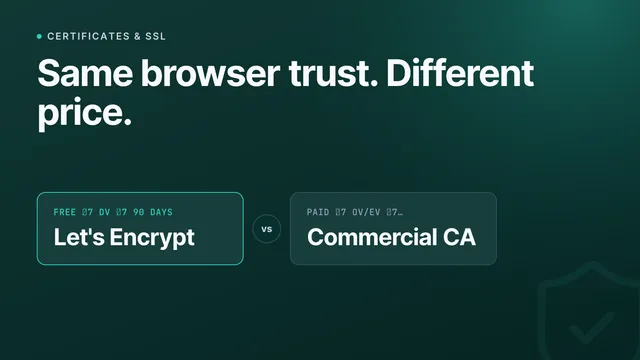
Let’s Encrypt issues for 90 days, and publicly trusted certificates cannot exceed 398 days — a maximum the industry is steadily shortening. Short lifetimes are only safe when renewal is automated and watched.
#Doesn’t automatic renewal make this unnecessary?
Automation fails quietly. A DNS change, a blocked port 80, an expired API token or a deploy that wiped a cron job all stop renewals without producing an error anyone reads — and the first sign is a browser warning in front of a customer.
#What is a SAN?
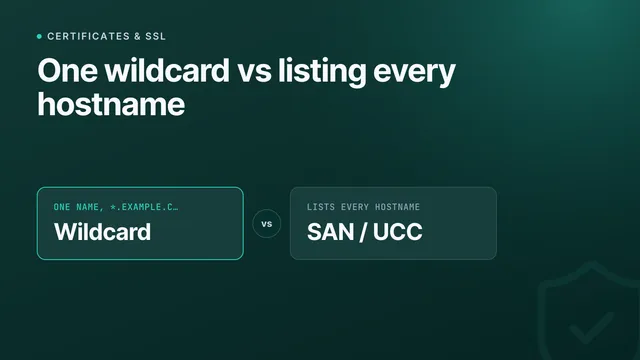
The Subject Alternative Name list holds every hostname a certificate covers. A certificate for example.com does not cover www.example.com unless that name is in the SAN list, which is why one of the two so often warns while the other does not.
From the blog
New guides on uptime and monitoring
I’d like to receive product updates and new articles from InfraNest by email. I can unsubscribe at any time.
More free tools
One lookup is a snapshot
InfraNest keeps checking — across every domain you own — and tells you when the answer changes instead of when a customer does.
Free plan · No credit card required · Set up in minutes