

Free tool
DNS Lookup
Check every common record a domain publishes — A, AAAA, MX, TXT, NS, CNAME and CAA — in one lookup, with the faults that only show up across them.
Check the whole domain at once: website, SSL, DNS and email →
Go beyond this tool. Manage DNS across every provider — in one dashboard.
Get started free →DNS records tell the internet where to find your website, email and services. A DNS lookup shows exactly what a domain publishes right now — invaluable when debugging a misconfiguration, confirming a change has propagated, or investigating email delivery.
Everything is fetched at once, because most of what goes wrong in a zone is only visible across record types: a CNAME on the domain itself is legal alone and contradictory beside MX records, a single nameserver looks like an answer rather than like a missing second one, and a day-long TTL is correct right up until the afternoon you plan a migration. The lookup runs live over DNS-over-HTTPS from our servers, so the answer describes the domain rather than your own resolver.
Manage all your DNS in one place
With InfraNest you manage DNS zones and records across Hetzner, Cloudflare, TransIP, GoDaddy, IONOS and Namecheap — without logging into each provider separately.
- Live push sync to your provider
- One-click templates for mail & security
- Drift detection when records change externally
- A clear sync status on every record
Frequently asked questions
#What is a DNS lookup?
A DNS lookup asks the internet’s name servers which records a domain currently publishes. Those records are what actually route your website and email, so a lookup is the fastest way to see what the rest of the world sees — rather than what you believe you configured.
#Why doesn’t my change show up yet?
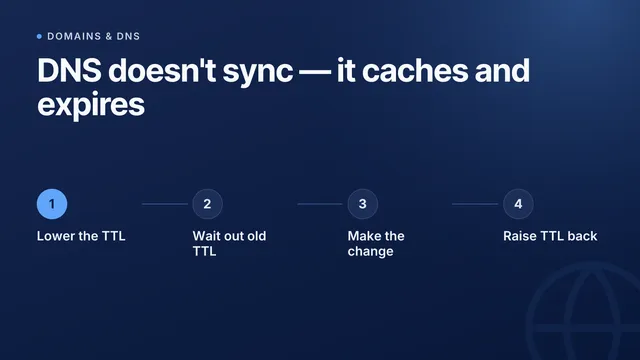
Resolvers cache each answer for the length of its TTL, so an old value can survive for as long as that TTL after you edit it. Lower the TTL a day before a planned migration and the switch takes minutes instead of hours.
#What is the difference between an A record and a CNAME?
An A record points a name straight at an IPv4 address (AAAA does the same for IPv6). A CNAME points one name at another name, and the resolver then looks that one up in turn. A CNAME cannot sit on a domain’s root alongside other records, which is why root domains normally use A or AAAA.
#Which record types can I look up here?
A and AAAA (addresses), MX (mail servers), TXT (SPF, DKIM, DMARC and verification strings), NS (the authoritative name servers), CNAME (aliases) and CAA (which certificate authorities may issue for the domain).
#Does this show DNS propagation?
No — it queries one resolver over DNS-over-HTTPS and reports what that resolver holds right now. "Propagation" is really many independent caches expiring at different times, so a single lookup tells you the record is published, not that every resolver has caught up. The DNS propagation checker asks your nameservers and ten resolvers at once, and says when the last cache lets go.
From the blog
New guides on DNS and email deliverability
I’d like to receive product updates and new articles from InfraNest by email. I can unsubscribe at any time.
More free tools
One lookup is a snapshot
InfraNest keeps checking — across every domain you own — and tells you when the answer changes instead of when a customer does.
Free plan · No credit card required · Set up in minutes