

Free tool
DNS Propagation Checker
Check a record on the domain’s own nameservers and on ten public resolvers at once, and see when the last old copy expires.
Check the whole domain at once: website, SSL, DNS and email →
Go beyond this tool. Manage DNS across every provider — in one dashboard.
Get started free →A DNS change does not travel anywhere. It is published on your nameservers at once, and every resolver that cached the old answer keeps serving it until that copy expires. So “has it propagated?” is really two questions: is the new value published on every nameserver, and how long are the caches still holding the old one?
This checker answers both. It asks each of the domain’s own nameservers directly, past every cache, to see what is published and whether they agree. Then it asks ten public resolvers (Cloudflare, Google, Quad9 and others) what they hold, and reads the time left in each cache off the answer itself. That turns “allow 24 to 48 hours” into a time on the clock.
It also catches the changes that will never propagate, however long you wait: a record edited at a provider that is not in charge of the domain’s DNS, or one nameserver still serving the old zone. Enter the value you set, and every server and resolver is checked against it. The resolvers are anycast, so these are the copies nearest our servers rather than one per country, and the page says so.
Know the moment a record changes
InfraNest watches the DNS of every domain you manage and tells you when a record changes, whoever changed it, and edits records across Cloudflare, Hetzner, TransIP and more from one place.
- Alerts when a DNS record changes
- Drift detection against what you configured
- Edit records at every provider in one place
- TTL and nameserver checks on every zone
Frequently asked questions
#How long does DNS propagation take?
As long as the old record’s TTL, at most. A resolver that cached the previous answer keeps it until its TTL runs out, then asks again and gets the new one. With a TTL of 300 seconds that is five minutes; with 86,400 it is a day. This checker reads the time left on each resolver’s copy, so you see the actual deadline rather than a rule of thumb.
#Why do some resolvers show the new value and others the old one?
Each resolver cached the record at a different moment, so each copy expires at a different time. A resolver that happened to ask just before your change keeps the old answer for longest. That is normal, and it ends on its own.
#My change has not propagated after days. What is wrong?
Almost always the change was never published where it counts. If the domain’s nameservers are at one provider and the record was edited at another (often the registrar), resolvers will never see it. This checker asks the nameservers directly and says so when none of them serves the value you expect.
#Can I speed up DNS propagation?
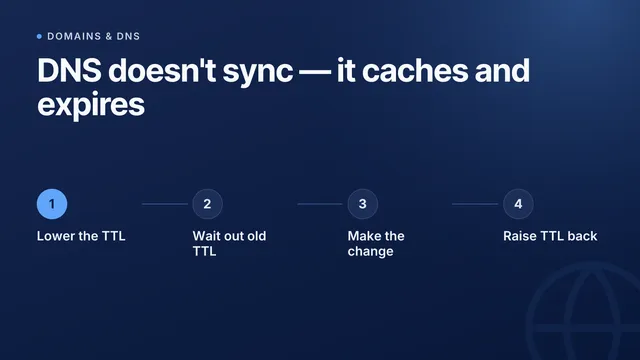
For the next change, yes: lower the record’s TTL to 300 seconds a day before, so caches let go within five minutes. For a change already made, you can ask Google Public DNS and Cloudflare 1.1.1.1 to drop their cached copy; the buttons on the result take you there. Other caches expire on their own.
#Why does a Cloudflare-proxied record show different addresses?
When the orange cloud is on, Cloudflare answers with its own addresses and forwards visitors to your server. Resolvers will never show your server’s address for that name, which is the proxy working as intended. The checker recognises this rather than reporting an old value.
#I moved to a new DNS provider and some visitors cannot reach my site. Why?
Two usual causes. Resolvers keep using your old nameservers for up to the registry’s TTL (often 48 hours), so if the old provider has already deleted the zone, those resolvers get nothing at all. And if the domain uses DNSSEC, a DS record left at the registrar for the old provider’s key makes every validating resolver refuse the domain. Choose “Nameservers” and this checker compares the registry with both providers and checks the DNSSEC chain.
From the blog
New guides on DNS and email deliverability
I’d like to receive product updates and new articles from InfraNest by email. I can unsubscribe at any time.
More free tools
One lookup is a snapshot
InfraNest keeps checking — across every domain you own — and tells you when the answer changes instead of when a customer does.
Free plan · No credit card required · Set up in minutes