Moving DNS between providers is one of the few infrastructure jobs where a single missed line takes down mail or a website, and you often don't find out until someone complains. The safe way to do it is with a zone file — the standard BIND-format export defined by RFC 1035 that almost every DNS provider can read and write. Downloading a zone file, previewing the import at the new provider, and only then changing nameservers turns a risky manual copy job into something you can check before it happens.
What a DNS zone file actually contains
A zone file is a plain-text list of every record in a zone — A, AAAA, CNAME, MX, TXT, SRV, CAA and so on — each with its name, TTL (time to live) and value. It typically starts with an $ORIGIN line (the domain the records belong to) and a $TTL default, a directive added by RFC 2308 for records that don't specify their own TTL. A small example:
$ORIGIN example.com.
$TTL 3600

@	3600	IN	A	192.0.2.1
@	3600	IN	MX	10 mail.example.com.
www	300	IN	CNAME	example.com.
_dmarc	3600	IN	TXT	"v=DMARC1; p=quarantine"
What it deliberately leaves out matters just as much. The SOA (start of authority) record and the apex NS records belong to whichever provider hosts the zone — they get created fresh wherever you import the file, and every sane importer expects this. If you're unsure what a record type actually does before you move it, our DNS record types guide covers A, AAAA, CNAME, MX, TXT, NS and CAA in plain terms.
Why moving DNS between providers is risky
There are three common ways people migrate a zone, and two of them fail quietly:
- Retyping records by hand. Fine for five records, unworkable for fifty. It's easy to miss a TXT record for SPF or a domain-verification string that nobody remembers exists until it's gone.
- Letting the new provider scan your live DNS. A scan can only find names it guesses at — common subdomains like
www,mail,shop. It misses anything with an unusual name and can't see records hidden behind a proxy. - Uploading a zone file export. This is the only method that's complete, because the file contains every record the old provider knows about, not a guess based on common names.
WarningA DNS scan is a reasonable fallback when you have no export option, but treat it as incomplete. If your old provider can export a zone file at all, use that instead.
How to move DNS between providers with a zone file
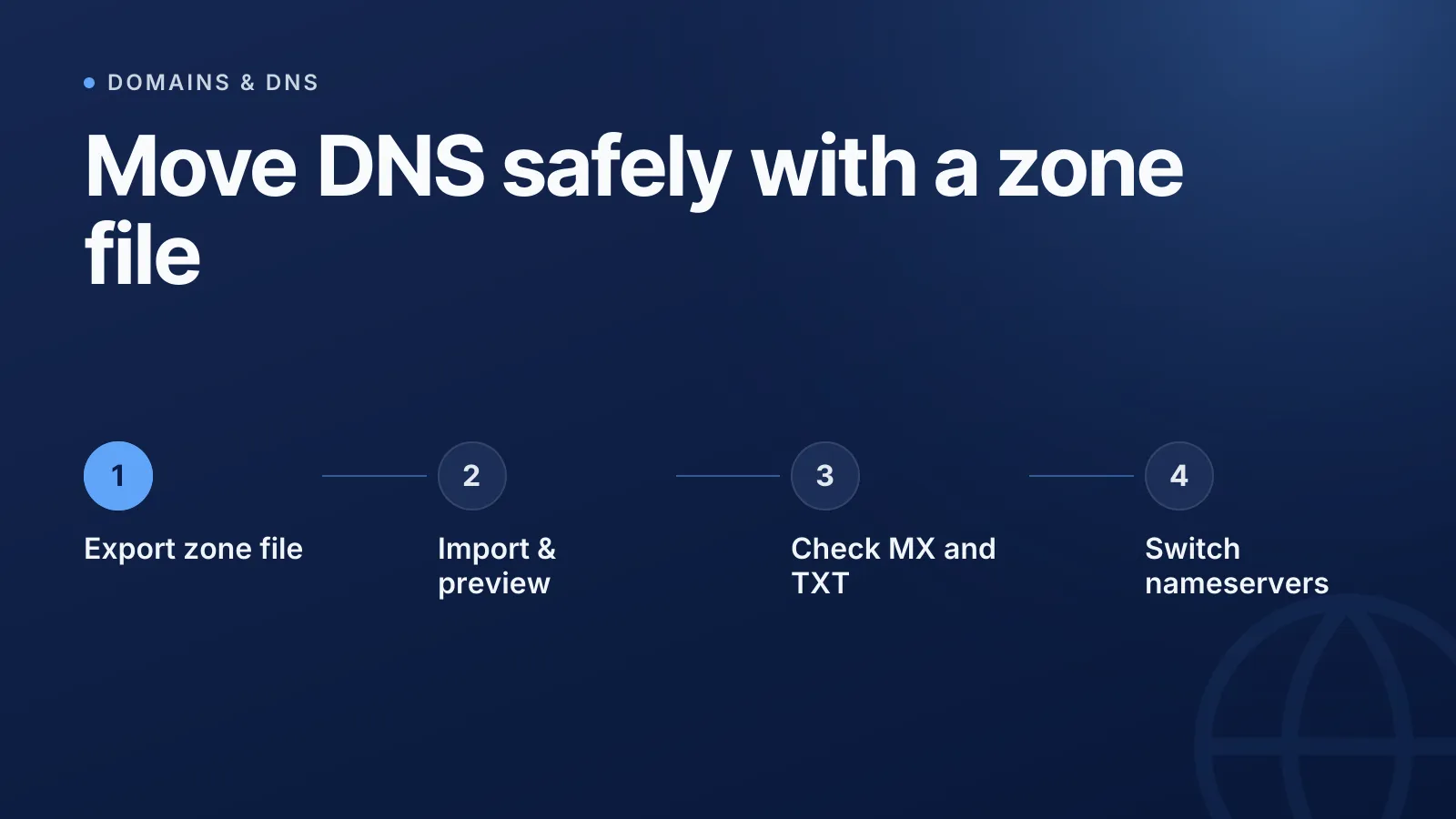
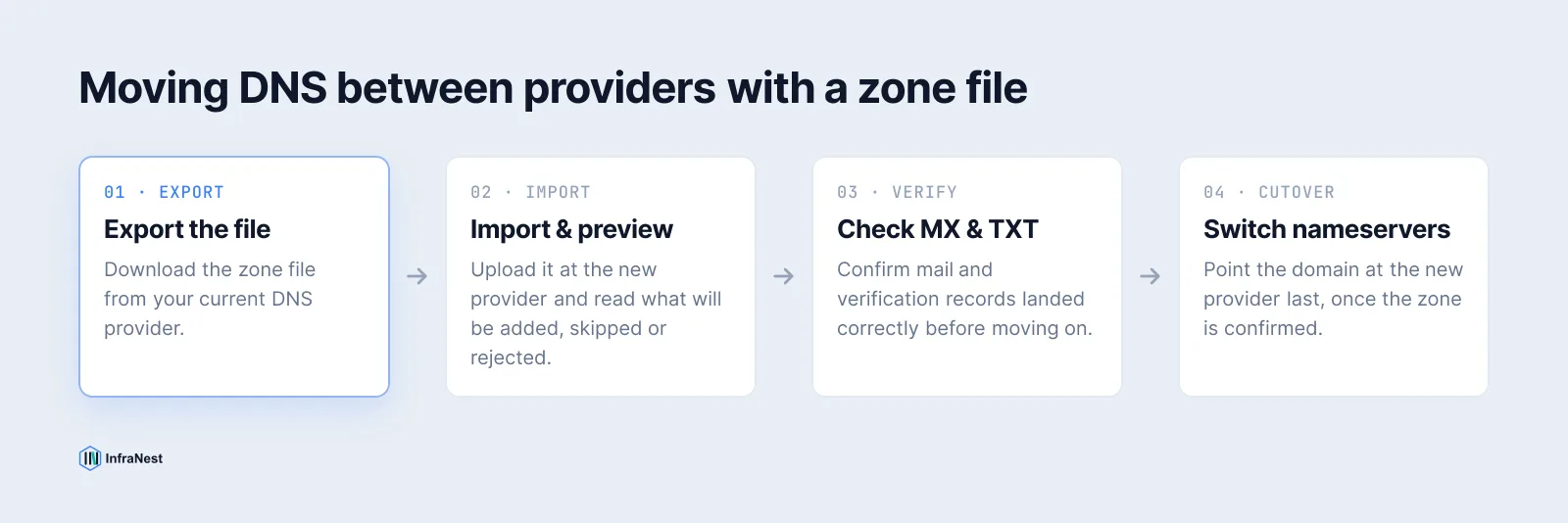
The sequence that avoids downtime is always the same, whatever tools you use:
- Export the zone file from your current provider — look for "Export zone file", "Export BIND file" or "Download records."
- Create the new zone at the target provider, or open it if it already exists.
- Import the file and read the preview before confirming anything.
- Check the records that landed — especially MX and TXT, since these are the ones most likely to break silently.
- Change nameservers at the registrar last, once you're confident the new zone is correct.
Doing the nameserver switch last is the part people skip under time pressure, and it's the part that actually protects you: until you change it, the old provider keeps answering every query, so there's no outage while you sort out a rejected record or a typo.
What a good import preview should show you
A zone file import is only as safe as its preview. Before anything is written, you should be able to see exactly what will happen to each line in the file:
| Category | What it means |
|---|---|
| To add | Records the new zone doesn't have yet — these get imported |
| Already present | An exact match already exists, so it's left alone |
| Provider will not accept | A record type your new DNS host's API doesn't support |
| Skipped | A line that can't become a record, with the reason and line number |
An import that only adds records — never overwrites or deletes — means running it twice changes nothing, which makes it safe to fix a file and try again without worrying about duplicating anything that already landed correctly.
Records that never travel in a zone file
A few things won't come across cleanly no matter how good the importer is:
- SOA and apex NS records. These are provider-owned and get regenerated at the new host, not copied from the file.
- DNSSEC keys. DNSKEY and RRSIG records are tied to the old provider's signing keys. Moving providers means re-signing the zone and updating the DS record at the registrar — see our guide on whether to enable DNSSEC for what that involves and why the order matters.
- Proprietary record types. Convenience features like ALIAS/ANAME records, redirect rules or provider-specific "page rule" entries generally have no standard equivalent, so they won't map into another provider's importer.
TipLower your TTLs a day or two before the cutover if you can. It's not a protocol requirement, but a short TTL means resolvers stop trusting the old answers faster once you do flip nameservers — see how DNS propagation actually works for why old records can linger.
How InfraNest handles this
InfraNest lets you download any zone it manages as a standard zone file, and import one back into an existing zone or a brand-new one. The import preview works exactly as described above: it lists what will be added, what already exists, what your provider's API won't accept, and every skipped line with the reason — before it writes anything. It only ever adds records, so nothing you already have is overwritten, and importing the same file twice is a no-op.
Setting up a fresh zone at a new provider is the same flow: in the add-zone wizard, choose to upload a zone file and the records come across as the zone is created, alongside the option to scan live DNS or copy from an existing zone. Once nameservers are in place, InfraNest keeps checking the zone against what the public internet actually answers, so a record changed outside the tool gets flagged rather than discovered later. Check today's records first with the free DNS lookup tool, then move the zone with confidence using DNS management.
Frequently asked questions
#What's the difference between a zone file import and a DNS scan?
A scan asks public resolvers about common subdomain names and only finds what it guesses correctly, while a zone file import contains every record the old provider knew about, including unusual or unguessable names.
#Will a zone file import overwrite my existing DNS records?
A well-built importer only adds records that don't already exist — it never overwrites or deletes, so importing the same file twice leaves the zone unchanged.
#Does a zone file move my nameservers too?
No. A zone file only carries record data; nameserver delegation is set separately at your domain's registrar, and should always be the last step in a migration.
#Can I move a DNSSEC-signed zone with a zone file?
Not directly — DNSKEY and RRSIG records are tied to the old provider's signing keys, so the new provider has to generate its own keys and you update the DS record at the registrar to match.
Try it with a free tool
Was this article helpful?