

Obtenez de l'aide sans quitter InfraNest — questions, captures d'écran et signalements d'erreurs atterrissent tous dans une seule conversation continue, avec des réponses que vous pouvez aussi suivre directement depuis votre messagerie.
#Vue d'ensemble
- Posez une question à tout moment via le bouton ? et obtenez une réponse instantanée du centre d'aide, ou une réponse d'une personne si nécessaire
- Joignez des captures d'écran ou des journaux pour accélérer la réponse
- Accédez directement à une discussion à propos d'une erreur que vous venez de rencontrer, avec les détails déjà renseignés
- Suivez toute la conversation dans InfraNest ou par e-mail
#Démarrer une conversation
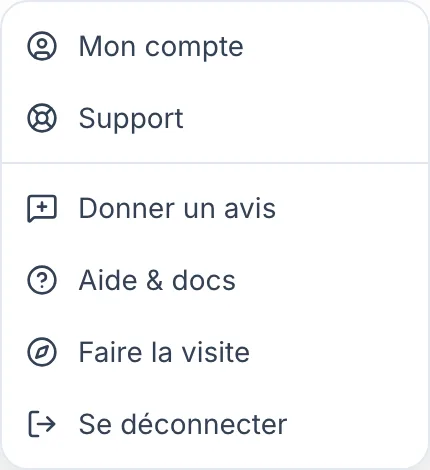
- Sélectionnez le bouton ? en bas à droite (sur téléphone, il se trouve dans la barre du haut), puis sélectionnez Ask us a question. Support dans le menu de profil et Contact support dans le panneau d'aide ouvrent la même discussion.
- Saisissez votre question et envoyez-la.
Vous obtiendrez souvent une réponse immédiate : la discussion peut répondre directement depuis notre centre d'aide, à toute heure. Si ce n'est pas possible, une personne prend le relais et vous verrez la réponse dans la même conversation.
#Joindre une capture d'écran ou un journal
- Ouvrez la discussion comme décrit ci-dessus.
- Sélectionnez le trombone pour joindre une image ou un fichier.
Les images et fichiers sont les bienvenus et vous permettent généralement d'obtenir une réponse plus rapide — une capture d'écran de l'erreur, ou les lignes de journal qui l'entourent, évite un aller-retour.
Si un message d'erreur affiche une Reference (un code court comme k3x9q2m7ab), copiez-le dans votre message. Cela nous permet de retrouver exactement ce qui s'est passé, sans avoir à vous demander quand ou où cela s'est produit.
#Poser une question sur une erreur directement depuis le message
- Lorsqu'une action que vous venez d'effectuer échoue, repérez le message d'erreur qui apparaît dans le coin.
- Sélectionnez Ask us about this.
- La discussion s'ouvre avec un message déjà rédigé : ce qui s'est mal passé, sur quelle page, à quel moment, et la référence.
- Ajoutez tout ce que vous souhaitez préciser, puis envoyez le message.
NoteRien n'est envoyé avant que vous ne cliquiez sur envoyer — le message pré-rempli n'est qu'un point de départ.
#Suivre la réponse
- Ouvrez la discussion à tout moment pour relire les conversations précédentes et en poursuivre une — tout votre historique est conservé.
- Lorsque nous répondons pendant que vous êtes dans InfraNest, un point apparaît sur le bouton ?.
- Ouvrez le menu et sélectionnez Ask us a question pour lire la réponse.
Vous recevrez également un e-mail lorsque nous répondons, afin de ne pas avoir à surveiller la discussion en permanence. Répondez directement depuis votre application de messagerie si c'est plus pratique — cela atterrit dans la même conversation.
#Par e-mail à la place
Vous préférez l'e-mail ? Écrivez à support@infranest.io et votre message arrive au même endroit. Utilisez billing@infranest.io pour les factures, les moyens de paiement et les changements de forfait.
#Astuces
- Si vous nous avez écrit par e-mail avant d'avoir un compte, cette conversation vous est automatiquement associée dès que les adresses e-mail correspondent.
- Lorsque vous démarrez une discussion depuis le panneau d'aide, nous voyons aussi sur quelle page vous étiez, l'article que vous veniez de lire et ce que vous avez recherché sans le trouver — ce qui vous permet d'aller directement à votre question.
#Dépannage
WarningVous ne voyez pas la discussion ? Elle est masquée pendant qu'un membre de notre équipe est connecté en tant que vous pour le dépannage — c'est volontaire, afin que rien ne soit enregistré par erreur sous votre nom.
La discussion sait également dans quel espace de travail vous travaillez, vous n'avez donc pas besoin de préciser votre forfait, votre rôle ou le compte concerné.
Cet article vous a-t-il été utile ?
Merci pour votre retour !
Merci, cela va directement à l’équipe docs.