Clocks changing for daylight saving time is a recurring deadline for anyone running scheduled infrastructure — with the EU turning clocks back on 25 October and the US following on 1 November, it's worth auditing your cron jobs, maintenance windows and on-call schedules before the next transition catches a job off guard. The root cause of almost every DST scheduling bug is the same: something was told to run at a local wall-clock time instead of a fixed point in UTC.
This isn't a one-off annoyance. It happens twice a year, in every time zone that observes daylight saving, and it quietly breaks three categories of infrastructure: scheduled jobs, maintenance windows, and alerting/on-call rotations.
What actually breaks when the clocks change
Twice a year, local time either skips an hour ("spring forward") or repeats one ("fall back"). Anything scheduled against local time has to make a decision it usually isn't built to make.
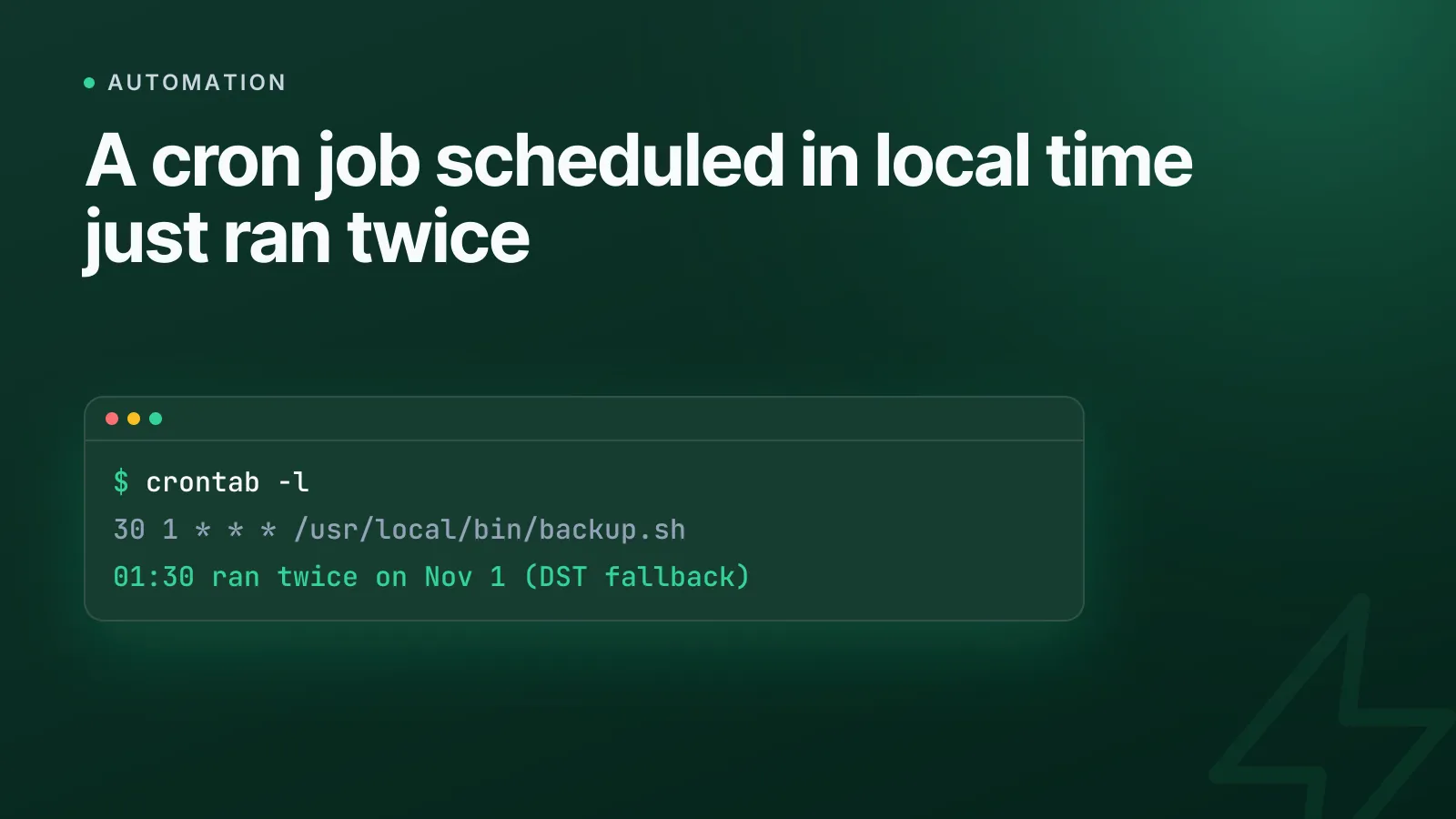
- Jobs run twice or not at all. A backup job set for 01:30 local time will fire twice during fall-back, because 01:30 happens twice that night. During spring-forward, a job set for 02:30 may never fire at all, because that wall-clock time never exists.
- Maintenance windows drift by an hour. A window defined as "02:00–04:00 local" silently shifts relative to UTC, so a window meant to avoid daytime traffic can land right in the middle of it, or a scheduled deploy freeze can start an hour early or late relative to every other system still on UTC.
- On-call handoffs misfire. Rotations defined in local time can hand off an hour early or late, or double-page the outgoing engineer during the repeated hour.
- Log timestamps appear to go backwards. If logs are written in local time, the hour between 01:00 and 02:00 appears twice on fall-back night, making timelines impossible to reconstruct during an incident.
None of this is a bug in cron, Kubernetes, or your alerting tool. It's what happens when a system that only understands "now" is told to care about a calendar convention that humans invented for daylight, not for computers.
Why local-time scheduling is the real problem
Classic POSIX cron (the cron daemon used by most Linux distributions) evaluates your crontab against the system's local time zone, set via /etc/localtime. It has no concept of "this hour doesn't exist" or "this hour happens twice" — it just checks whether the current wall-clock time matches your schedule, every minute. That's exactly the ambiguity that causes double-runs and skipped runs.
The same issue shows up in managed schedulers. Kubernetes added a .spec.timeZone field to CronJob specifically so schedules could be pinned to an IANA time zone instead of the controller's local clock — but Kubernetes' own documentation still warns that a CronJob can run twice, be skipped, or behave unexpectedly right around a DST transition even with a time zone set. Legacy AWS EventBridge cron rules are UTC-only with no time zone parameter at all, which avoids the ambiguity but means every "9am local" rule has to be manually re-offset twice a year if you ever scheduled it against local time by mistake.
WarningIf your crontab, Kubernetes CronJob, or scheduler config has a comment like
# runs at 2am local, treat it as a DST bug waiting to happen. Local time in a schedule definition is the smell, not the fix.
The fix: run servers and schedules in UTC
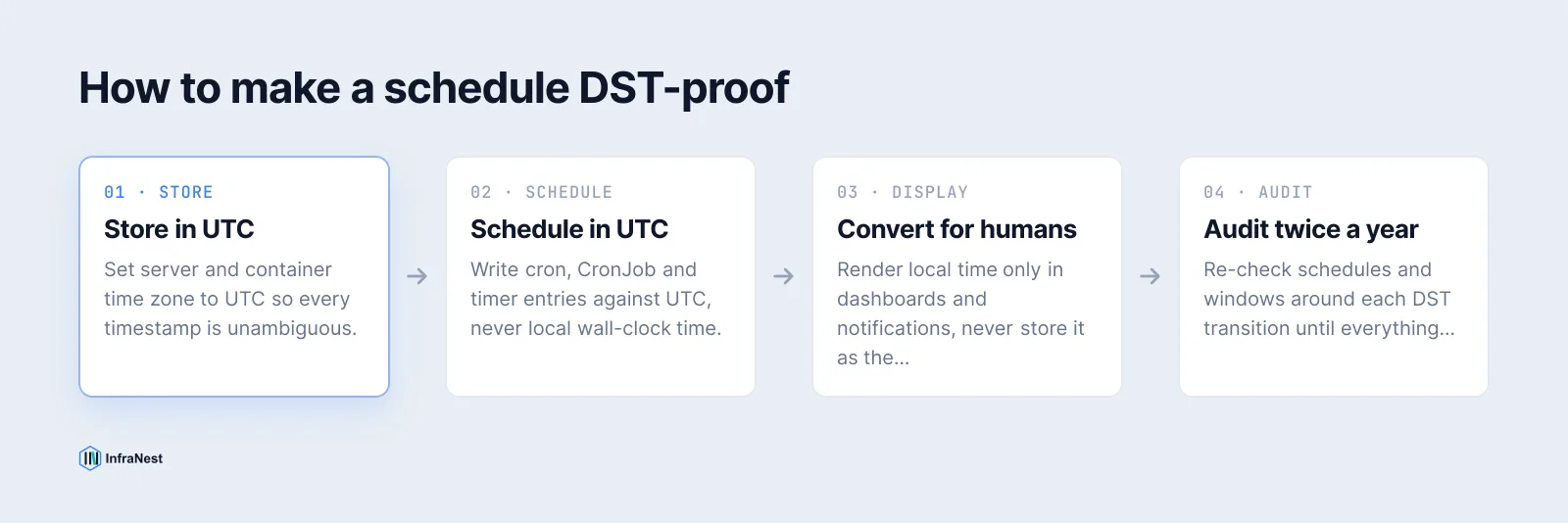
The reliable pattern is simple: keep your servers, your schedules, and your logs in UTC, and only convert to local time at the point a human reads it. UTC doesn't observe daylight saving — 03:00 UTC is 03:00 UTC every day of the year, with no repeated or skipped hour, ever.
Practically, that means:
- Set server system time zone to UTC (
timedatectl set-timezone UTCon systemd-based Linux). - Write every crontab entry, Kubernetes CronJob, systemd timer, and cloud scheduler rule in UTC.
- Store all log timestamps in UTC (ISO 8601 with a
Zsuffix, e.g.2026-11-01T01:30:00Z), and convert to the viewer's local time only in the dashboard or CLI output. - Define maintenance windows and on-call rotations in UTC internally, and render them in each person's local time zone purely as a display layer.
Concrete cron examples
# Bad: local time, ambiguous twice a year
30 1 * * * /usr/local/bin/nightly-backup.sh

# Good: explicit UTC, unambiguous year-round
# (crontab itself has no time zone field — set the system/container to UTC)
TZ=UTC
30 1 * * * /usr/local/bin/nightly-backup.sh
For systemd timers, the same logic applies to OnCalendar=:
[Timer]
# Runs at 01:30 UTC every day — set the unit's environment/system TZ to UTC
OnCalendar=*-*-* 01:30:00
For Kubernetes, either leave timeZone unset (defaults to the controller's local time — set that host to UTC) or explicitly set it:
spec:
  schedule: "30 1 * * *"
  timeZone: "Etc/UTC"
Etc/UTC is the one IANA zone guaranteed never to have a DST transition, which is exactly why it belongs in every schedule definition that matters.
Maintenance windows and on-call: same rule, different surface
A maintenance window or a status page incident schedule has the same bug class as a cron job, just expressed differently. If a window is defined as "Saturday 02:00–04:00 Europe/Berlin", the underlying start and end times in UTC shift by an hour depending on which side of the DST boundary you're on. Define the window in UTC, and show the local-time equivalent to engineers and customers as a read-only conversion — never as the stored value.
On-call rotations should follow the same split: the rotation boundary (who's paged, and when the baton passes) is a UTC timestamp; the calendar view your team looks at converts that to each person's local time so a handoff at 07:00 UTC reads as 8am or 9am depending on the engineer's zone and the season, without the underlying schedule ever moving.
A short pre-DST checklist
| Check | Why it matters |
|---|---|
| Server/container time zone is UTC | Removes ambiguity from every schedule that runs on it |
| Crontab/CronJob/timer entries use UTC, not local wall-clock | Avoids the repeated/skipped hour entirely |
Logs store UTC timestamps (ISO 8601 Z) |
Keeps incident timelines in order across the transition |
| Maintenance windows stored in UTC, displayed in local time | Window boundaries don't drift relative to real traffic patterns |
| On-call rotation boundaries stored in UTC | Handoffs happen at the same real-world moment every time |
If you're coordinating this across jobs, certificates and servers on more than one provider, it's worth centralising scheduling logic rather than auditing a dozen crontabs by hand twice a year — see our guide on reducing manual infrastructure work for where to start.
FAQ-adjacent gotchas worth knowing
Log aggregation tools that bucket by local-time hour will show a duplicate or missing hour on transition night even if the underlying timestamps are correct — check how your log viewer buckets time, not just how it stores it. And if your alerting pipeline pages through a webhook or chat integration, confirm that the integration itself (not just your scheduler) is time-zone aware; a correctly-scheduled UTC job can still get mis-timed by a downstream notifier that assumes local time.
InfraNest's automations run on UTC under the hood and handle the display conversion for you, so scheduled DNS, certificate and server tasks don't need a manual twice-a-year audit — check it out if you're tired of chasing this bug across providers every March and November.
Frequently asked questions
#Does switching my server's time zone to UTC break anything else?
No — applications should already be storing and comparing timestamps in UTC internally; setting the OS time zone to UTC just removes an unnecessary local-time conversion layer and makes cron, logs and timers unambiguous.
#Does cron support time zones directly?
Classic POSIX cron has no time zone field at all; it simply evaluates your schedule against the system's local time, which is why the system (or container) should be set to UTC rather than trying to express a time zone inside the crontab.
#Will Kubernetes CronJob's timeZone field fully solve this?
It lets you pin a schedule to a specific IANA zone like Etc/UTC, but Kubernetes' own documentation still warns that jobs can run twice or be skipped right at a DST boundary in other zones, so setting the zone to UTC remains the safest choice.
#What's the simplest first fix if I can't change everything today?
Start with anything that runs between midnight and 3am local time, since that's the window most likely to repeat or skip — move those jobs to explicit UTC schedules first, then work through the rest.
Was this article helpful?