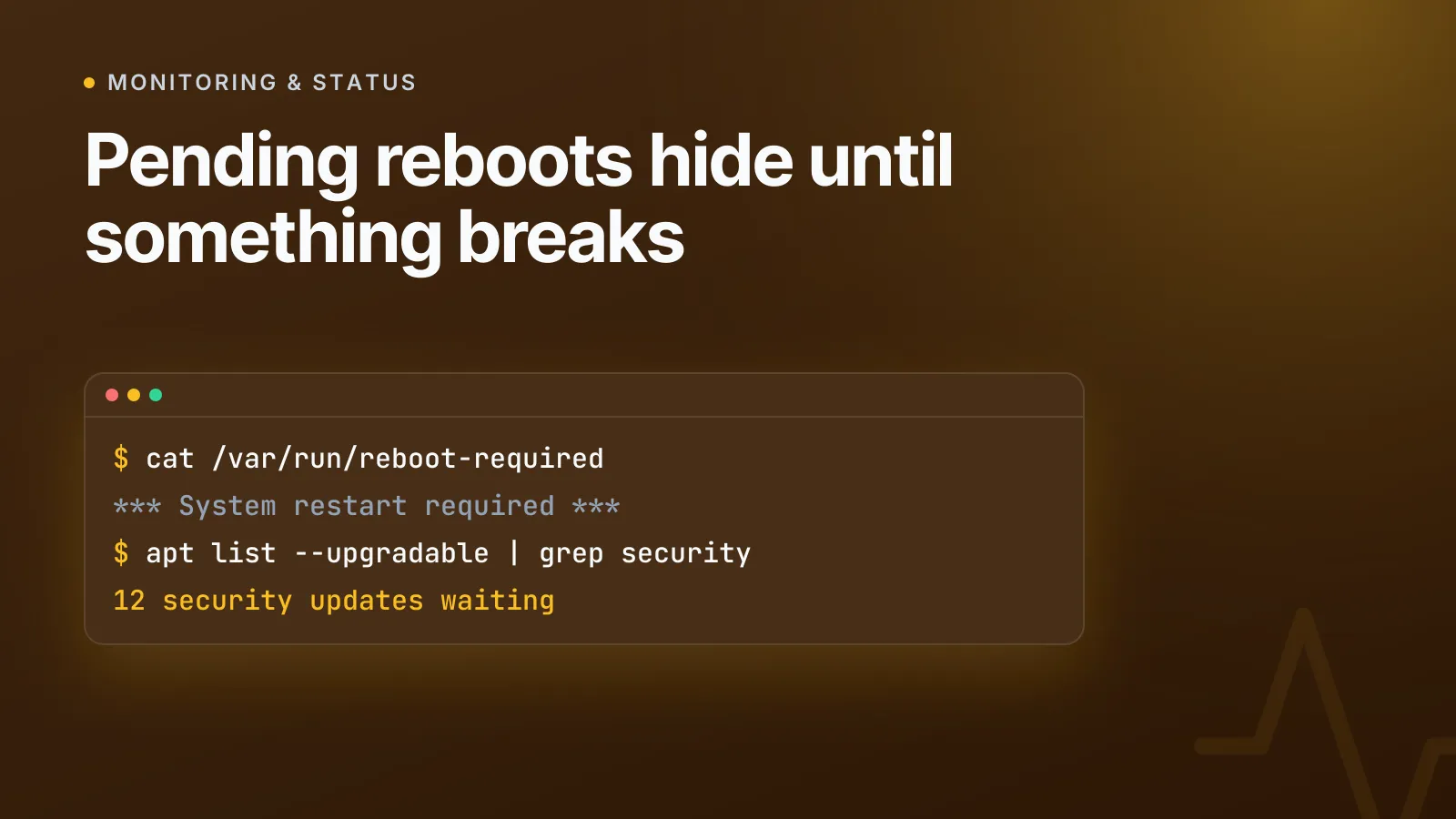
A server can sit for weeks with security updates installed-but-not-applied, waiting on a restart nobody scheduled. The fix is to alert on the pending-reboot and pending-update state itself, not on the outage it eventually causes — and on Debian and Ubuntu that state is already written to disk, it just needs something watching it.
This is a quieter failure mode than a service crashing. Automatic security updates download and install the packages, but the kernel, libc, or a long-running daemon keeps using the old code in memory until something restarts it. The fix is sitting on the disk, unused, and nothing about the server looks wrong until the vulnerability it patched gets exploited, or a reboot finally happens at the worst possible time because nobody chose when.
How Linux knows a reboot is pending
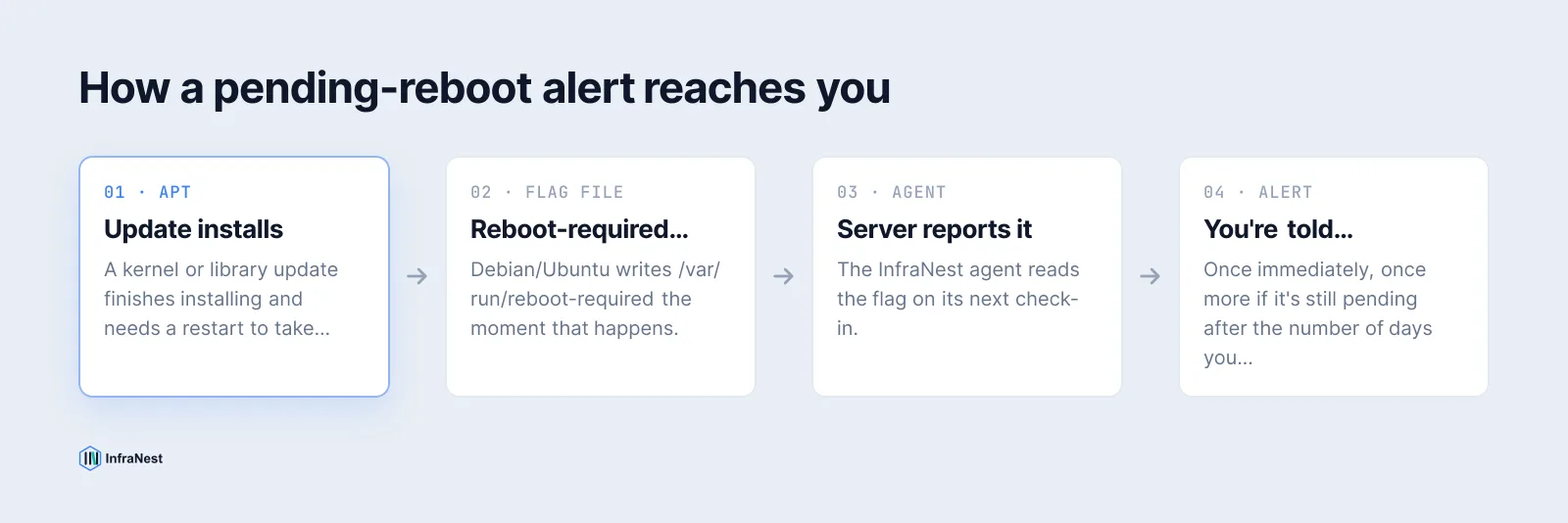
There's no POSIX standard for "this machine needs a restart" — it's entirely distribution-specific. On Debian and Ubuntu, the update-notifier-common package hooks into APT and writes a flag file the moment a package that requires a restart (the kernel, a core library, systemd itself) finishes installing:
$ cat /var/run/reboot-required
*** System restart required ***
$ cat /var/run/reboot-required.pkgs
linux-image-6.8.0-45-generic
libssl3
The second file lists exactly which packages triggered the flag, which is useful when you're deciding whether a reboot can wait until the weekend or needs to happen now. RHEL-family systems use a different mechanism (dnf needs-restarting -r), and needrestart goes further on either family by checking which running processes still reference deleted files — but the Debian/Ubuntu flag file is the simplest and most widely deployed signal, which is why it's the one most monitoring setups check first.
How security updates get left behind
Most Debian and Ubuntu servers run unattended-upgrades, which installs security patches automatically on a timer, configured in /etc/apt/apt.conf.d/50unattended-upgrades and /etc/apt/apt.conf.d/20auto-upgrades. When it works, you never think about it. When it stops — a broken dependency, a held package, a cron job that silently failed — updates just accumulate:
$ apt list --upgradable 2>/dev/null | grep -i security
openssl/jammy-security 3.0.2-0ubuntu1.15 amd64 [upgradable from: 3.0.2-0ubuntu1.14]
A handful of upgradable packages for a day or two is normal — mirrors sync, timers stagger. Security updates sitting uninstalled for more than about a day almost always means the automation that's supposed to install them has quietly stopped, not that nothing important shipped. That's a different problem than a pending reboot, and it deserves a separate alert: a server can have no reboot pending at all and still be sitting on unpatched vulnerabilities.
Setting these alerts up without writing a script
You can wire this together yourself with a cron job, a Prometheus textfile collector, or a Nagios plugin that tests for /var/run/reboot-required and maps the result to a check state. That works, but it's one more script to maintain per server, and it still needs somewhere to send the alert and some way to stop it paging you every five minutes.
InfraNest ships both checks as built-in alerts under Monitoring → Alert defaults, for any server with the agent installed:
| Alert | Measured in | Default | Fires when |
|---|---|---|---|
| A reboot is pending | Days | Once, then again after 7 days | Server reports it needs a restart to finish installing updates |
| Security updates are waiting | Hours | More than 0, for 24 hours | Updates have been left uninstalled for a day |
Both read the same distro-level signals described above — the reboot-required flag and the list of upgradable security packages — so there's nothing extra to configure on the server itself. Turn either switch on once and it applies to every monitored server in the organisation; any single server can later get its own numbers without touching the rest, through its Alerts & rules tab.
NoteBoth alerts are reported by Debian and Ubuntu servers specifically, since that's where the underlying flag files live. On other distributions the alerts stay switched off rather than firing on nothing.
Why the reboot alert doesn't nag you
A server waiting for a restart is often waiting on purpose — nobody wants a production box rebooting mid-deploy just because a kernel update landed an hour ago. So the pending-reboot alert tells you once when the flag first appears, then once more if it's still waiting after however many days you choose, and stays silent in between. A server that's deliberately parked for a quiet maintenance window doesn't keep interrupting you about it; a server that's been forgotten for a week gets a second nudge.
The security-updates alert behaves differently, because there's no good reason for it to wait. It fires once updates have sat uninstalled for 24 hours and clears itself the moment the server catches up — there's nothing to "schedule" about applying a patch, so there's no second grace period built in.
TipKeep the minutes or hours window realistic rather than aggressive. A threshold that fires the instant any update appears just teaches you to ignore the channel it lands in — see our monitoring alerting notes on avoiding alert fatigue generally, not just for this check.
Closing the loop with automation
An alert that lands in Slack at 2am and waits for a human is only half the job. Because these are ordinary InfraNest alerts, you can hand them to an automation instead of — or alongside — a notification: open a ticket when a server has been pending-reboot for more than two weeks, post a summary to a channel every Monday listing which servers are waiting, or require approval and then reboot the server automatically once someone signs off. The alert tells you something; the automation is what actually closes it out without you doing the restart by hand.
If you're still deciding what else is worth watching on a server before it becomes an outage, server metrics and alerts covers CPU, memory, disk and load the same way, and it's worth reading alongside our broader checklist for securing infrastructure if patching cadence is part of a wider audit.
Turn on both alerts under Monitoring → Alert defaults and the servers that need a restart or a nudge to finish patching will tell you, instead of waiting for something to break first.
Frequently asked questions
#Does a pending reboot mean a security update is waiting?
Not necessarily. A reboot can be pending because of a routine kernel or library update with no security fix involved, and a security update can be left uninstalled with no reboot required at all — they're tracked and alerted on separately for that reason.
#What happens if a server never reboots?
Programs already running keep using the old version of any updated library or kernel, including the fix a security update just installed, until the restart actually happens — so the patch is technically installed but not yet in effect.
#Why don't these alerts work on RHEL or CentOS?
They rely on files and package metadata that Debian and Ubuntu maintain specifically for this purpose; RHEL-family systems expose the same kind of information through different tooling, which these two alerts don't currently read.
#Will I get paged every day if a server is deliberately left unpatched?
No. The reboot alert fires once when it first appears and once more after the number of days you choose, then stays quiet; the security-updates alert clears itself as soon as the server catches up, so it only repeats if the underlying problem is still there.
Try it with a free tool
Was this article helpful?