The right monitoring interval is the shortest one your SLA requires and your alert noise tolerance allows — for most production sites that's 1-5 minutes, tightening to 30 seconds or less only where every minute of downtime has a direct cost. Checking too rarely means outages run longer before anyone notices; checking too often burns budget and probe capacity on redundant requests, and can trigger false alerts from transient blips.
Why interval choice is a trade-off, not a setting
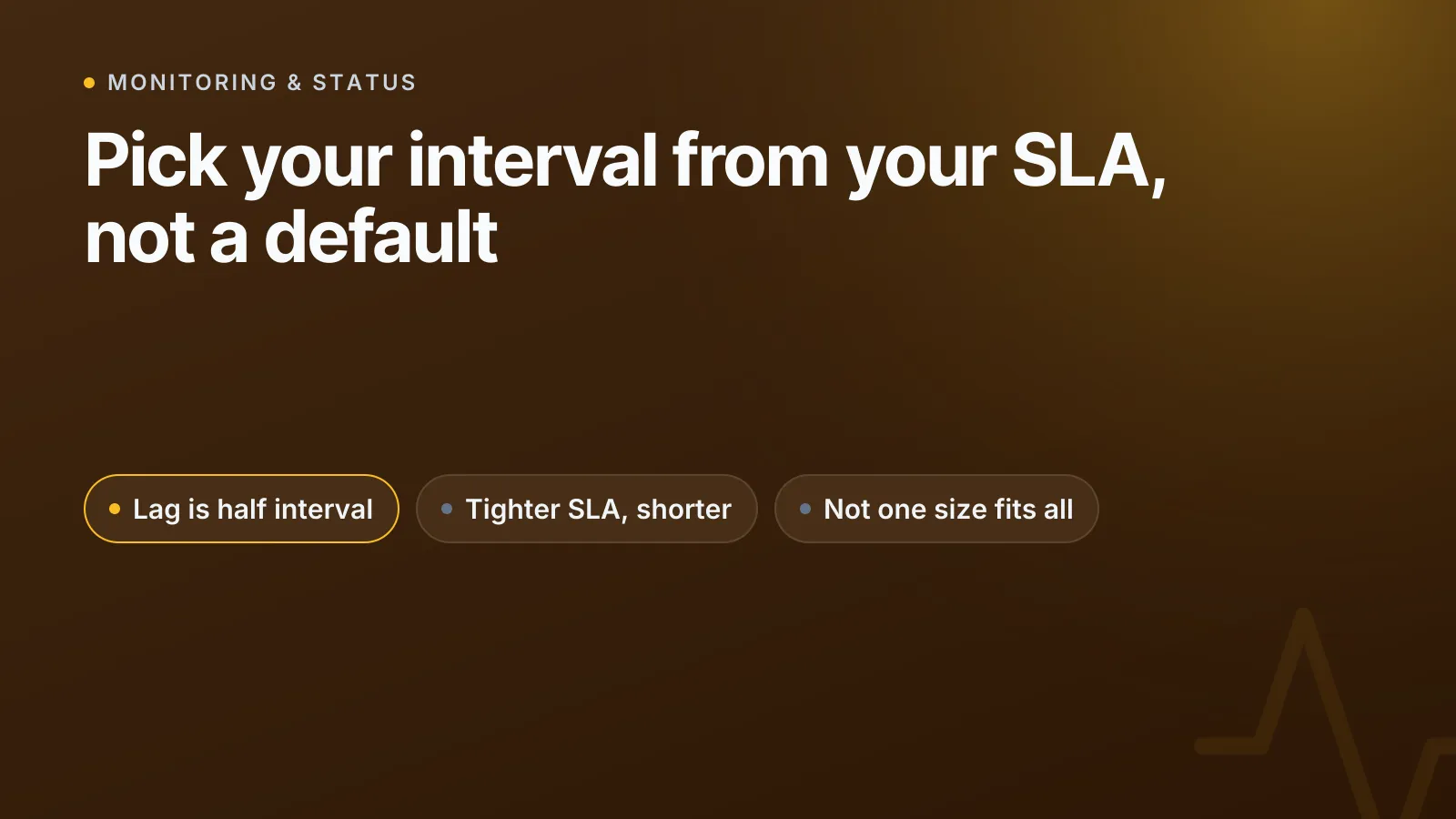
Every monitoring check has a detection lag built in. If you check every 5 minutes, the worst case is you miss an outage that starts one second after a check and runs until the next one fires — a full 5 minutes of silent downtime. On average, across many outages, detection lag is roughly half the interval. So a 5-minute interval gives you an average lag of ~2.5 minutes and a worst-case lag of 5 minutes.
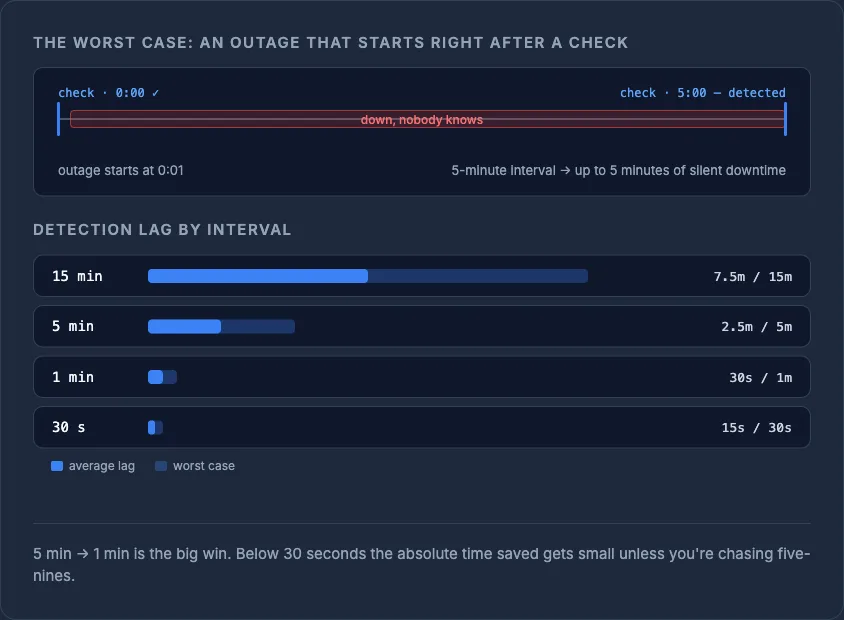
That lag matters because it eats directly into your downtime budget. A tighter interval doesn't prevent outages, but it shrinks the gap between an outage starting and you knowing about it — which is often the difference between a quiet fix and an angry customer email.
Match the interval to your SLA, using the downtime math
If you promise (or need) a specific uptime percentage, work backwards from the monthly downtime budget it implies:
| Uptime target | Downtime budget / month | Sensible check interval |
|---|---|---|
| 99% | ~7.2 hours | 5-15 minutes |
| 99.9% | ~43.2 minutes | 1-5 minutes |
| 99.95% | ~21.6 minutes | 1 minute |
| 99.99% | ~4.3 minutes | 30 seconds or less |
| 99.999% | ~26 seconds | Continuous / sub-10-second, multi-region |
The pattern is straightforward: a 5-minute check can single-handedly consume most of a 99.9% budget if it's slow to catch one incident, so tighter SLAs force shorter intervals. Run the numbers for your own target with our uptime calculator before you commit to an SLA in a contract — it's easy to promise a number that your monitoring cadence can't actually protect.
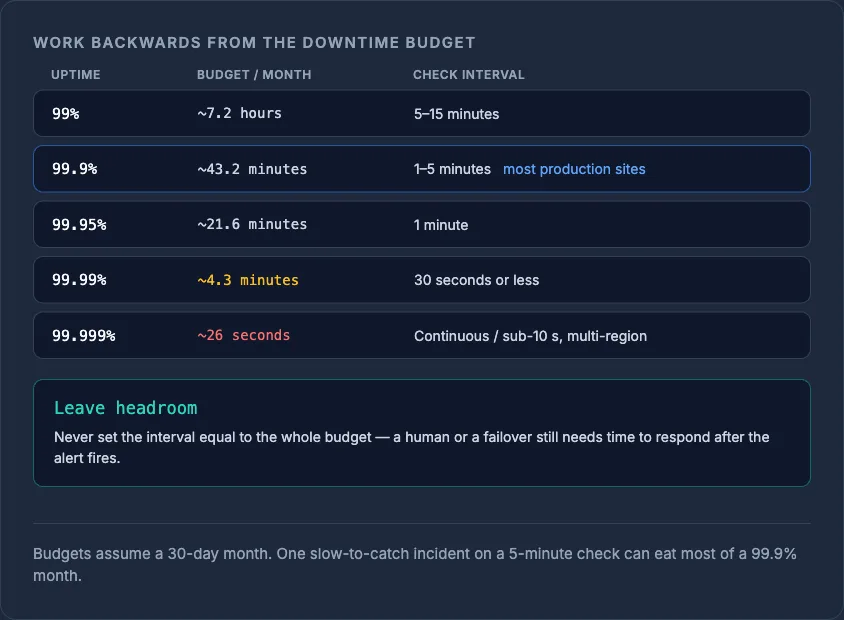
TipDon't set your check interval equal to your entire downtime budget. Leave headroom for the time it takes a human (or an automated failover) to actually respond once an alert fires.
What the industry actually offers
Monitoring providers cluster around a few common tiers, and it's worth knowing the range before you pick one:
- 5 minutes — typical free-tier default across most uptime monitoring tools; fine for low-traffic sites, blogs, internal tools.
- 1 minute — common paid-tier baseline; a reasonable default for most production sites and APIs.
- 30 seconds or less — available on higher tiers of most major monitoring platforms and as a paid option on cloud-native health checks; reserved for revenue-critical endpoints.
- 10 seconds — offered as a premium/fast-interval option on some cloud provider health-check services, at extra cost.
There's no universal standard here, and providers change pricing tiers, so treat these as ranges rather than fixed numbers when comparing plans.
Why more frequent isn't automatically better
Running every check at 10-30 seconds sounds safer, but it has real costs:
- Alert fatigue. Transient network blips, a slow DNS resolver, or a single dropped packet can look like an outage for one check cycle. Most tools mitigate this by requiring multiple consecutive failures — often from different probe locations — before firing an alert, which is exactly why interval and alert-threshold settings need to be tuned together, not in isolation.
- Cost and probe load. Frequent checks from multiple regions multiply request volume on your origin. For most sites this is negligible, but at scale it adds up, especially if you're also running synthetic transaction checks that do more than a simple GET.
- Diminishing returns. Going from 5 minutes to 1 minute meaningfully shrinks worst-case detection lag. Going from 30 seconds to 10 seconds shrinks it further, but the absolute time saved is small unless you're chasing five-nines.
Different checks, different intervals
Not every check on your stack needs the same cadence. It's common — and sensible — to run:
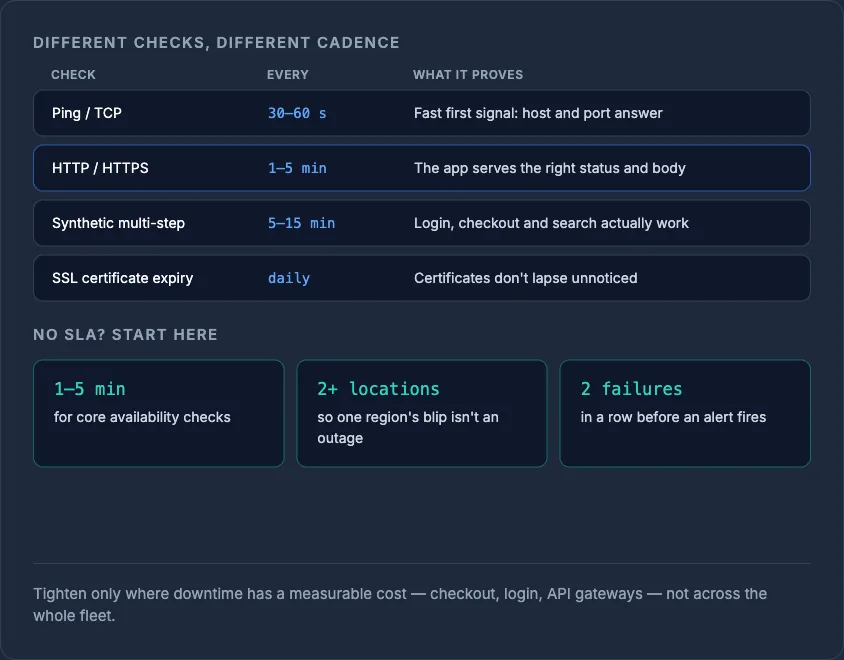
- A lightweight ping or TCP check every 30-60 seconds for a fast first signal.
- An HTTP/HTTPS check that verifies status code and response body every 1-5 minutes, since this is what actually proves the application is serving correctly rather than just the port being open. See ping vs HTTP vs HTTPS monitoring for what each check type actually proves.
- SSL certificate expiry checks daily — certificates don't expire in seconds, so there's no value in checking them every minute; see website monitoring explained for how uptime, performance and SSL checks fit together.
- Synthetic multi-step checks (login, checkout, search) less frequently — every 5-15 minutes — since they're heavier and slower to run than a simple ping.
A practical rule of thumb
If you don't have a formal SLA, use this as a starting point: check core availability every 1-5 minutes from at least two geographic locations, require two consecutive failures before alerting, and layer in daily checks for anything slow-changing like SSL expiry or DNS records. Increase frequency only for endpoints where downtime has a measurable cost — checkout, login, API gateways — rather than applying the tightest interval everywhere by default.
InfraNest's monitoring lets you set per-endpoint intervals and multi-location alert thresholds so your checkout page can run tighter than your marketing blog, without paying for maximum frequency across your entire fleet.
Work out your own downtime budget with the uptime calculator, then set your check interval to actually protect it.
Frequently asked questions
#What's a good default check interval if I have no SLA?
Check core pages every 1-5 minutes from at least two locations, and require two consecutive failures before alerting to avoid false positives from transient network blips.
#Does a shorter check interval reduce actual downtime?
No — it doesn't prevent outages, but it shrinks detection lag, which is the time between an outage starting and you finding out about it, so you can respond faster.
#Should every page on my site use the same monitoring interval?
No. Revenue-critical paths like checkout or login justify tighter intervals, while slow-changing checks like SSL expiry or DNS records only need to run once a day.
#Can too-frequent monitoring cause problems?
Yes — very short intervals increase the chance of false alerts from momentary blips and add unnecessary request load, which is why most tools pair short intervals with multi-check, multi-location alert thresholds.
Try it with a free tool
Was this article helpful?