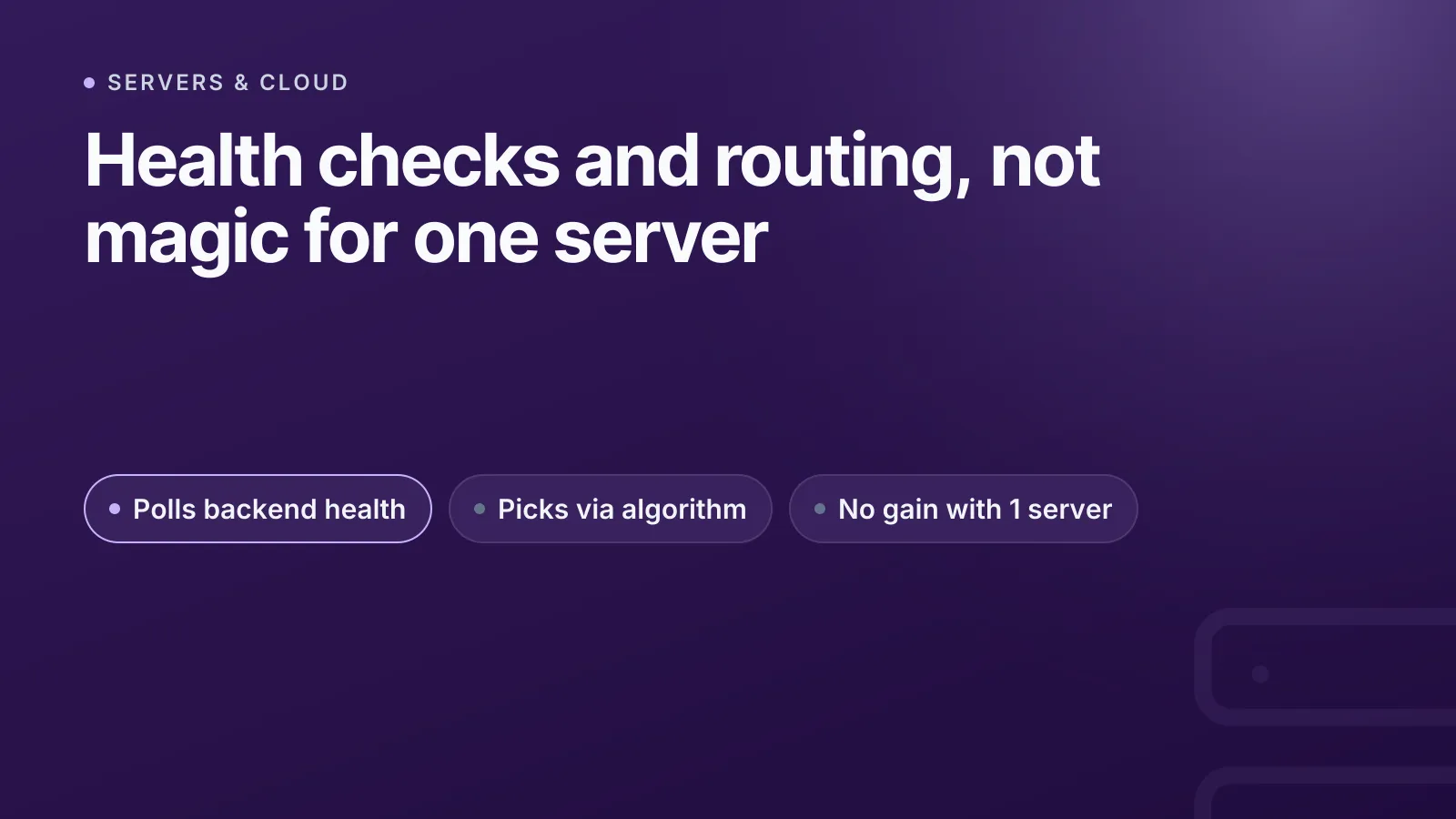
A load balancer's job is narrow: it distributes incoming traffic across multiple backend servers, checks which ones are healthy, and routes around the ones that aren't. If you only run one server, a load balancer adds a network hop, a cost line and a new failure point without distributing anything — you want a reverse proxy, not a load balancer.
That distinction gets lost because "load balancer" has become shorthand for "the thing in front of my app," even in single-server setups where nothing is actually being balanced. Understanding the two jobs a load balancer does — health checking and traffic distribution — makes it obvious when you need one and when you're paying for a feature you can't use.
What a load balancer actually does
Strip away the marketing and a load balancer does two things: it decides which backend gets each request, and it decides whether a backend is allowed to receive requests at all. Everything else — TLS termination, sticky sessions, path-based routing — is built on top of those two jobs.
Load balancers operate at one of two layers:
- Layer 4 (transport) — works on IP and TCP/UDP headers only. It forwards packets based on IP and port, with no visibility into HTTP content. AWS's Network Load Balancer and Azure's Load Balancer are both strictly L4.
- Layer 7 (application) — terminates the connection, parses HTTP (or gRPC/WebSocket), and routes on host, path, headers or cookies. AWS's Application Load Balancer and GCP's HTTP(S) load balancer work this way.
| Layer 4 | Layer 7 | |
|---|---|---|
| Sees | IP + port | Full HTTP request |
| Can route by path/host | No | Yes |
| Terminates TLS | Only passthrough | Yes |
| Preserves client IP | Natively (or via PROXY protocol) | Via X-Forwarded-For / Forwarded header |
| Typical use | Raw TCP, high throughput, non-HTTP protocols | Web apps, APIs, microservices |
The client-IP row matters more than it looks. An L4 load balancer that terminates TCP still needs to tell the backend who the real client was — that's what the HAProxy-maintained PROXY protocol is for. An L7 load balancer instead inserts headers: X-Forwarded-For is the informal convention everyone implements slightly differently, while RFC 7239 defines a standardized Forwarded header that fewer tools actually use. If your app logs the load balancer's IP instead of the visitor's, this is almost always why.
Health checks: how a load balancer knows a server is dead
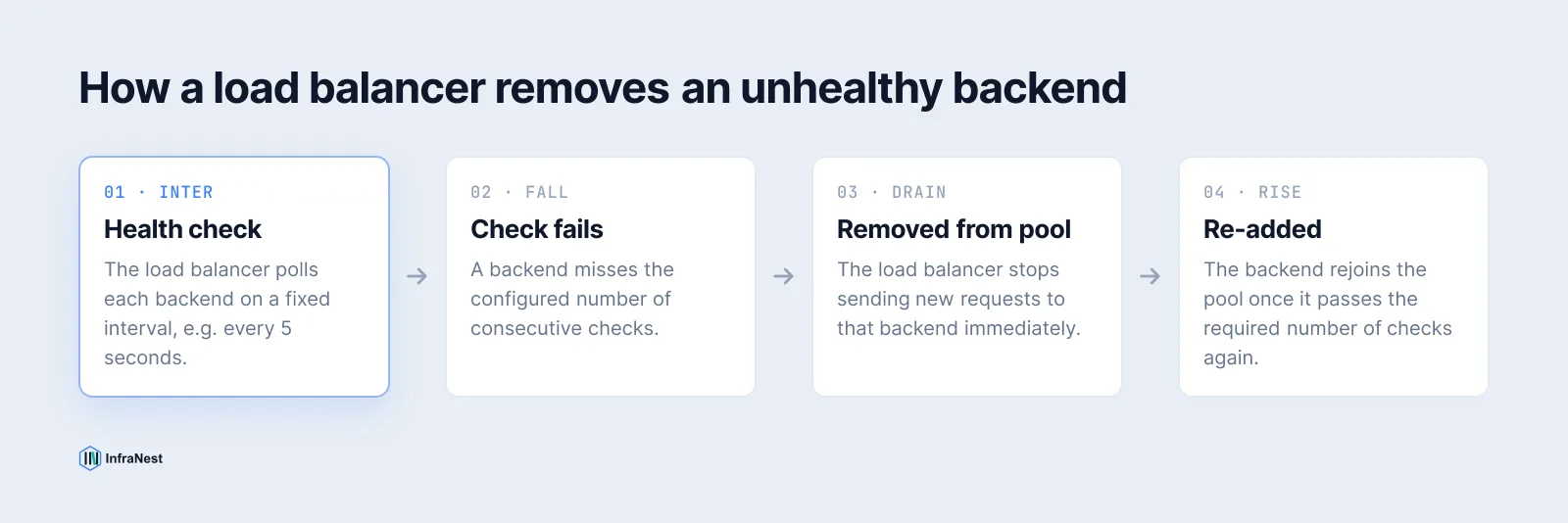
A load balancer that can't detect a dead backend is just a traffic splitter — the health check is what makes it resilient. It polls each backend on an interval, and once a backend fails enough consecutive checks it's pulled out of rotation immediately, with no DNS change, no manual intervention, and no traffic sent to a server that can't serve it.
Here's a working HAProxy example — option httpchk does an HTTP health check, and fall/rise set how many consecutive checks flip a backend's state:
backend web_servers
 balance roundrobin
 option httpchk GET /healthz
 http-check expect status 200
 server web1 10.0.0.11:80 check inter 5s fall 3 rise 2
 server web2 10.0.0.12:80 check inter 5s fall 3 rise 2
inter 5s polls every 5 seconds, fall 3 takes a healthy server out after 3 failures, rise 2 puts it back after 2 successful checks. AWS's managed load balancers work the same way under the hood, just configured through the console or API instead of a config file.
TipA health check endpoint should verify the app can actually serve traffic — database connectivity, cache reachability — not just that the process is running. A
/healthzthat always returns200 OKdefeats the entire point.
This is also where load balancing and uptime monitoring diverge: a health check keeps bad traffic away from one backend in a pool, while external monitoring tells you the whole service is down. You generally want both — see our guide to website monitoring for the latter.
Session handling and why "sticky sessions" are a workaround
Load balancers distribute requests, but many apps store session state — a shopping cart, a login — in local server memory. Send request two to a different backend than request one, and that state is gone.
Sticky sessions (session affinity) solve this by binding a client to one backend for the life of a session, usually via a cookie the load balancer sets and reads on every request, or by hashing the client's IP to a consistent backend. It's worth being clear-eyed about what this is: a workaround for a stateful app, not a load-balancing feature. It also quietly breaks the point of load balancing for that client, since all their traffic now goes to one server regardless of load.
The better long-term fix is to make the app stateless — store sessions in a shared store (Redis, a database) that any backend can read — so the load balancer is free to route purely on load, not on history. If you're stuck with sticky sessions for now, that's a legitimate stopgap, just don't treat it as the end state.
Load balancing algorithms, briefly
Most load balancers default to round robin and that's fine until traffic or backend specs get uneven. The common options:
- Round robin — requests go to each backend in turn, no regard for load. Nginx's and HAProxy's default.
- Weighted round robin — same, but bigger servers get a proportionally bigger share.
- Least connections — new requests go to whichever backend has the fewest active connections.
- IP hash / consistent hashing — a client's IP is hashed to a specific backend, giving session affinity without a central session store.
For most HTTP workloads, least connections (or AWS ALB's "least outstanding requests") handles uneven request durations better than round robin, because round robin doesn't know or care that one backend is still working through a slow request.
When you don't need a load balancer
The single-server case is the clearest one: a load balancer in front of exactly one backend adds latency, cost and a new thing that can fail, while distributing nothing. What you actually want there is a reverse proxy (Nginx, Caddy) for TLS termination and maybe basic rate limiting — the load-distribution half of a load balancer simply has nothing to do.```
A few other situations where a dedicated load balancer isn't the right layer:
- DNS round robin can spread traffic across multiple A/AAAA records without a load balancer tier at all. It has no active health checking, though, and is subject to resolver and client caching past the TTL — so failover is slow and uneven, not instant. See our guide on DNS propagation for why that lag happens.
- Process-level clustering — Node's
clustermodule, multiple systemd service instances behind one socket — balances across CPU cores on a single host, no network hop required. - Kubernetes
ClusterIPservices already load-balance between pods internally viakube-proxy. You only need an external load balancer object when traffic has to enter the cluster from outside. - CDNs and edge networks already do geographic, anycast-based distribution for static and cacheable content — stacking a regional load balancer in front of that traffic class is redundant.
The pattern across all of these: if something else is already distributing the traffic or there's only one place for it to go, a load balancer is pure overhead. Add one when you add a second backend that needs to share real, uncacheable traffic — not before.
Picking a load balancer tier
If you're choosing between provider options, match the layer to the protocol: L4 (AWS NLB, Azure Load Balancer) for raw TCP/UDP or when you need to preserve client IP without header rewriting; L7 (AWS ALB, GCP HTTP(S) LB) for anything HTTP-based that needs path or host routing. If you're comparing providers more broadly, our Hetzner vs DigitalOcean vs AWS breakdown covers how each handles load balancing and servers side by side.
NoteIdle timeouts matter more than people expect: AWS ALB defaults to a 60-second idle timeout, closing connections where the client goes quiet past that window. Long-polling or SSE backends often need this raised explicitly.
Managing load balancer configuration alongside the servers behind it is easier when both live in the same place — InfraNest's cloud server management lets you provision, monitor and automate servers across providers from one dashboard, instead of juggling each cloud's console separately.
Frequently asked questions
#Does a load balancer add latency?
Yes, a load balancer adds a network hop and, for Layer 7 load balancers, the cost of terminating and re-establishing the connection. In practice this is usually a few milliseconds, small compared to backend processing time, but it's not zero.
#What's the difference between a load balancer and a reverse proxy?
A reverse proxy sits in front of one or more backends and can handle TLS termination, caching and routing; a load balancer is a reverse proxy specialised for distributing traffic across multiple backends. Tools like Nginx and HAProxy can do both jobs at once.
#Do I need sticky sessions if my app is stateless?
No. Sticky sessions exist to work around apps that store session state locally on one server. If your app reads sessions from a shared store like Redis, any backend can serve any request and affinity isn't needed.
#Can I load balance without a dedicated load balancer product?
Yes. DNS round robin, Kubernetes' built-in ClusterIP service balancing, and process-level clustering on a single host can all distribute load without a standalone load balancer tier, though each trades away active health checking or cross-host distribution.
Try it with a free tool
Was this article helpful?