Last week we showed how to ask Claude or ChatGPT about your infrastructure. This week is for the jobs you'd rather never do by hand again. With the InfraNest API, your own scripts, deploy pipelines and tools can change DNS records, add monitors, silence alerts during a deploy and report uptime, all by themselves. Everything you need to get started is on our new developer site, developers.infranest.io.
An API is simply a way for software to use InfraNest the way you do in the app: instead of clicking a button, a script sends a request.
In short:
- Automate DNS, monitors, servers, incidents, maintenance windows and status pages.
- Try everything in a free sandbox first, on every plan. Nothing in it reaches the internet.
- Copy ready-made scripts and a GitHub Action from our open-source repositories.
Not a developer? You may not need the API
Plenty of automation in InfraNest takes no code at all:
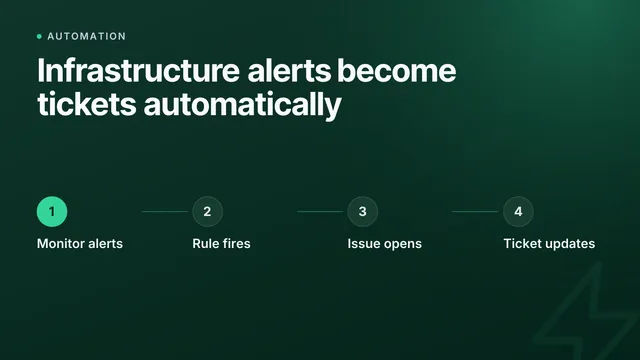
- Automations in the app: "when this happens, do that". For example, post in Slack or Teams when a monitor goes down, or open a Jira or Linear issue for it. Free includes 3 automations, Pro 25.
- Your AI assistant: ask Claude or ChatGPT what's down or what changed, on every plan, Free included.
- Copy and paste: the GitHub Action further down needs only a token and a few lines of setup.
The rest of this post is for when you want your own code in charge.
What you can automate with the InfraNest API
The API reaches the same things you manage in the app:
- DNS: read zones and records, and add, change or remove records at your DNS provider. Every change lands in the zone's history and can be undone there.
- Monitoring: create monitors, pause and resume them, run a check right now, and read results and uptime.
- Servers: turn monitoring on for a new server, snooze its alerts, adjust its alert rules, and read its metrics.
- Incidents and maintenance: open, update and resolve incidents, and start and end maintenance windows.
- Status pages, domains, certificates, tags, costs and the audit log: read them, and change what the API reference marks as changeable.
What stays in the app, on purpose. Anything that costs money or can't be undone needs a person signed in to the app: registering, renewing or transferring a domain, creating or deleting servers, deleting a DNS zone, changing nameservers. So does anything that decides who gets in or where alerts go, such as members, provider logins and alert channels. A leaked token can't order a server or lock you out of your account.
Six jobs worth automating
Each one is a step-by-step recipe on the developer site and a ready-to-run script in infranest-examples, in shell, Python, Node.js and PowerShell.
1. Wildcard certificates without opening a port
To give you a certificate, Let's Encrypt has to see proof that you control the domain. With a wildcard certificate (*.example.com), the only accepted proof is a temporary DNS record. Your certificate tool, such as certbot, asks InfraNest to add that record, waits for Let's Encrypt to check it, and removes it again. No web server needs to be reachable, and it works for any domain whose DNS is in InfraNest.
curl -X POST https://api.infranest.io/api/organizations/42/dns-zones/318/dns-records \
  -H "Authorization: Bearer $INFRANEST_TOKEN" \
  -H "Content-Type: application/json" \
  -H "Idempotency-Key: acme-$CERTBOT_DOMAIN-$CERTBOT_VALIDATION" \
  -d '{"type":"TXT","name":"_acme-challenge","value":"'"$CERTBOT_VALIDATION"'","ttl":60}'
Recipe: Let's Encrypt with InfraNest DNS
2. No alerts while you deploy
A deploy restarts things, and to your monitors a restart looks like an outage. Open a maintenance window before the deploy and close it afterwards: nobody gets woken up, and your status page tells visitors what's going on. On GitHub, our InfraNest Maintenance Window action does it in one step:
- name: Silence alerts during the deploy
  id: window
  uses: InfraNest-Infrastructure-Organized/infranest-action@v1
  with:
    token: ${{ secrets.INFRANEST_TOKEN }}
    organization: ${{ vars.INFRANEST_ORG }}
    command: maintenance-open
    check-ids: 1201,1202
    minutes: 30
A second step at the end of the job closes the window again, even when the deploy fails. If the job is cancelled halfway, the window still closes by itself after 30 minutes.
Recipe: a maintenance window from your pipeline
3. Every new service gets a monitor
Add one step to the pipeline that ships a new service, and nothing reaches production without being watched. If the step runs twice, you still get one monitor, not two.
Recipe: create a monitor when you deploy
4. New servers are watched from their first hour
Created a server at Hetzner, DigitalOcean or another connected provider? InfraNest finds it at the next sync. One request turns on monitoring for it, a second adds a check on its website.
Recipe: start watching a new server
5. Uptime on your own dashboard or in a client report
One request answers "is everything up right now?": every monitor and server with its state, open incidents and running maintenance, with a summary count. Others give a monitor's uptime for last month and its history hour by hour. Feed them into a wall screen, a chat bot or the monthly report you send your clients.
Recipe: status, uptime and history
6. Dynamic DNS, and the audit log in your log platform
Keep a name like home.example.com pointing at a connection whose IP address changes: a small script checks the address and only updates the record when it's different. Or copy every change made in your workspace, in the app or through the API, into a log platform such as Splunk or Elastic once a day.
Recipe: dynamic DNS from a script · Recipe: audit log to a SIEM
Agencies and MSPs: one client at a time
Look after infrastructure for clients? There are two ways to keep a script to one client:
- One workspace per client (Business: 5 workspaces, Enterprise: unlimited). A token works only in the workspace it was made in, so a script for client A can't touch client B. A tool that really needs all of them can get one token that works in all your workspaces.
- One workspace, a tag per client. Ask for the status with that client's tag, and you get only their monitors, servers, incidents and maintenance. That's a client report in one request.
Try it without touching anything real
Every InfraNest plan, Free included, comes with a sandbox: a private practice workspace filled with sample DNS zones, monitors with history, two servers with metrics, domains, certificates and incidents. Tokens you make there are test tokens, and nothing you do there reaches a DNS provider, a cloud provider or the internet. No alerts go out either; you see what would have been sent.
Broke something? Reset sandbox puts the sample data back.
The quickstart takes about five minutes in the sandbox: read the sample zones, preview a change, make it, and undo it.
Built to be safe in unattended scripts
Scripts run at night when nobody is watching, and AI coding agents write some of them. So we built in these safeguards:
- Tokens you control. Give each token only the parts it needs, read or write per area. Pick when it expires: after 30, 90, 180 or 365 days, with an email a week before. And limit it to the IP addresses it's used from, so a token copied from a build log is useless anywhere else.
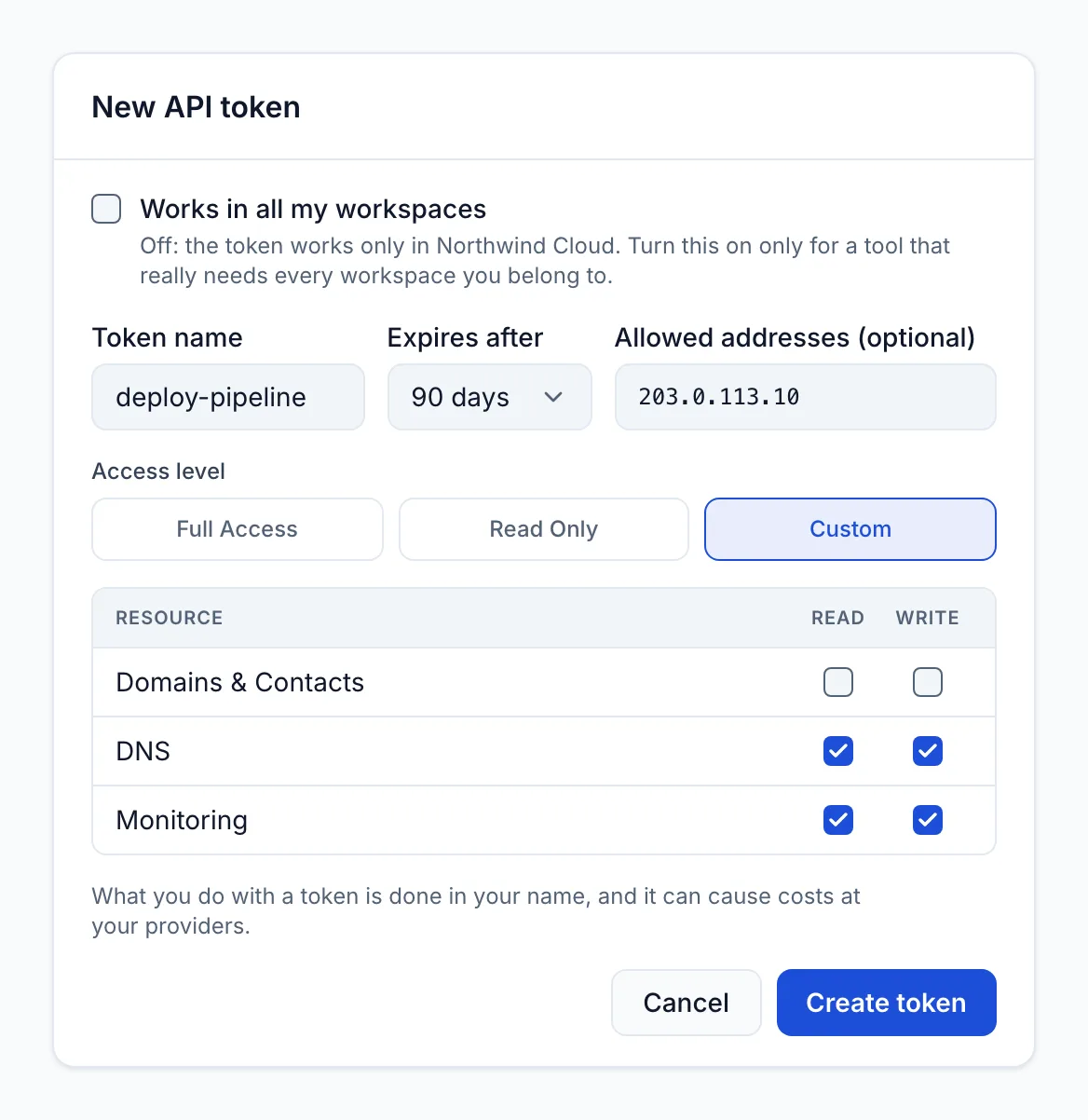
A token for a deploy pipeline: one workspace, 90 days, one IP address, DNS and Monitoring only.
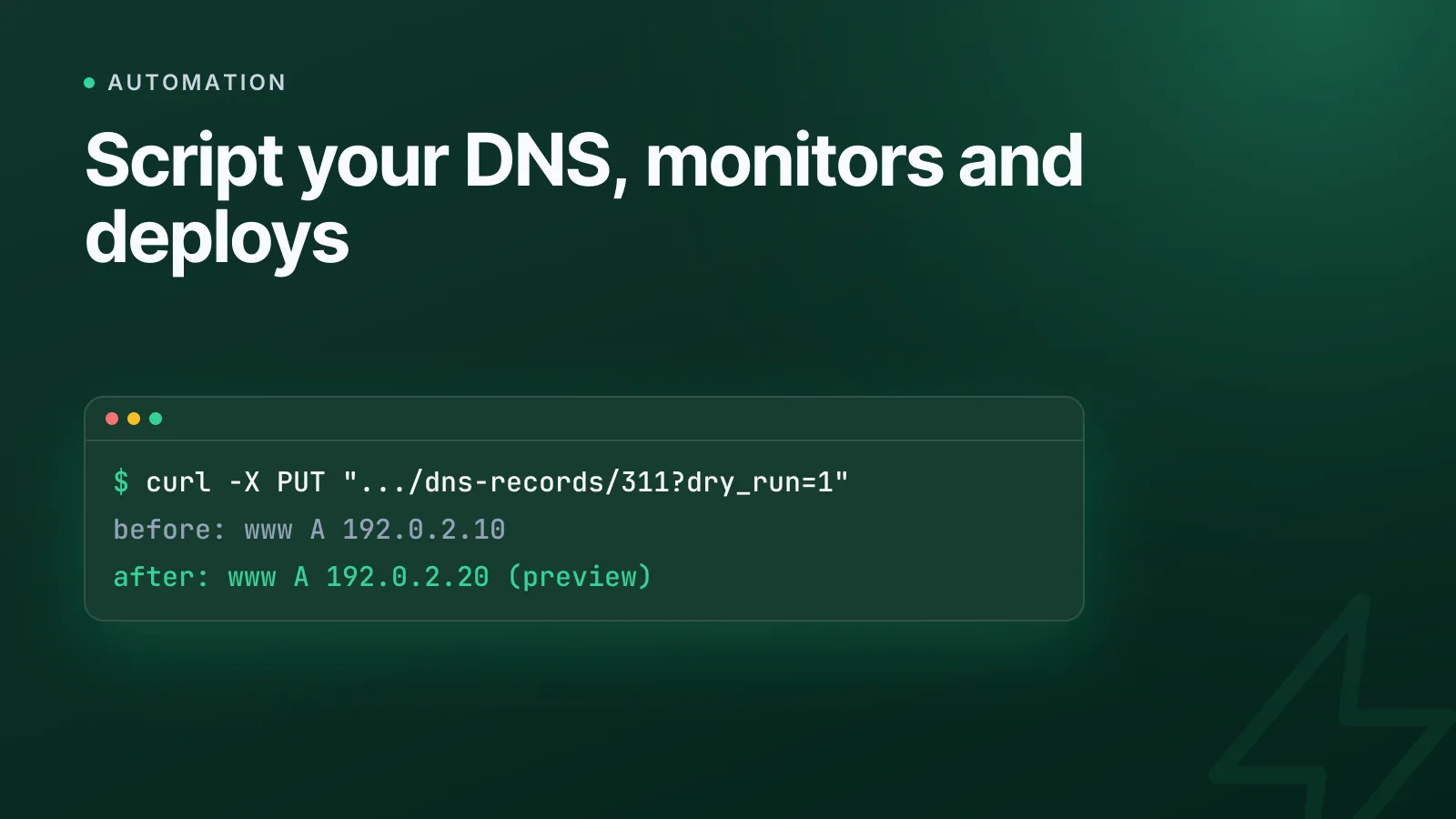
- Preview before you change. Add
?dry_run=1to a DNS change and see exactly which records would change, before and after, without changing anything. - Retries never double up. Send a retry key (
Idempotency-Key) with each new request. If it times out and your script sends it again, you still get one record or one monitor, not two. - Errors a script can act on. Every error has a fixed code, a hint saying what to do, and a link to its explanation.
- Limits in writing. Every rate limit is on the limits page, and every answer says how much room you have left.
- Your scripts keep working. There is one version of the API, and it only grows. Anything that would break a script is announced in the changelog at least six months ahead, and the changelog has an RSS feed.
- Everything is on record. Every change a token makes appears in the audit log under the token's name.
One thing a safeguard can't change: a token acts in your name. What it changes at your DNS or cloud provider counts as your change, and some providers charge for API use or for what you change. Start in the sandbox, and watch the audit log after the first runs. More in responsibility and costs.
Open source, ready to copy
All public on GitHub:
- infranest-examples: the recipes as scripts you can run, tested against the sandbox.
- infranest-action: maintenance windows, monitor pauses and sandbox resets in GitHub Actions.
- infranest-openapi: the full description of the API (OpenAPI 3), updated daily. Generate a client library from it, or watch the repository to hear about new features.
- infranest-agent: the server agent. It only reads and only sends: it opens no ports and takes no commands. Read exactly what it does on your machines.
- infranest-mcp: the AI assistant connection from last week's post.
Prefer clicking to typing commands? Import the ready-made collection into Postman, Bruno or Insomnia.
Building an app for other people?
- OAuth: your users click Connect with InfraNest, approve your app and pick one workspace. Nobody copies a token, and they can remove your app at any time. See OAuth for integrations.
- Webhooks: InfraNest sends a signed message to your URL when a monitor goes down, a domain is about to expire or DNS records change (Pro and up). See Webhooks.
Let an AI coding agent write the script
Claude Code, Cursor, Codex and Copilot can write scripts against the API. Every page on the developer site is also available as plain text for AI tools (add .md to the address), with an index at llms.txt. Give the agent a sandbox test token, and nothing it tries can reach your real infrastructure while it learns. See Coding agents.
What it costs
API tokens come with Pro (5 tokens), Business (20) and Enterprise (unlimited). The sandbox and its test tokens work on every plan, Free included, so you can build and test before you upgrade. See pricing.
Get started in three steps
- In InfraNest, open My account → Developer and create your sandbox.
- Make a test token there and follow the quickstart.
- When it works, make a token in your real workspace. An owner switches on API changes for the workspace once; reading works straight away.
Everything else is on developers.infranest.io.
Frequently asked questions
#Which InfraNest plans include the API?
API tokens come with Pro (5 tokens), Business (20) and Enterprise (unlimited). The sandbox and its test tokens work on every plan, including Free, so you can build and test before you upgrade.
#Do I need to be a developer to automate InfraNest?
No. Automations in the app ("when this happens, do that") need no code, and you can ask Claude or ChatGPT about your infrastructure on every plan. The API is for when you want your own scripts, pipelines or tools in charge.
#Can I try the API without touching my real infrastructure?
Yes. Create a sandbox under My account → Developer. It is filled with sample data, and nothing you do there reaches a DNS provider, a cloud provider or the internet. You can reset it whenever you like.
#Can an API token register domains or delete servers?
No. Anything that costs money or cannot be undone, such as registering or renewing domains, creating or deleting servers and changing nameservers, stays with a person signed in to the app.
#How do I keep an API token safe?
Give it only the areas it needs, pick when it expires (30, 90, 180 or 365 days) and limit it to the IP addresses it is used from. Every change it makes appears in the audit log under the token's name.
#Will my scripts break when the API changes?
No. The API has one version and only grows. Anything that would break a script is announced in the changelog at least six months ahead.
Was this article helpful?