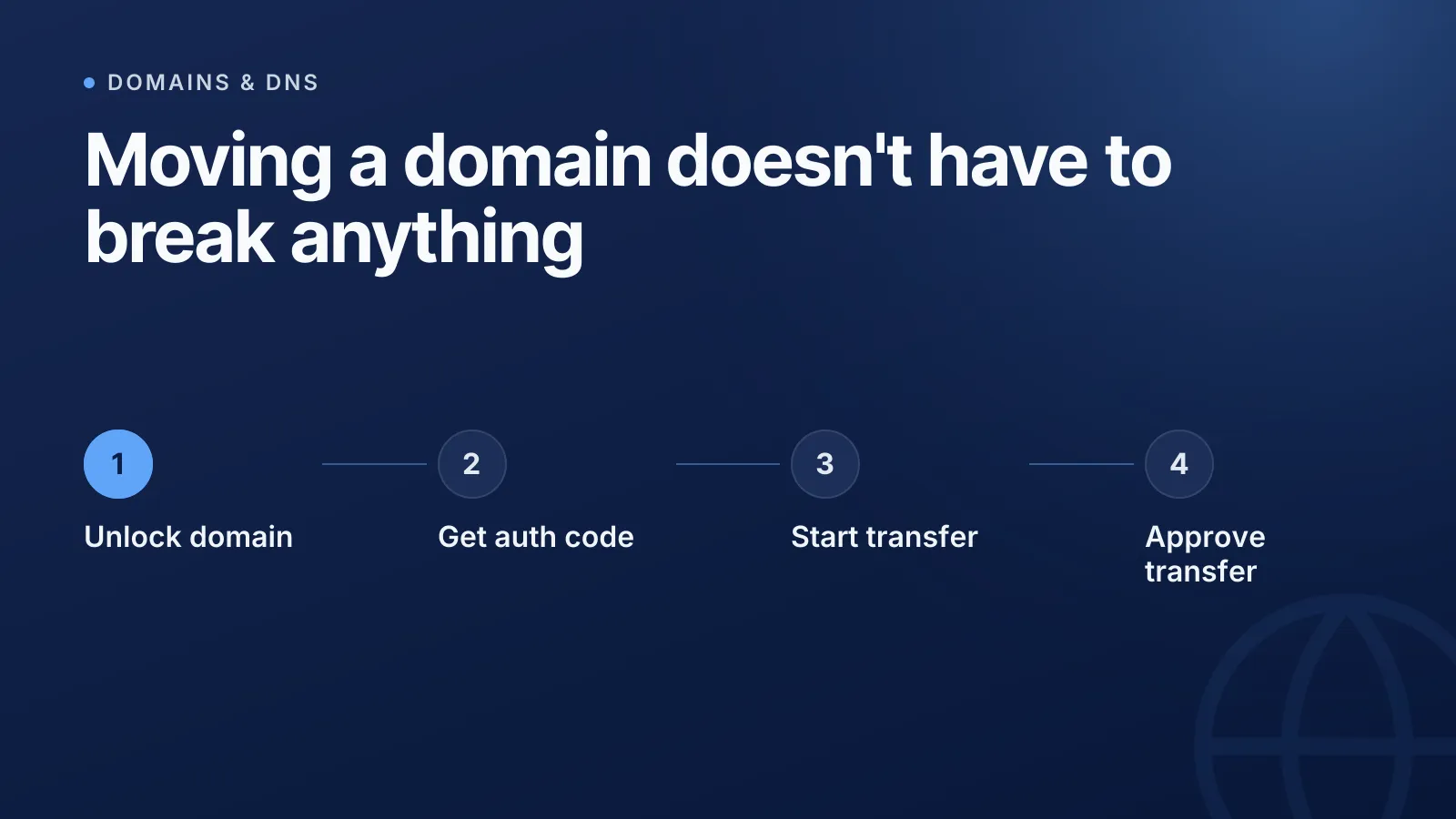
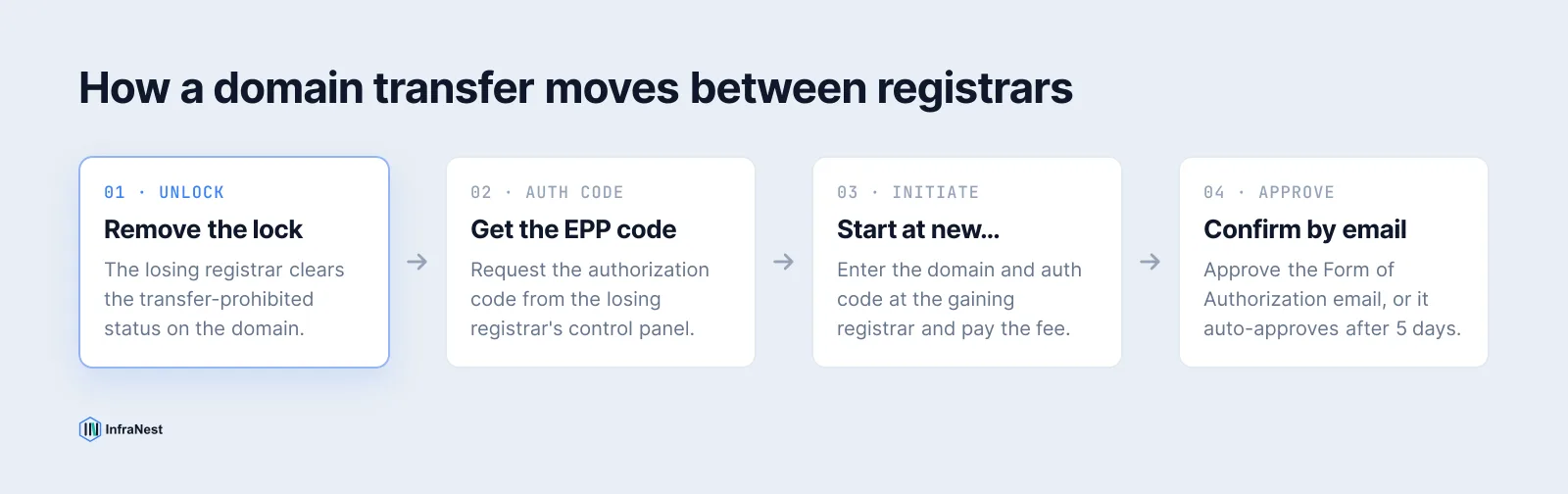
Transferring a domain to another registrar means moving who manages the registration — not your website or email. Your DNS and nameservers don't need to change during the transfer, and if you leave them alone, your site and mail keep working the whole time. The process is mostly paperwork: unlock the domain, get a code, start the request elsewhere, confirm by email.
This guide covers the exact sequence for gTLDs (.com, .net, .org, and most new extensions) under ICANN's Transfer Policy, plus where country-code domains like .de, .nl and .eu diverge.
Before you start: check eligibility
A domain can't be transferred if it's inside certain lock windows:
- The first 60 days after initial registration. ICANN requires a 60-day hold before any new domain can move registrars.
- The 60 days after a previous transfer. Domains can't be transferred again right after moving.
- A recent registrant (WHOIS) change. Changing the registrant name, organisation, or email can trigger its own 60-day lock unless both registrars opt out of it.
If your domain is expired or sitting in its post-expiry grace period, most registrars block transfers until it's renewed. Don't let a domain lapse mid-transfer — if it's close to expiry, renew first, then transfer. If you've ever lost a domain to someone else snapping it up after expiry, see how expiring domains get caught for why that window matters.
Step 1: Unlock the domain at your current registrar
Registrars set an EPP status of clientTransferProhibited on domains by default, as an anti-hijacking measure. Log into your current ("losing") registrar's dashboard and remove this lock — it's usually a single toggle labelled something like "Transfer lock" or "Domain lock." See what a domain transfer actually involves for the terminology.
Step 2: Confirm your contact email and WHOIS privacy
ICANN requires a Form of Authorization (FOA) — a confirmation email sent to the domain's registered admin or registrant contact — before a transfer can be approved. If that inbox is dead, you'll never see the confirmation request and the transfer will stall or expire.
- Check the WHOIS/registrant email is one you actually read.
- If WHOIS privacy is enabled, confirm the registrar's privacy service forwards transfer emails (most do automatically now, but it's worth checking before you start).
Step 3: Get the authorization code (EPP code)
The authorization code — also called an Auth Code, Transfer Key, or EPP code — is a unique password tied to the domain, defined by the authInfo field in the domain transfer command (RFC 5731). Your losing registrar must provide it on request, generally without an extra fee. It's typically found under the domain's management page, or sent by email on request. Read more on what an EPP code is and how it works.
Step 4: Start the transfer at the new registrar
At the gaining registrar, find "Transfer a domain," enter the domain name and the auth code, and pay the transfer fee. Most registrars bundle a one-year renewal into that fee (this is common practice, not an ICANN requirement, so check the pricing page).
Step 5: Approve the transfer
You'll receive a Form of Authorization email — approve it. If you (or the losing registrar) don't respond within 5 calendar days, ICANN policy auto-approves the transfer by default. If the losing registrar actively denies the request (for a valid reason, like an unpaid invoice or a recent registrant change), the transfer fails and you'll need to resolve that first.
How long does a domain transfer take?
Most gTLD transfers complete in 5 to 7 days, driven by the 5-day approval window. Some registrars finish faster if both sides approve immediately. Expect the new expiry date to reflect the added renewal year once it completes.
What happens to your DNS and website during the transfer
Nothing, if you leave it alone. A registrar transfer changes who administers the registration record — it does not touch the domain's nameservers, DNS zone, or any records in it. Your site, mail, and any MX records keep resolving exactly as before.
WarningDon't change nameservers or DNS records at the same time as the transfer. If something breaks, you won't know whether it's the transfer or the DNS change, and propagation delays can make the two look related when they aren't.
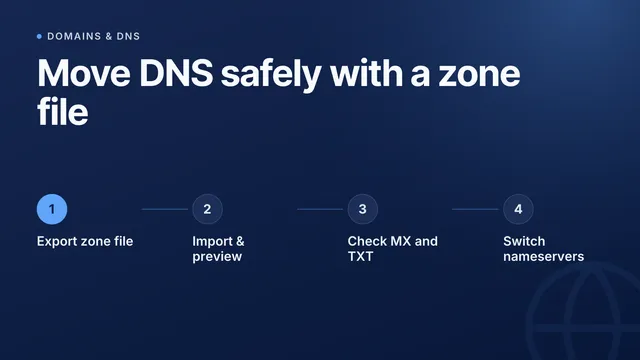
If you do plan to move DNS providers as well, do it as a separate step before or well after the registrar transfer — see moving DNS between providers with a zone file for that process on its own.
DNSSEC: the mistake that breaks resolution
If the domain has DNSSEC enabled, the DS (Delegation Signer) record at the registry must stay consistent with the signing keys throughout the move. A registrar transfer that drops or mismatches the DS record — common when the new registrar doesn't support DNSSEC or doesn't carry the keys over automatically — can make the domain fail to resolve entirely for validating resolvers. Confirm the gaining registrar supports DNSSEC for your TLD before you start, and if in doubt, disable DNSSEC at the registry before transferring, then re-enable it once the move completes.
Do ccTLDs like .nl, .de and .eu follow the same rules?
No. ICANN's Transfer Policy only governs gTLDs. Country-code registries set their own rules:
| TLD | Registry | Notes |
|---|---|---|
| .com / .net / .org | Verisign / PIR (ICANN policy) | 60-day locks, auth code, 5-day auto-approve |
| .de | DENIC | Uses an "authinfo2" procedure; no ICANN-style 60-day new-registration lock |
| .nl | SIDN | Transfer via a registrar-to-registrar "token" system, not an EPP auth code in the gTLD sense |
| .eu | EURid | Requires an auth code but has its own transfer and dispute procedures |
Always check the specific registry's transfer policy for a ccTLD rather than assuming gTLD timing or codes apply.
A quick pre-transfer checklist
- Domain is at least 60 days past registration or its last transfer
- Domain is not expired or in a grace/redemption period
- WHOIS/admin contact email is current and reachable
- Transfer lock is removed at the losing registrar
- Auth/EPP code obtained
- DNSSEC status checked and DS record plan confirmed
- No nameserver or DNS changes planned until after the transfer completes
Managing domains across several registrars makes this process harder to track — expiry dates, locks, and auth codes scattered across different dashboards. InfraNest's domain management gives you one place to see lock status, renewal dates, and nameservers for every domain regardless of which registrar it currently sits with.
Frequently asked questions
#How long does a domain transfer take?
Most gTLD transfers (.com, .net, .org) complete within 5 to 7 days, driven by ICANN's 5-day approval window at the losing registrar. It can finish sooner if both sides approve immediately.
#Does my website go down during a domain transfer?
No, not if you leave your nameservers and DNS records unchanged. A registrar transfer only changes who administers the registration — the DNS zone keeps resolving as before.
#Can I transfer an expired domain?
Usually not until it's renewed. Most registrars block transfers for expired or grace-period domains, so renew first and then start the transfer.
#Do .de, .nl or .eu domains follow the same transfer process as .com?
No. ICANN's Transfer Policy only covers gTLDs. Country-code registries like DENIC (.de), SIDN (.nl) and EURid (.eu) run their own procedures and timing, so check the specific registry's rules before starting.
Try it with a free tool
Was this article helpful?