

Connect Openprovider to manage your domains, your DNS and your SSL certificates from InfraNest — one connection covers all three. This is for anyone running a portfolio of domains through Openprovider, including agencies managing domains for clients.
#Overview
- One connection gives you three features at once: Registrar, DNS and Certificates.
- Openprovider is a wholesale registrar, so InfraNest is built to import a whole portfolio — even thousands of domains — not just a handful.
- InfraNest refreshes your domains, DNS and certificates about once an hour, and each domain's full details every six hours.
NoteBefore connecting, you need a dedicated Openprovider user set up for API access, with no two-factor authentication on it and InfraNest's IP address allowed. See Set up Openprovider API access first — it takes a few minutes and determines whether the connection will work at all.
#Connect it in InfraNest
- Go to Integrations and open Openprovider.
- Give the connection an Account label so you can recognise it later. This is optional, and worth doing if you have more than one Openprovider account.
- Choose which features to use it for: Registrar, DNS and Certificates.
- Enter the API username and Password of the user you created for InfraNest — not your own login. The box above the fields shows the IP address to allow for that user: Allow this IP at the provider: …
- Select Connect.
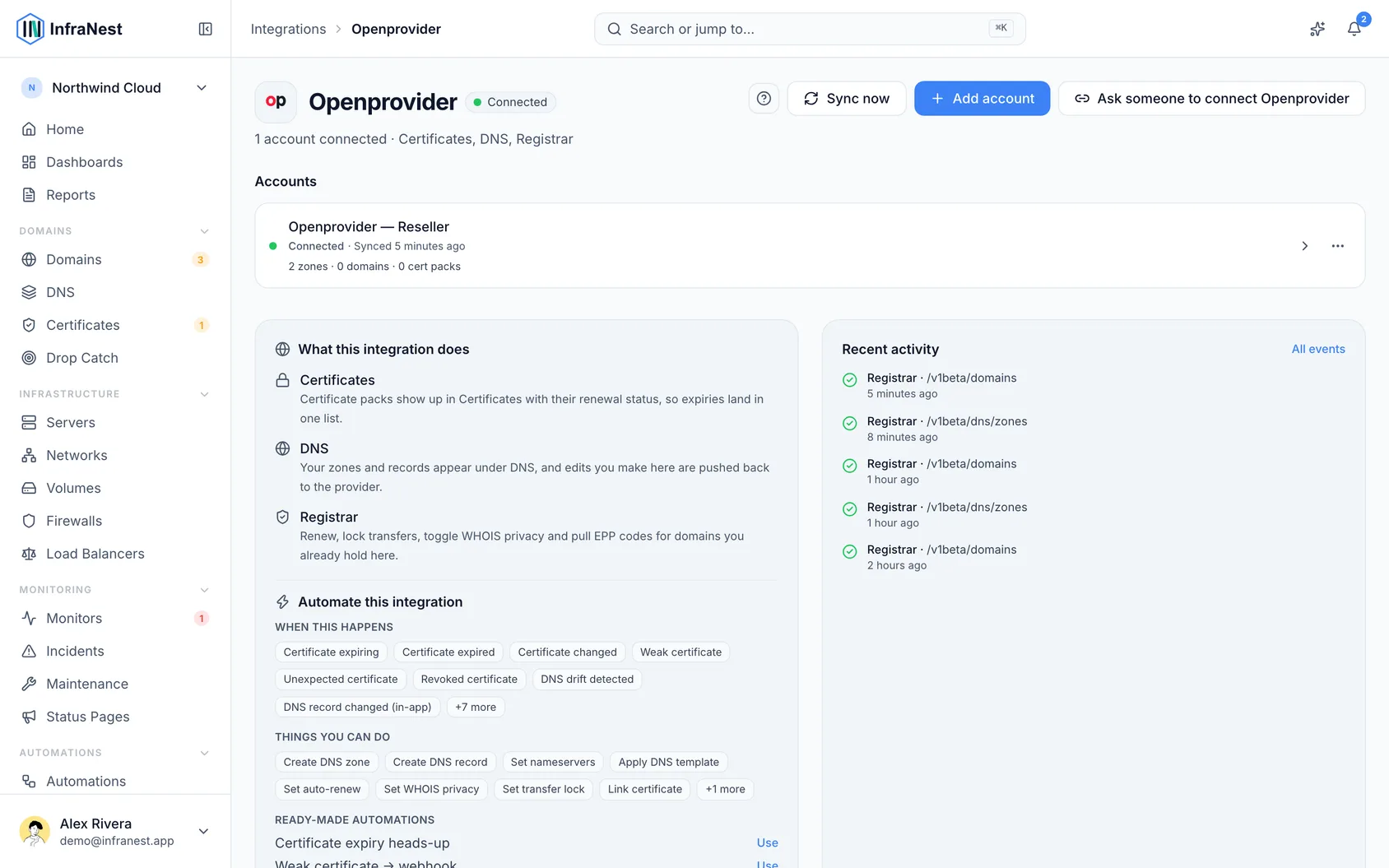
InfraNest checks the credentials and starts importing your domains. A large portfolio takes a few minutes.
#What you can do once it's connected
Domains
- See your whole portfolio with renewal dates, and get told before anything expires
- Check availability and pricing across every extension Openprovider sells
- Register, transfer in and renew
- Change nameservers, DNSSEC, transfer lock, WHOIS privacy and auto-renew
- Fetch the EPP (auth) code when you are moving a domain away
DNS
- Manage zones and records for any domain, wherever you registered it
- Create and delete zones from InfraNest
Certificates
- The SSL certificates on your Openprovider account appear in your certificate inventory, with their expiry dates, alongside certificates from everywhere else — including orders still waiting to be issued
#What it can't do
- Editing contacts. InfraNest doesn't change contacts for Openprovider domains — change the owner, admin, tech or billing contact in the Openprovider panel. Changing the owner is a paid "trade" at Openprovider with its own confirmation process.
- Restoring a domain from quarantine — do it in the Openprovider panel.
#Your account balance
Openprovider is prepaid: registrations and renewals come out of your account balance. InfraNest shows that balance on the connection's page and warns you when it is running low.
WarningAn empty balance doesn't just fail one registration — it stops auto-renew across every domain you manage, including your clients'.
#Good to know
- Renewal dates. Openprovider tracks a renewal date that can differ from the expiry date shown at the registry. InfraNest uses the renewal date, because that's the one you have to act on.
- Certificate files cannot be downloaded from InfraNest. Openprovider never holds the private key — you created the CSR, so you have it — and we don't store keys we didn't generate.
- DNS records without IDs. Openprovider identifies a record by its name, type and value. Two records that differ only in TTL look identical to us, so they appear as one row.
#Troubleshooting
If InfraNest reports "Authentication/Authorization Failed", the password is the least likely cause. See the troubleshooting list at the end of Set up Openprovider API access — it's almost always API access being off, 2FA on the user, or the IP whitelist.
- Orders are refused because your account details are incomplete — Openprovider wants its Processor Agreement signed before it processes domains. The message links to the page in the Openprovider panel where you sign it.
- "Access denied" after it had been working — besides a missing IP, Openprovider also answers this way when the same request is sent too many times in a short while. InfraNest backs off; if it lasts, contact Openprovider's support to lift the block.
Was this article helpful?
Thanks for your feedback!
Thanks, this goes straight to the docs team.
Related articles
 AWSConnect Amazon Web Services (AWS)Connect AWS to manage your Route 53 DNS, Route 53 domains and ACM certificates from InfraNest.
 CloudflareConnect CloudflareConnect Cloudflare to manage your DNS, domains and SSL certificates from InfraNest. Your Cloudflare zones and records appear automatically once it's connected.CloudflareCreate a Cloudflare API tokenTo connect Cloudflare, InfraNest needs an API token from your Cloudflare account. Here's how to create one with the right permissions.