

Connect your Porkbun account to InfraNest to manage your domains, their DNS and the free SSL certificates Porkbun issues for them — all from one place.
#Overview
- Manage domain registration, renewal, transfers in, nameservers, contacts and auto-renew for all your Porkbun domains.
- Manage DNS records for those domains.
- See the free SSL certificates Porkbun issues, and download the certificate files when needed.
- Keep an eye on your Porkbun account credit so renewals don't fail unexpectedly.
NoteYou'll need a Porkbun API key and secret API key before you start. See Create a Porkbun API key for the steps — and be sure to read the part about Opt In All Domains, since it decides whether any of this will work.
#Connect Porkbun
- Go to Integrations and open Porkbun.
- Give the connection an Account label so you can recognise it later. This is Optional, and worth doing if you have more than one Porkbun account.
- Choose which features to use it for: Registrar, DNS and Certificates.
- Paste your API key (it starts with
pk1_) and your Secret API key (it starts withsk1_). - Select Connect.
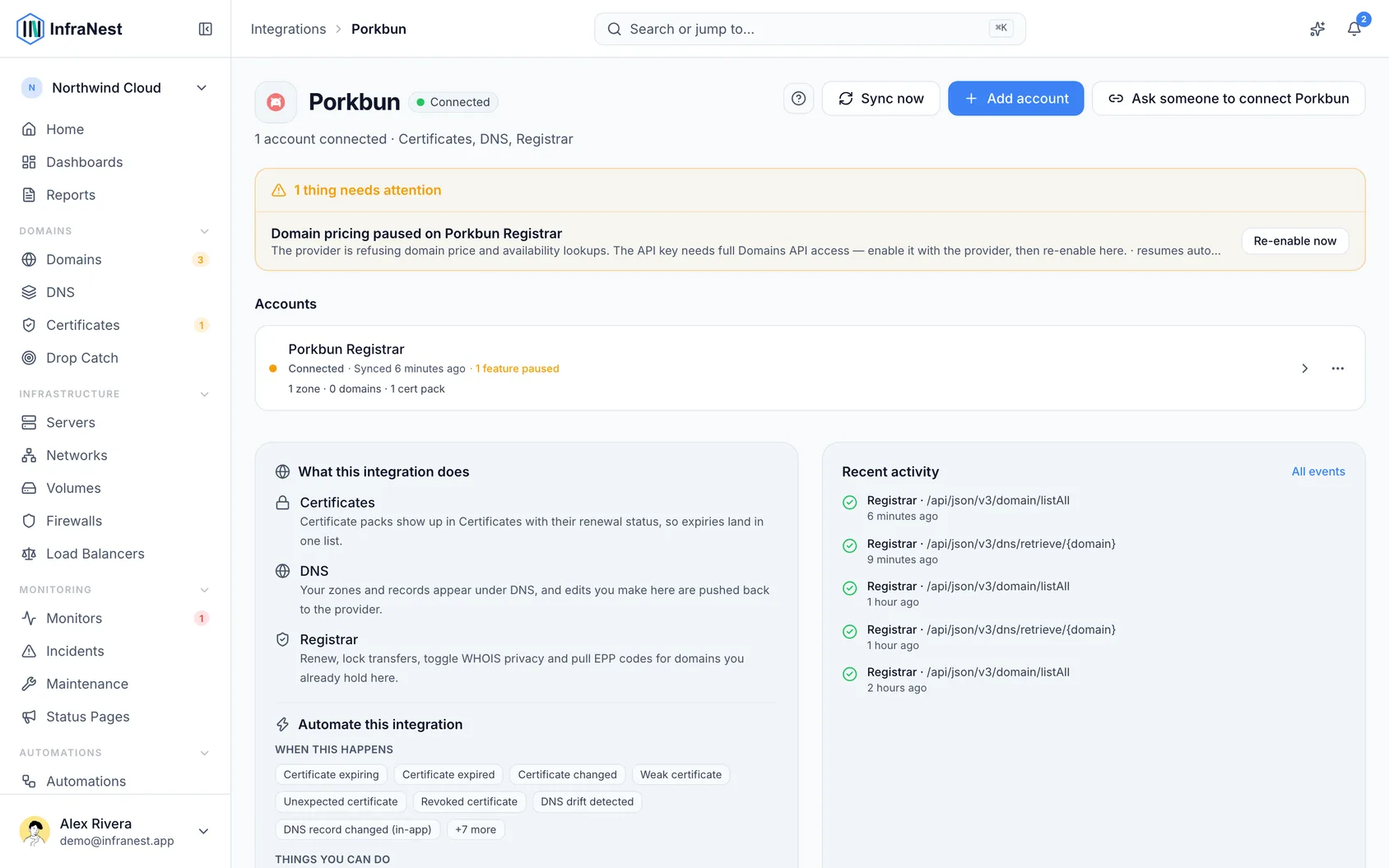
InfraNest checks the credentials and starts importing your domains. It also asks Porkbun to tell it about changes as they happen, so it doesn't need to check as often.
#What you can do once it's connected
- See every Porkbun domain with its expiry, status and nameservers.
- Register a domain, renew one, or transfer one in.
- Change nameservers, contacts, DNSSEC and auto-renew.
- Manage DNS records for your Porkbun domains.
- See the free SSL certificate Porkbun issues for each domain in your certificate inventory, and download the certificate files when you need to install them somewhere.
- See your Porkbun account credit, so you find out you are running low before a renewal fails.
#Tips
#Porkbun sells one year at a time
Porkbun's API registers and renews for a single year, so InfraNest only offers one year. To buy several years at once, do it in the Porkbun panel.
#A few things stay in the Porkbun panel
Porkbun has no way to change these from the API, so InfraNest greys them out rather than pretending:
- Transfer lock — you can see whether it is on, but you change it at Porkbun.
- WHOIS privacy — same: visible here, changed there. It can only be chosen when a domain is first registered.
- Transfer codes (EPP / auth codes) — Porkbun does not hand these out over the API. Get yours from the Porkbun panel when you want to move a domain away.
#DNS is only for domains registered at Porkbun
Porkbun hosts DNS for its own domains, so there is nothing to create — the zone already exists and InfraNest imports it. If you host DNS somewhere else, connect that provider separately.
#Domain search is slower with Porkbun connected
Porkbun allows one availability check every ten seconds for the whole account, and offers no way to check several names at once. InfraNest works around it: it takes Porkbun's price from Porkbun's public price list, and borrows the availability answer from another registrar you have connected. If Porkbun is your only registrar, the first name in a search gets a real check and the rest offer a Check now button so you can spend the next one where it matters.
#Paying is from a prepaid balance
Porkbun takes payment from account credit in US dollars, not from a card. If the credit runs out, a registration or renewal simply fails — nothing retries it and nothing charges you instead. The Porkbun connection page shows your balance and whether automatic top-up is on, and InfraNest emails you when the credit starts running low.
WarningThis matters most for domains set to renew on their own. An auto-renew that runs out of credit does not warn you at the time — the domain simply expires.
#Troubleshooting
- Every action on a domain fails, but the domain is listed — that domain is not opted in to API access. This is the most common Porkbun problem by far; see Create a Porkbun API key. InfraNest flags each affected domain with API access is off for this domain, so you can see which ones.
- "Authentication failed" — the key or secret is wrong, or the key was deleted at Porkbun. Create a new pair and reconnect.
- Everything fails with a permissions error — the key may have a Source IP allowlist set. InfraNest doesn't connect from one fixed address, so clear the allowlist.
- One domain is refused, or a charge is refused while your balance is fine — check the key's Target domain allowlist and monthly spend limit on Porkbun's API Access page. InfraNest's message names the setting and links to that page.
- A registration failed with "insufficient funds" — top up your Porkbun balance and try again.
- A domain is missing — it may be in another Porkbun account; connect that account too.
Was this article helpful?
Thanks for your feedback!
Thanks, this goes straight to the docs team.
Related articles
 AWSConnect Amazon Web Services (AWS)Connect AWS to manage your Route 53 DNS, Route 53 domains and ACM certificates from InfraNest.
 CloudflareConnect CloudflareConnect Cloudflare to manage your DNS, domains and SSL certificates from InfraNest. Your Cloudflare zones and records appear automatically once it's connected.CloudflareCreate a Cloudflare API tokenTo connect Cloudflare, InfraNest needs an API token from your Cloudflare account. Here's how to create one with the right permissions.
 DigitalOceanCreate a DigitalOcean API tokenYou only need this if you'd rather not use Connect with DigitalOcean, which does the same job without a token. If you do want one, it takes about a minute.