

Invite your teammates to work alongside you, with the right level of access for each person.
#Overview
- Invite anyone by email and assign them a role right away.
- Invitations can be sent from the Members page or from several other places in the app, wherever you're choosing who should be notified or involved.
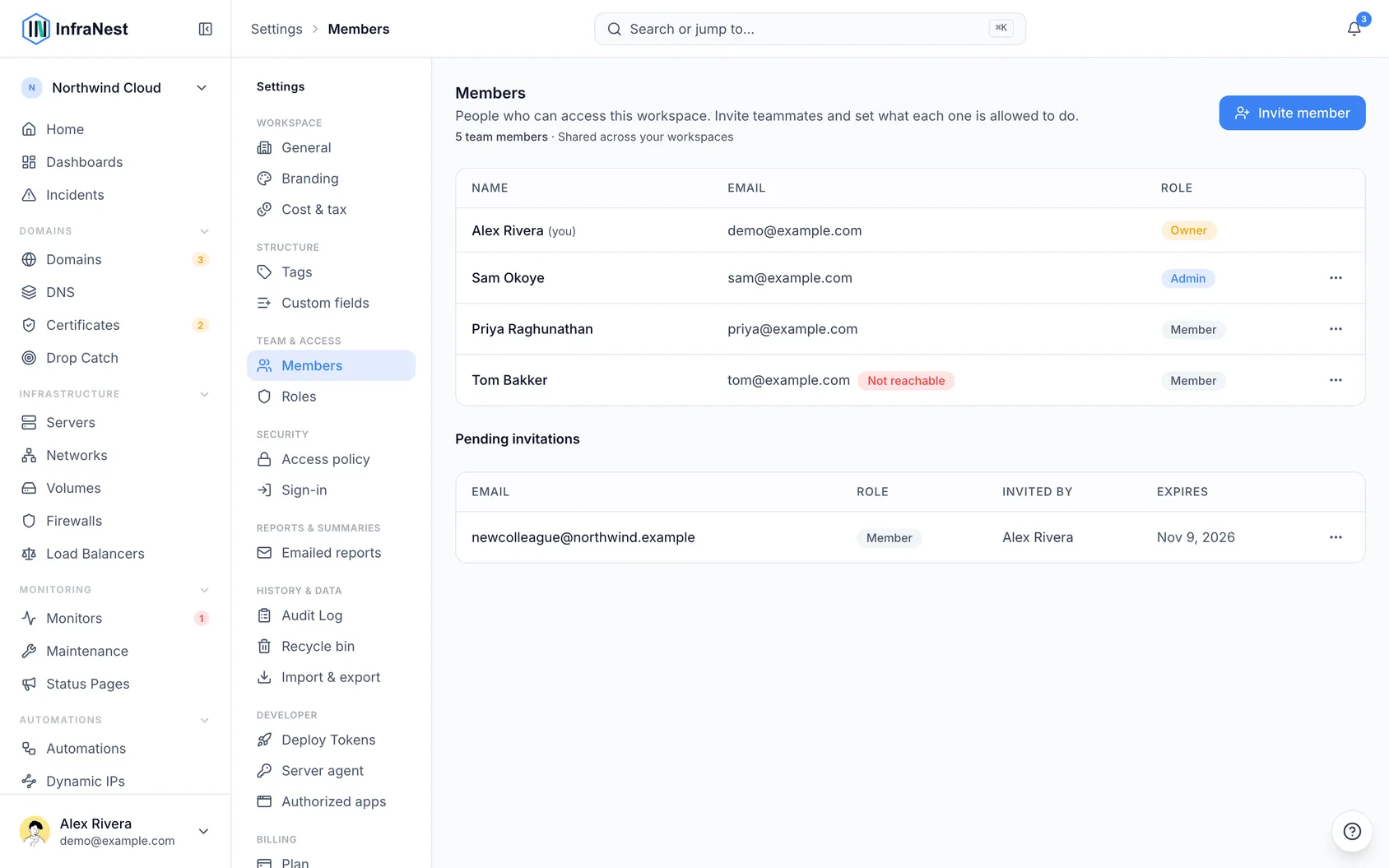
- Members and pending invitations are managed in one place, so you always know who has access.
#Invite a member
- Go to Team.
- Choose Invite member and enter the teammate's email address, then pick the Access level they'll have.
- They'll get an invitation email. The link opens a page showing which workspace invited them and what role they'll have. From there, they can:
- choose Accept invitation if they're already signed in;
- choose Sign in to accept, or create an account, then come back to the invitation afterwards;
- or choose to continue with your identity provider, if your workspace uses single sign-on.
NoteAn invitation can only be accepted by the address it was sent to. If someone is signed in to a different account, they'll be offered the option to use a different account instead.
You can send a new invitation at any time, even to someone who was a member before. If their earlier invitation expired, the new one simply replaces it. You can't invite someone who's already a member — and if an invitation to that address is still pending, cancel it first to send a new one.
An invitation stays valid for seven days. If your workspace has no free seat when someone accepts, they're told so, and the invitation stays open so they can accept as soon as a seat frees up.
#Invite someone where you need them
You don't have to start at Team. Anywhere you're choosing who should hear about something, you can invite a teammate on the spot using just their email address:
- Alerts → Destinations, under the section for who else should be woken up. The person is invited as a member, and their address is added as an email destination right away. Note that inviting someone doesn't send them alerts by itself — but they're covered starting from the next alert.
- The equivalent section on a monitor or server page works the same way: invite a teammate, and they're added as a member and an email destination.
- Home, when handing off a problem to someone. If the person isn't listed yet, you can invite them from there; once they accept, you can assign the problem to them.
- When sharing a dashboard, if there's nobody to share it with yet, you can invite them from there and share it once they accept.
- When asking someone who already has access to an integration, you can also invite that person to the team as an admin, so next time they can connect it themselves.
TipYou need permission to manage members to see these options. Every invitation you send shows up under Pending on the Team page, along with where it was sent from.
#Manage members
From the Team page, you can change a member's role or remove them entirely. Roles decide what each person can see and do in your workspace — see the roles and permissions settings for details.
Was this article helpful?
Thanks for your feedback!
Thanks, this goes straight to the docs team.