

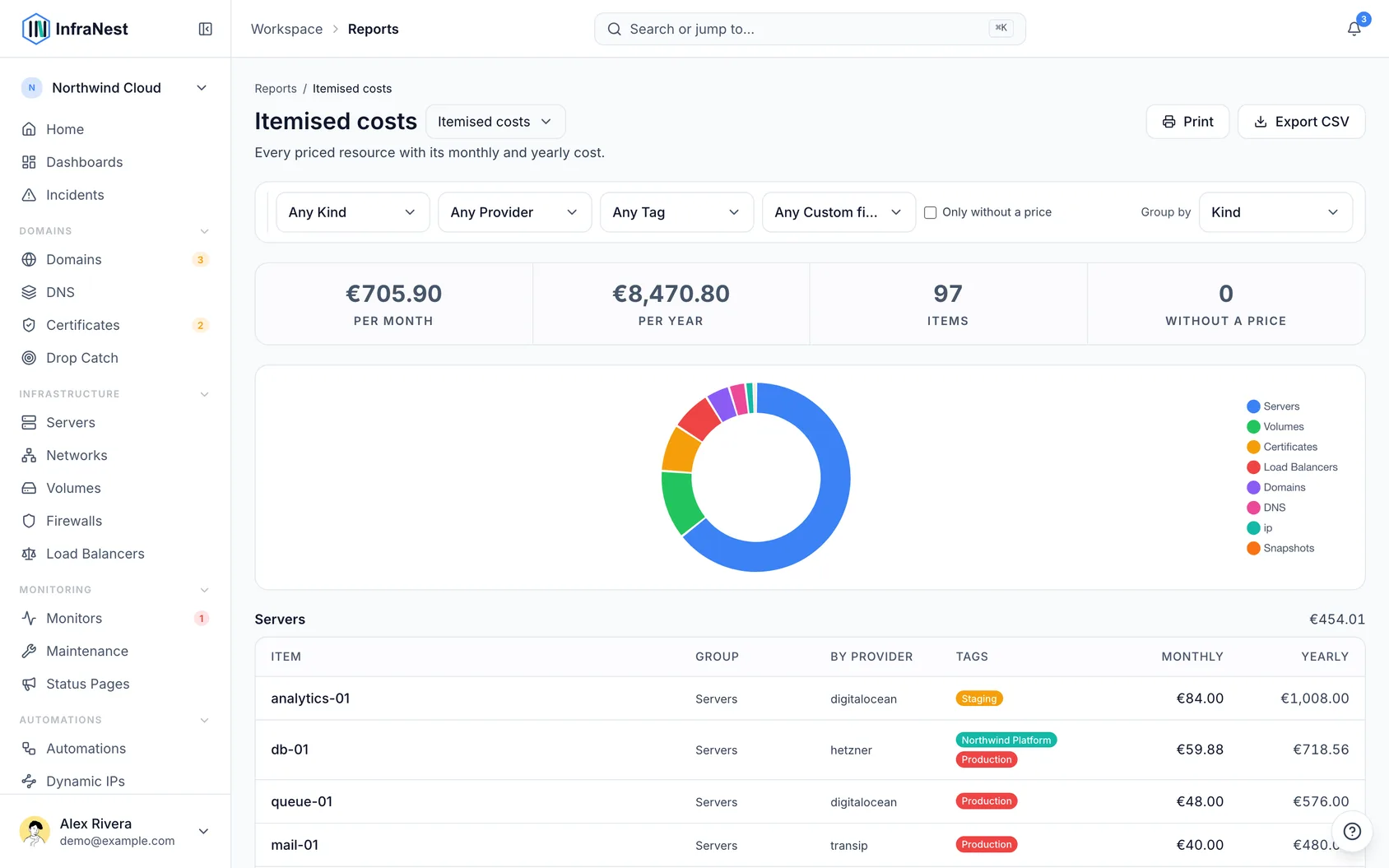
Itemised costs gives you a line-by-line breakdown of everything you're paying for, so you can see exactly what makes up your total spend. It's for anyone who needs more than a single number — like checking a client's bill or finding resources that still need a price.
#Overview
- Spend shows your total infrastructure cost.
- Itemised costs shows the detail behind that total — one row per resource, with monthly and yearly cost.
- The two always match up: whatever you see on Spend is exactly what these rows add up to.
#When you'd use it
Use this view when a number on Spend looks wrong or surprising and you want to see what's behind it, or when you need a list instead of a total — for example, what a particular client is costing you, what a tag adds up to, or which resources nobody has priced yet.
#Turn the list into a client's bill
- Filter by a tag, or by a custom field such as Client or Cost centre.
- The list now shows just that client's resources and costs.
- Group by kind or provider to see subtotals.
- Export the result as a CSV to hand off or file away.
The totals always filter along with the list, so the figure you give someone is backed by the exact rows that justify it.
#Add a price to a resource
- Find the row for the resource that needs a price.
- Open that resource.
- Add a cost to it.
Once saved, the cost counts towards every total — both here and on Spend. Prices come from the provider automatically where we can read them, and from you where we can't.
#Tips
NoteA volume attached to a server is counted as its own volume row, not folded into the server's cost — so nothing gets counted twice.
TipRows marked "No price" are the ones worth fixing first — until they have a price, they're missing from every total. A price of €0.00 is different: that's a real answer, and it counts as priced.
#Troubleshooting
- A resource shows "No price" instead of a cost. Nobody has added a price for it yet — open the resource and add one.
- A resource shows a currency conversion issue instead of a converted amount. It's priced in a currency with no exchange rate available, so we won't guess — this is a different problem from a missing price and needs its own fix.
- Figures look off by the amount of tax. Costs are shown excluding VAT unless your workspace is set up otherwise; check the heading to confirm which basis is being used.
- The page shows an upgrade prompt instead of the list. Itemised costs is part of a paid plan — you'll need to upgrade to see it.
Was this article helpful?
Thanks for your feedback!
Thanks, this goes straight to the docs team.