

Connect your Hetzner account to InfraNest so you can manage your cloud servers, DNS zones and SSL certificates without leaving InfraNest.
#Overview
- Once connected, your Hetzner servers, DNS zones and certificates appear automatically in InfraNest.
- You can create, control and monitor servers, edit DNS records, and keep track of certificates all from one place.
- InfraNest refreshes everything about once an hour, and the graphs every five minutes.
#Before you start
You'll need a Hetzner API token with Read & Write access. See Create a Hetzner API token for the steps.
NoteThe same token covers both your Hetzner cloud resources and your Hetzner DNS zones.
#Connect Hetzner
- Go to Integrations and open Hetzner.
- Give the connection an Account label so you can recognise it later. This is optional.
- Choose which features to use it for: Cloud, DNS and Certificates.
- Paste your API token.
- Leave Email me when this integration has problems ticked if you'd like a heads-up by email if something goes wrong.
- Select Connect.
InfraNest checks the token and starts bringing in your servers and zones straight away.
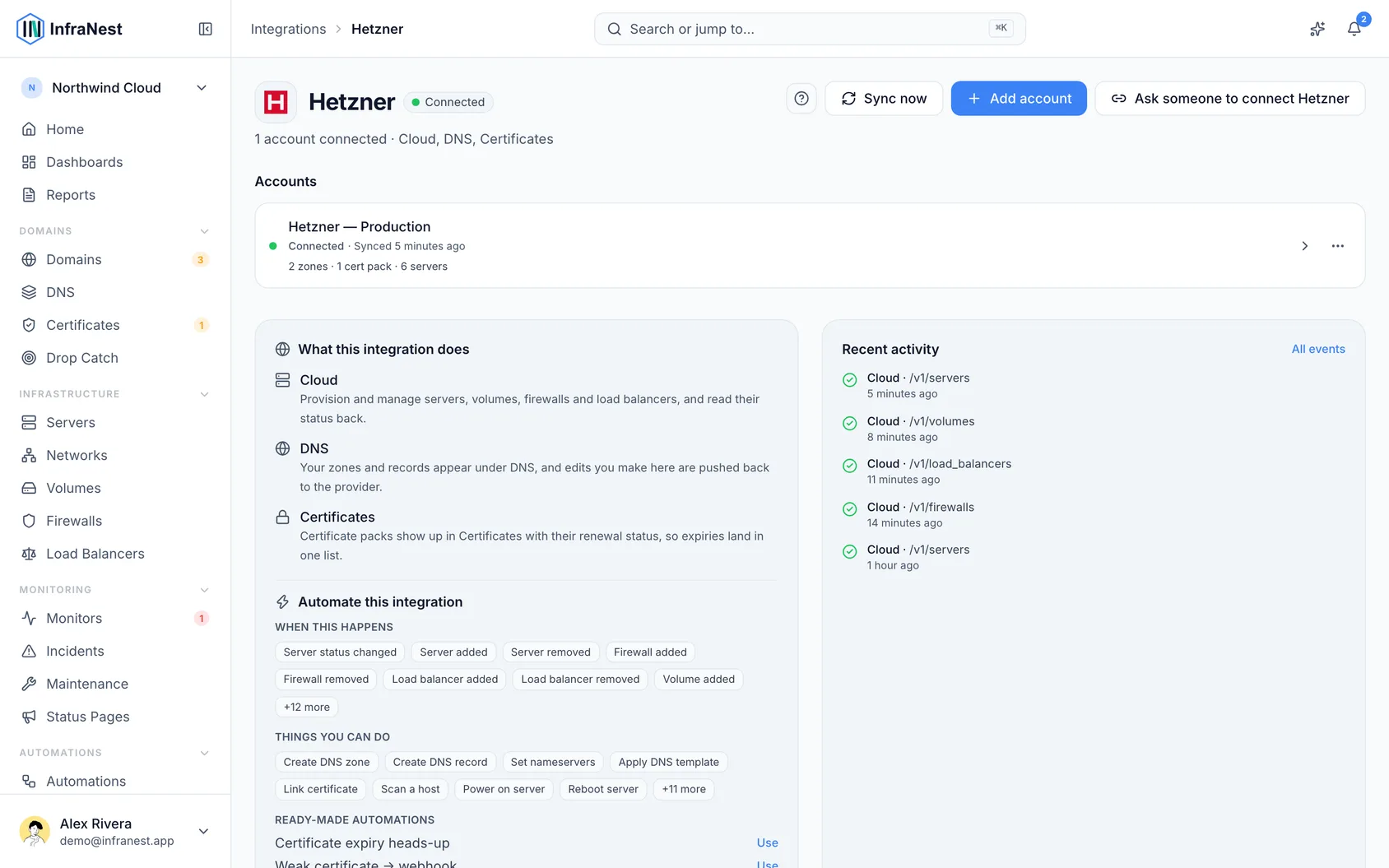
#What you get once it's connected
- Cloud servers — your servers appear with their type, location, addresses and price. Create, rename, resize, power on and off, reboot, rebuild, open the console, boot into rescue, reset the root password and mount an ISO. Take snapshots, switch Hetzner's daily backups on or off, and set delete protection, which InfraNest also sets at Hetzner.
- Volumes, networks, firewalls, load balancers and IP addresses — created, changed and deleted from here, including volume resizing, private network subnets and routes, firewall rules across several servers, and reverse DNS for each address.
- Graphs — CPU, network and disk throughput for each server, which you can build alerts on.
- DNS — your zones and records. Add, edit and delete records, and create or delete zones.
- SSL certificates — the certificates in your Hetzner project appear in your certificate list, with the load balancers they're on.
#Good to know
- Hetzner doesn't sell domains, so there's no domain-registration feature here.
- A token belongs to one project. To bring in servers from two Hetzner projects, connect each one with its own token.
- Only DNS in the Hetzner Console is supported. DNS zones in the older konsoleH or Robot DNS are a separate product that this connection can't see. Move the zone into the Hetzner Console to manage it here.
#Troubleshooting
- "Authentication failed" — the token may be wrong, or deleted in the Hetzner Console. Generate a new Read & Write token and paste it in: open the account, go to the Account tab and select Update the API key.
- Your servers show, but every action is refused — the token is Read only. Make a Read & Write token and paste it in the same way.
- Nothing appears after connecting — check that the token comes from the project your servers are in, and that your DNS zones are in the Hetzner Console rather than konsoleH. Then choose Sync now in the account's ⋯ menu.
- A one-off error in the activity log — a single failed call now and then is usually the provider having a bad moment, not a problem with your token. InfraNest checks before it acts on one: if the same token still works, nothing is switched off and nothing is emailed. You only hear from us once a problem repeats.
- "Server graphs" shows as paused — this means Hetzner refused the CPU and bandwidth figures twice in a row. Hetzner tokens have only two settings, Read and Read & Write, and both can read graphs, so there is no extra permission to switch on. Check the token still exists in the Hetzner Cloud Console, or paste in a new one, then select Re-enable now on the Hetzner page under Integrations.
TipIf you manage servers across multiple Hetzner projects, connect each one separately with its own token and a distinct Account label so you can tell them apart.
Was this article helpful?
Thanks for your feedback!
Thanks, this goes straight to the docs team.
Still stuck? Contact support
Related articles
Load BalancersBusinessLoad balancersLoad balancers spread incoming traffic across several servers, so a service stays up and responsive. AWSConnect Amazon Web Services (AWS)Connect AWS to manage your Route 53 DNS, Route 53 domains and ACM certificates from InfraNest.
 CloudflareConnect CloudflareConnect Cloudflare to manage your DNS, domains and SSL certificates from InfraNest. Your Cloudflare zones and records appear automatically once it's connected.CloudflareCreate a Cloudflare API tokenTo connect Cloudflare, InfraNest needs an API token from your Cloudflare account. Here's how to create one with the right permissions.
AWSConnect Amazon Web Services (AWS)Connect AWS to manage your Route 53 DNS, Route 53 domains and ACM certificates from InfraNest.CloudflareConnect CloudflareConnect Cloudflare to manage your DNS, domains and SSL certificates from InfraNest. Your Cloudflare zones and records appear automatically once it's connected.CloudflareCreate a Cloudflare API tokenTo connect Cloudflare, InfraNest needs an API token from your Cloudflare account. Here's how to create one with the right permissions.