

This article shows you how to create the API key TransIP needs before you can connect it to InfraNest. It's for anyone setting up a TransIP connection for the first time.
#Overview
- InfraNest needs two things to connect to TransIP: your account name and a private key.
- You create this key in your TransIP control panel, not in InfraNest.
- TransIP only shows you the private key once, so you'll need to copy it carefully before moving on.
#Create the key
- Sign in to the TransIP control panel. The Open the token page link on InfraNest's TransIP connect form goes straight to the API page.
- Go to Settings → API.
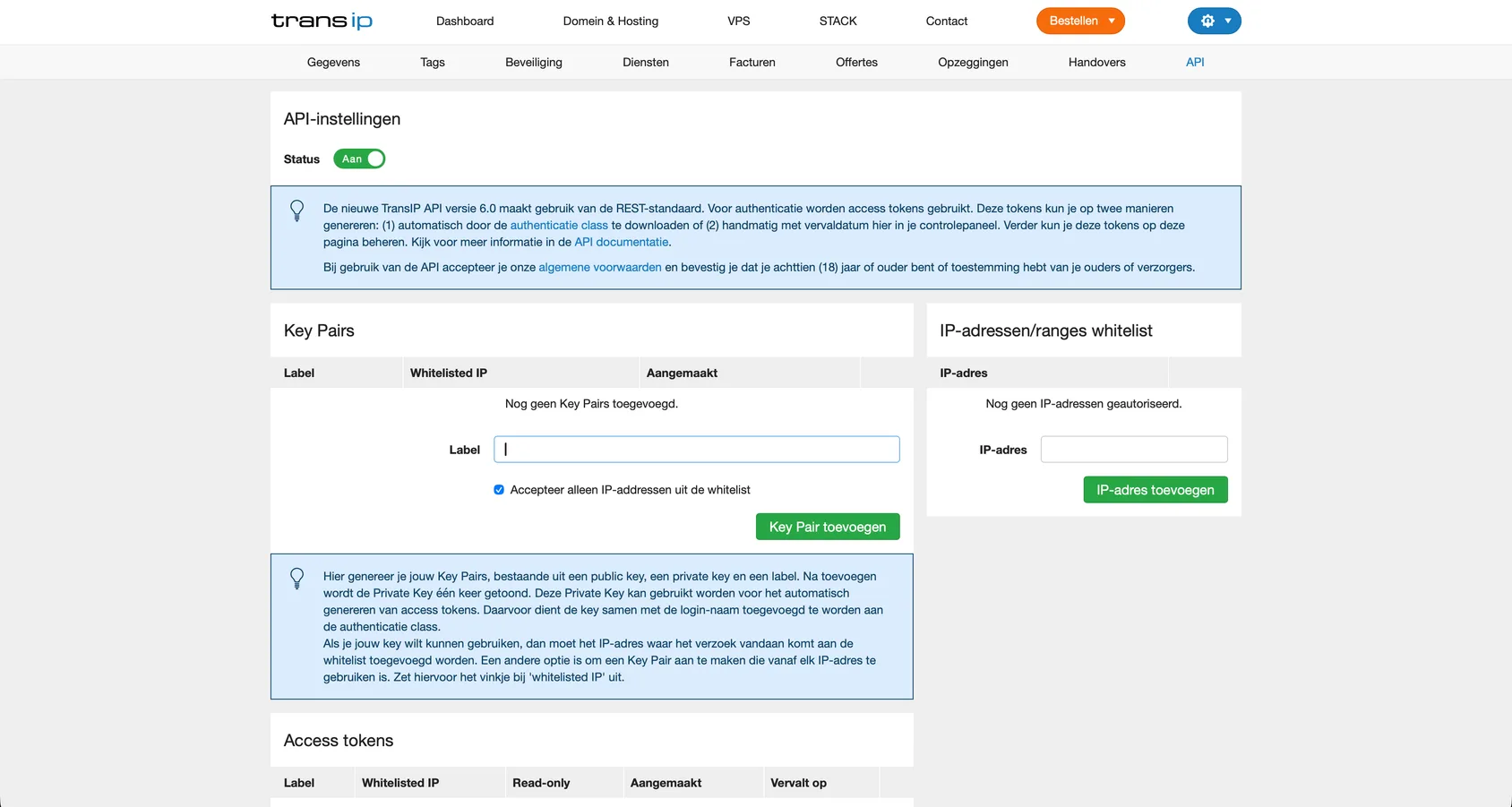
- Switch the API Status on. Under Key Pairs, give the key a label such as InfraNest, untick Accept only IP addresses from the whitelist — it is ticked by default — and select Add Key Pair.
WarningInfraNest doesn't connect from one fixed address, so if you leave the whitelist option ticked, your key will be refused.
- Copy the private key, including the
-----BEGINand-----ENDlines.
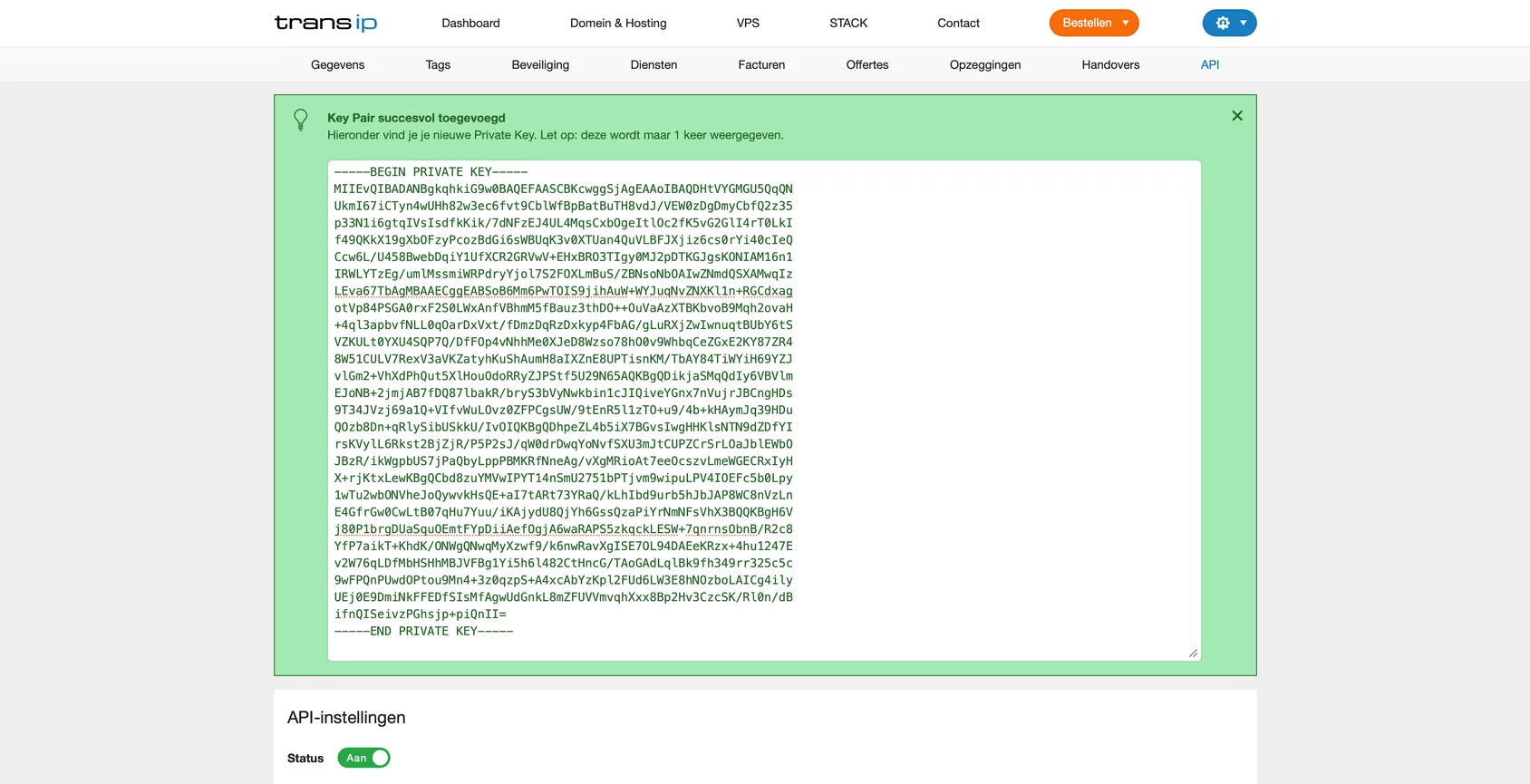
NoteTransIP shows you this private key only once. If you lose it, you'll need to create a new key pair.
- Note your account name (your TransIP username) — you'll need it too.
#Next step
Go back to InfraNest and follow Connect TransIP to enter your account name and private key.
Was this article helpful?
Thanks for your feedback!
Thanks, this goes straight to the docs team.
Still stuck? Contact support
Related articles
 AWSConnect Amazon Web Services (AWS)Connect AWS to manage your Route 53 DNS, Route 53 domains and ACM certificates from InfraNest.
 CloudflareConnect CloudflareConnect Cloudflare to manage your DNS, domains and SSL certificates from InfraNest. Your Cloudflare zones and records appear automatically once it's connected.CloudflareCreate a Cloudflare API tokenTo connect Cloudflare, InfraNest needs an API token from your Cloudflare account. Here's how to create one with the right permissions.
 DigitalOceanCreate a DigitalOcean API tokenYou only need this if you'd rather not use Connect with DigitalOcean, which does the same job without a token. If you do want one, it takes about a minute.