

Connect your TransIP account to InfraNest to manage your VPS servers, DNS, domains and SSL certificates in one place.
#Overview
- Bring your TransIP VPS servers, DNS records, domains and SSL certificates into InfraNest.
- See live specs, addresses and usage graphs, and act on things like snapshots, backups and reverse DNS.
- InfraNest checks TransIP regularly to keep servers, domains and DNS up to date automatically.
#Before you start
You'll need your TransIP account name and an API key (a private key). See Create a TransIP API key for the steps.
#Connect TransIP
- Go to Integrations and open TransIP.
- Give the connection an Account label (optional). Leave it blank and it takes the provider's name — a second connection to the same provider becomes "… (1)", so they stay tellable apart.
- Choose which features to use it for: Cloud, DNS, Registrar and Certificates.
- Enter your Account name and paste your RSA Private Key, including the
BEGINandENDlines. - Leave Email me when this integration has problems ticked if you'd like email warnings.
- Select Connect.
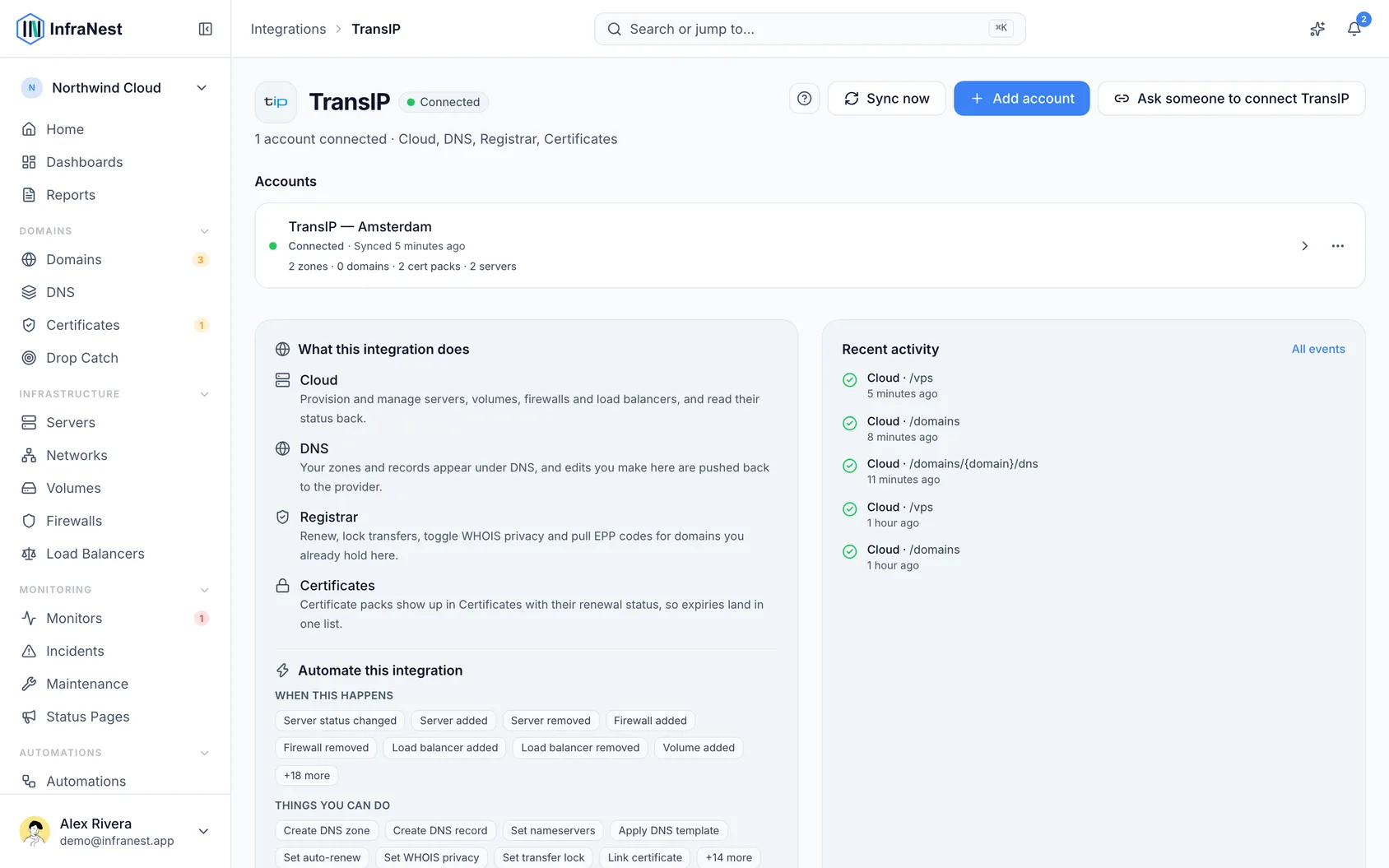
#What you get once it's connected
- Cloud (VPS) — your VPS appear with their specs and addresses. Order a new one, rename it, upgrade it, power it on and off, reboot it, open the console, take snapshots, switch TransIP's backups on or off, and set reverse DNS for each address. CPU and network graphs are available, which you can build alerts on.
- Firewalls, block storage and HA-IPs — edit a VPS's firewall, create, resize, attach and delete block storage, and set an HA-IP's services and targets. Private networks are shown.
- DNS — view and edit records for your TransIP domains.
- Domains — register, transfer in and renew, get the transfer (EPP) code, and manage nameservers, contacts and DNSSEC. InfraNest also shows a domain's pending actions at TransIP.
- SSL certificates — your TransIP certificates appear in your certificate list, with their expiry dates.
InfraNest refreshes your servers and DNS about once an hour, your domains every two hours, and each domain's details every six hours.
#What it can't do
- Transfer lock and WHOIS privacy — TransIP's API doesn't change them, so those options don't appear.
- Switching auto-renew back on. Switching it off schedules the domain's cancellation at the end of its term — that's how TransIP stops a renewal. To keep the domain after all, revoke the cancellation in the TransIP control panel.
- Registering for more than one period. TransIP sells one registration period, so InfraNest offers only that one. A registration with a price limit set is refused, because TransIP can't confirm the price beforehand.
- Removing a VPS straight away. Deleting a VPS here cancels it at TransIP at the end of its paid term; it keeps running, and billing, until then. A VPS can be made bigger but not smaller.
- Rescue mode, root password resets, ISOs, delete protection and new HA-IPs — do these in the TransIP control panel.
- Certificate files can't be downloaded; InfraNest only gets each certificate's details.
- DNS zones follow your domains — they aren't created or deleted on their own.
WarningSwitching off auto-renew for a domain schedules its cancellation at TransIP — it won't simply stay inactive and renewable later. If you change your mind, revoke the cancellation directly in the TransIP control panel.
#Troubleshooting
- "Authentication failed" — check your account name, make sure you pasted the whole private key, and confirm the API is switched on in TransIP.
NoteIf you created the key pair with Accept only IP addresses from the whitelist ticked (TransIP ticks it by default), make a new one without it. InfraNest's address isn't fixed, so a whitelist-only key is refused.
Was this article helpful?
Thanks for your feedback!
Thanks, this goes straight to the docs team.
Related articles
 AWSConnect Amazon Web Services (AWS)Connect AWS to manage your Route 53 DNS, Route 53 domains and ACM certificates from InfraNest.
 CloudflareConnect CloudflareConnect Cloudflare to manage your DNS, domains and SSL certificates from InfraNest. Your Cloudflare zones and records appear automatically once it's connected.CloudflareCreate a Cloudflare API tokenTo connect Cloudflare, InfraNest needs an API token from your Cloudflare account. Here's how to create one with the right permissions.