

A look at the reserved IP addresses your provider has set aside for you, showing which server each one is pointing at and flagging any you're paying for but not using. This is for anyone who wants to keep track of infrastructure costs and avoid paying for addresses no server is actually using.
#Overview
- A reserved IP address — sometimes called a floating IP, elastic IP or primary IP — belongs to your account, not to one particular server, so it can be moved from server to server without changing the address people connect to.
- InfraNest lists every reserved address found on your connected cloud accounts under Servers → IP addresses, along with the server it's attached to, its reverse-DNS name, its location and its monthly cost.
- This list is read directly from your provider, so it's always current — anything reserved or released in your provider's console shows up here on the next sync.
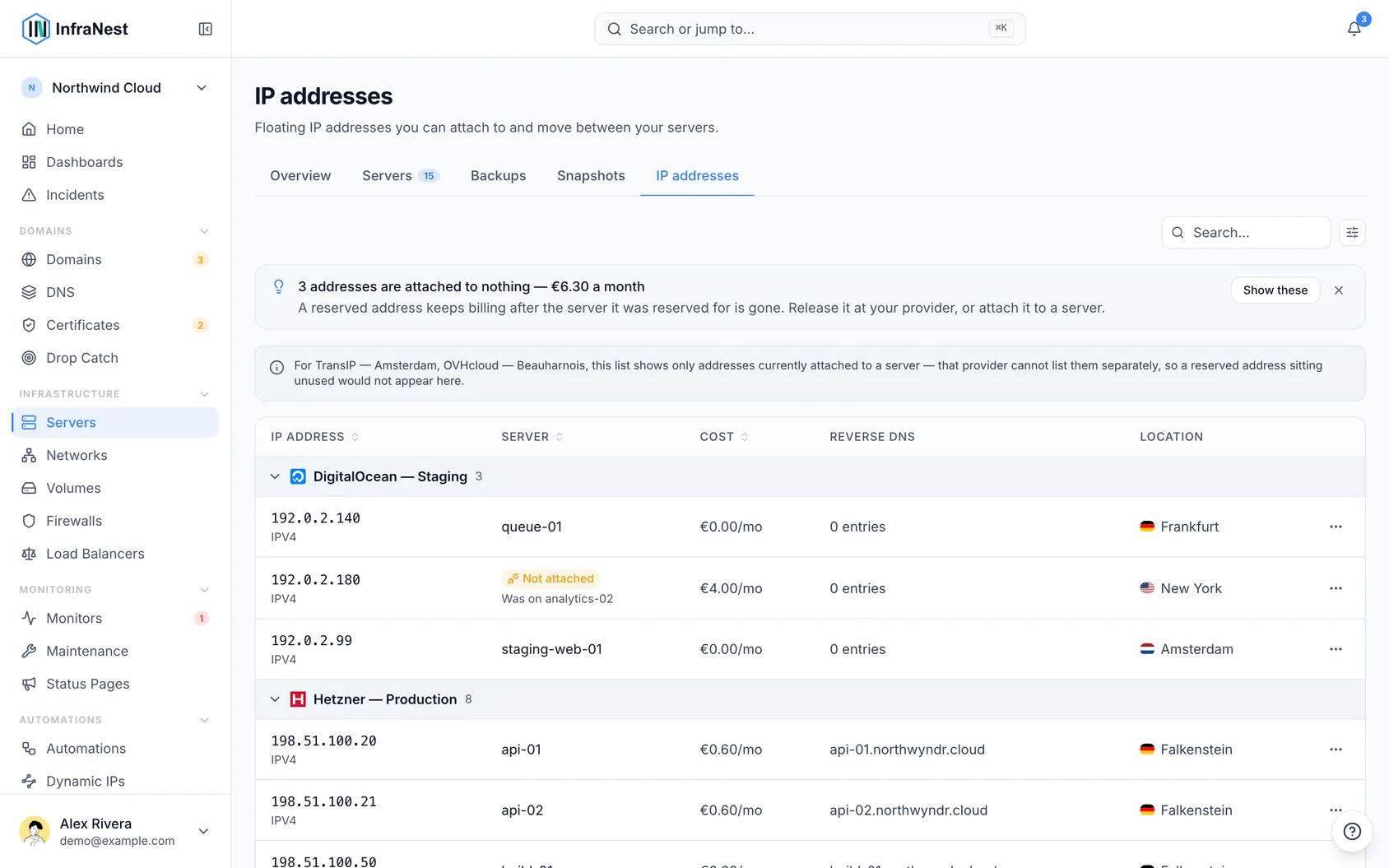
#Find addresses you're paying for but not using
- Open Servers, then go to IP addresses.
- Look at the banner at the top of the list — it counts any addresses attached to nothing and totals what they cost each month.
- Select Show these to filter the list down to just those unattached addresses.
NoteAn unattached address usually means one of two things: it's left over from a deleted server (release it to stop paying for it), or it's being kept on purpose — for example, already registered in DNS or allow-listed by a partner. InfraNest never releases an address automatically, because it can't tell which situation you're in.
#Check which server an address belongs to
- Open Servers → IP addresses.
- Look at the Server column for each address — this shows which server it currently points at.
- An empty Server column means the address is unattached and worth reviewing.
#Review and release unused addresses
- Go to the Servers overview and open Review savings.
- Find the unattached Hetzner or DigitalOcean address in the review.
- Confirm the address can be released — this is only offered while no DNS record still points at it.
- If prompted, reconnect an older DigitalOcean connection made with Connect with DigitalOcean before the address can be released.
- If you'd rather keep the address, choose Don't suggest this again — the suggestion goes quiet for that address and only returns if another one is left unattached.
#Tips
TipTo check an address's reverse DNS (the PTR record a mail server or log reader sees when your machine connects to it), look at the Reverse DNS column here. To change it, go to the server's own Networking tab.
- Moving an address to another server is done in your provider's console — InfraNest will reflect the change automatically on the next sync.
Was this article helpful?
Thanks for your feedback!
Thanks, this goes straight to the docs team.