

Keep your server's data safe with your provider's automated backups and your own on-demand snapshots — useful for anyone running a server who wants an easy way back if something goes wrong.
#Overview
- Backups are scheduled images your provider takes automatically, once turned on.
- Snapshots are point-in-time images you create yourself, handy right before a risky change.
- Both can be restored if something breaks, and InfraNest shows you the status of each on the server page.
#Turn on and manage backups Pro
- Open the server and go to Backups.
- Select Enable backups, or use Start manual backup to trigger one right away.
- From the list, you can restore or delete a backup.
#Check whether backups are on
The Protection card on the server's overview has a Backups row, which reads what your provider told InfraNest at the last sync:
- Provider · backups run {window} — the provider runs backups in that window (Hetzner, DigitalOcean).
- On, daily at {time} — the provider runs one backup a day at that time (OVHcloud automated backup).
- Provider · automated backup is on — backups are on, but the provider doesn't say when they run (TransIP's backup add-on).
- Turn on — backups are off. The row's dot is orange, since there's nothing to restore from.
- No snapshot yet — your provider didn't report backups, and you haven't taken a snapshot either. This is just a suggestion, so the dot stays grey.
NoteOn OVHcloud, automated backup is an option you add to the VPS in the OVHcloud control panel, not a switch in InfraNest. Once added, the row updates after the next sync. On TransIP, backups are an add-on to the VPS — selecting Enable backups on the Backups tab orders it, and the row updates after the next sync.
#Create and manage a snapshot Pro
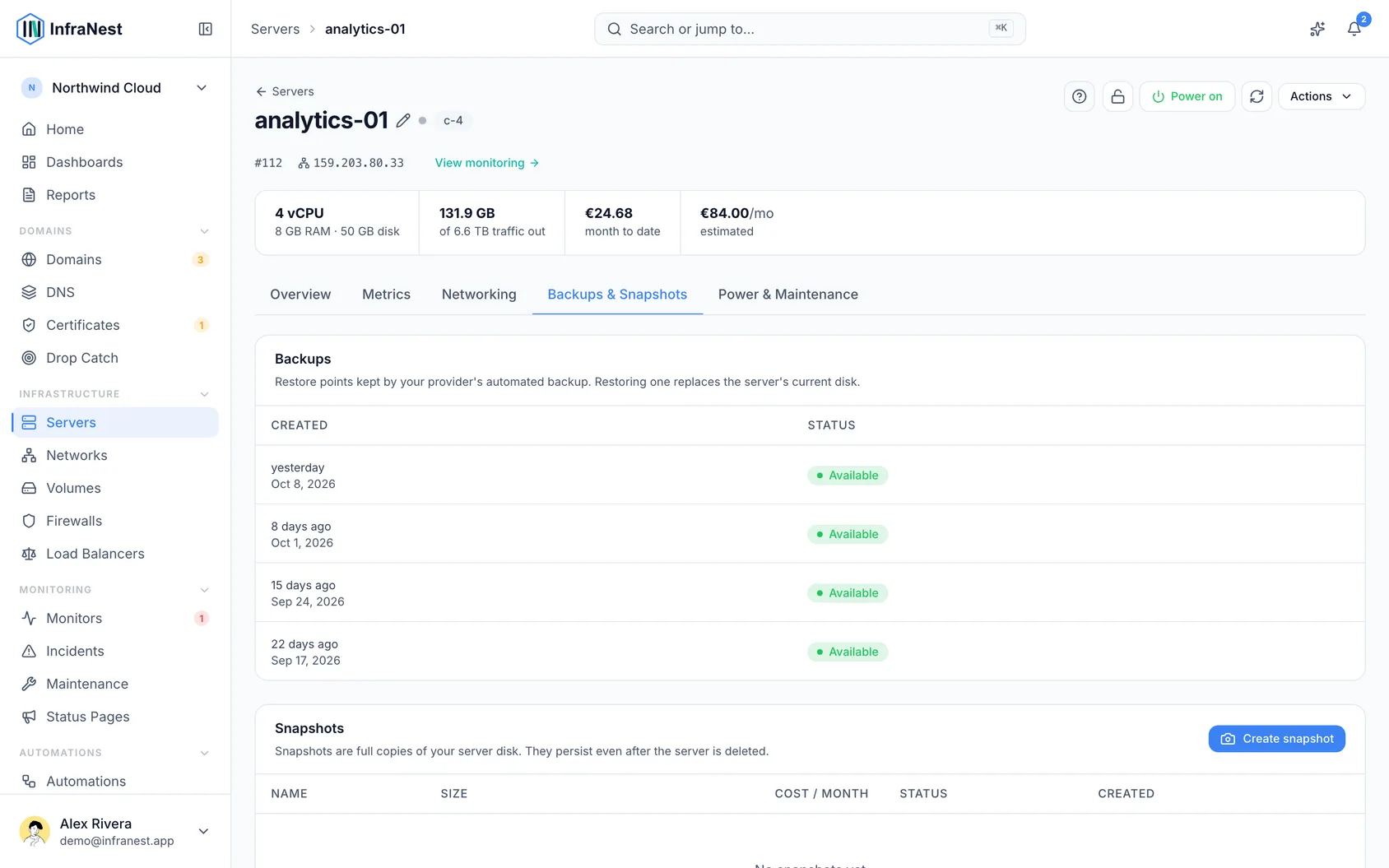
- Open the server and go to Snapshots.
- Select Create a snapshot. Later, you can restore, Rename, Lock it to protect it from accidental deletion, or Delete it.
#Understand what a snapshot costs
Kept snapshots are billed for as long as you keep them, and the Monthly (est.) figure on the Snapshots list shows how much. Hetzner publishes a rate, so those price themselves — based on the compressed size, which is usually far smaller than the disk the snapshot came from. Where your provider publishes nothing, use the price field in that column and enter what you're charged.
This figure feeds your Reports, which is where snapshot sprawl becomes visible as a number rather than a hunch.
#Take a snapshot before a rebuild, resize or delete Pro
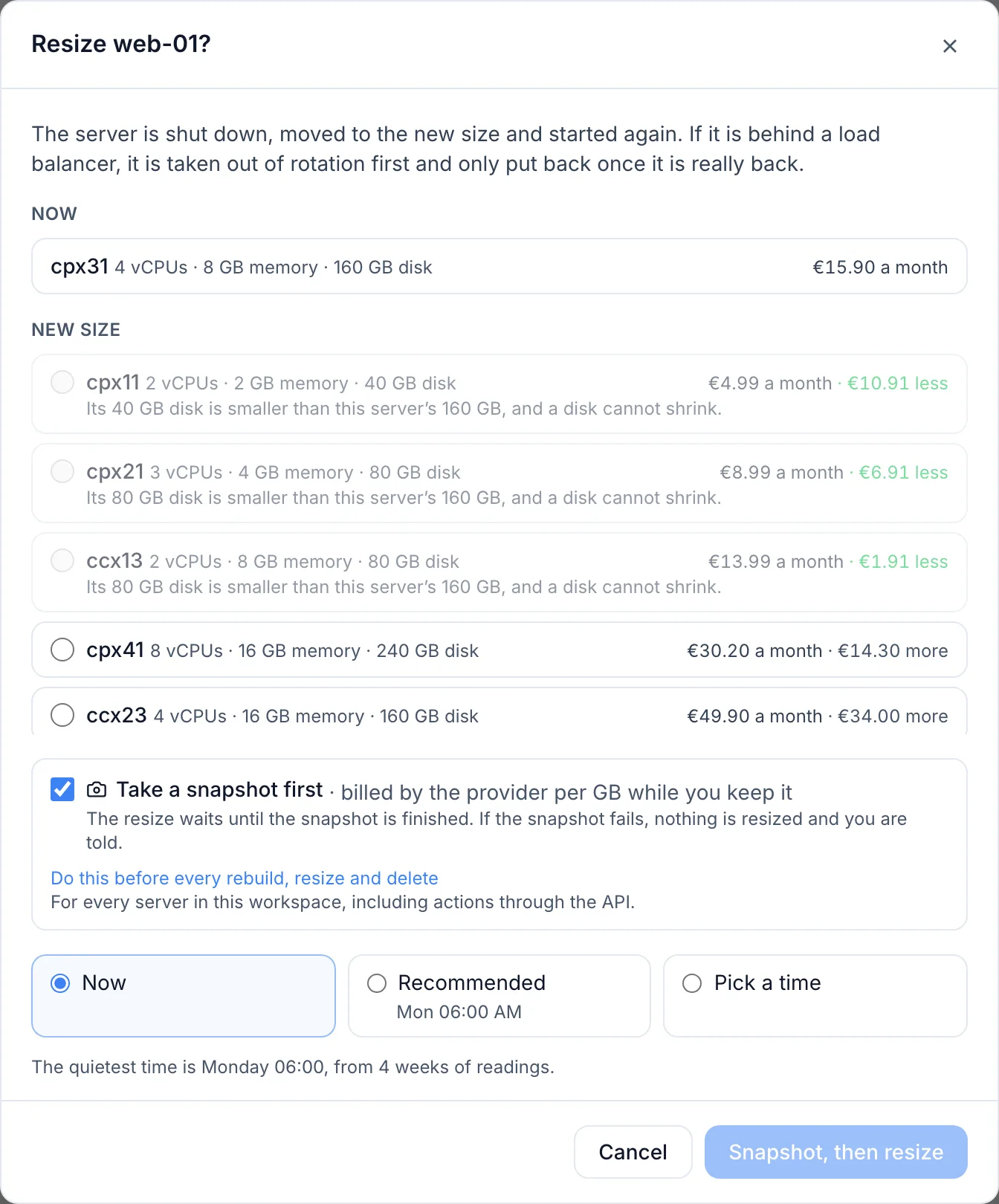
The Rebuild, Resize… and Delete server dialogs offer Take a snapshot first, ticked by default, along with what keeping the snapshot costs a month. With it ticked:
- InfraNest asks your provider for the snapshot.
- The rebuild, resize or delete waits until the snapshot is finished. You can follow progress on the server page.
- Only then does the rebuild, resize or delete run. If the snapshot fails, or isn't done within an hour, nothing else happens, and everyone in the organization is told.
The cost shown is at most what you'd pay: it's worked out from the disk size at the rate your other snapshots are billed at, and providers bill the stored image, which is usually smaller.
TipClick Do this before every rebuild, resize and delete in any of these dialogs to make it the rule for every server in your workspace — including rebuilds, resizes and deletes made through the API. Turn it off again from the same dialog, or from Settings → Security → Snapshot before every rebuild, resize and delete, where you can also turn it on without opening a dialog.
If your plan doesn't include snapshots, or your provider can't take one from InfraNest, the dialog says so instead of offering the box.
#Tips
- Take a snapshot before any other big change too — it's the quickest way back if something goes wrong.
- Use Lock on important snapshots so they can't be deleted by accident.
Was this article helpful?
Thanks for your feedback!
Thanks, this goes straight to the docs team.