

Invite another business to InfraNest, and when they become a paying customer, you both get a free month — this is for anyone who wants to save on their InfraNest bill by spreading the word.
Overview
- Every workspace gets its own referral link, found under Settings → Referrals.
- The person you invite tries InfraNest free like any new customer, then gets their first paid month free.
- Once they've paid their first invoice and 14 days have passed, your workspace earns a discount worth one month of what they pay.
- The link and the reward belong to the workspace, not to any one person — anyone in the workspace can share it, and the reward stays even if that person leaves.
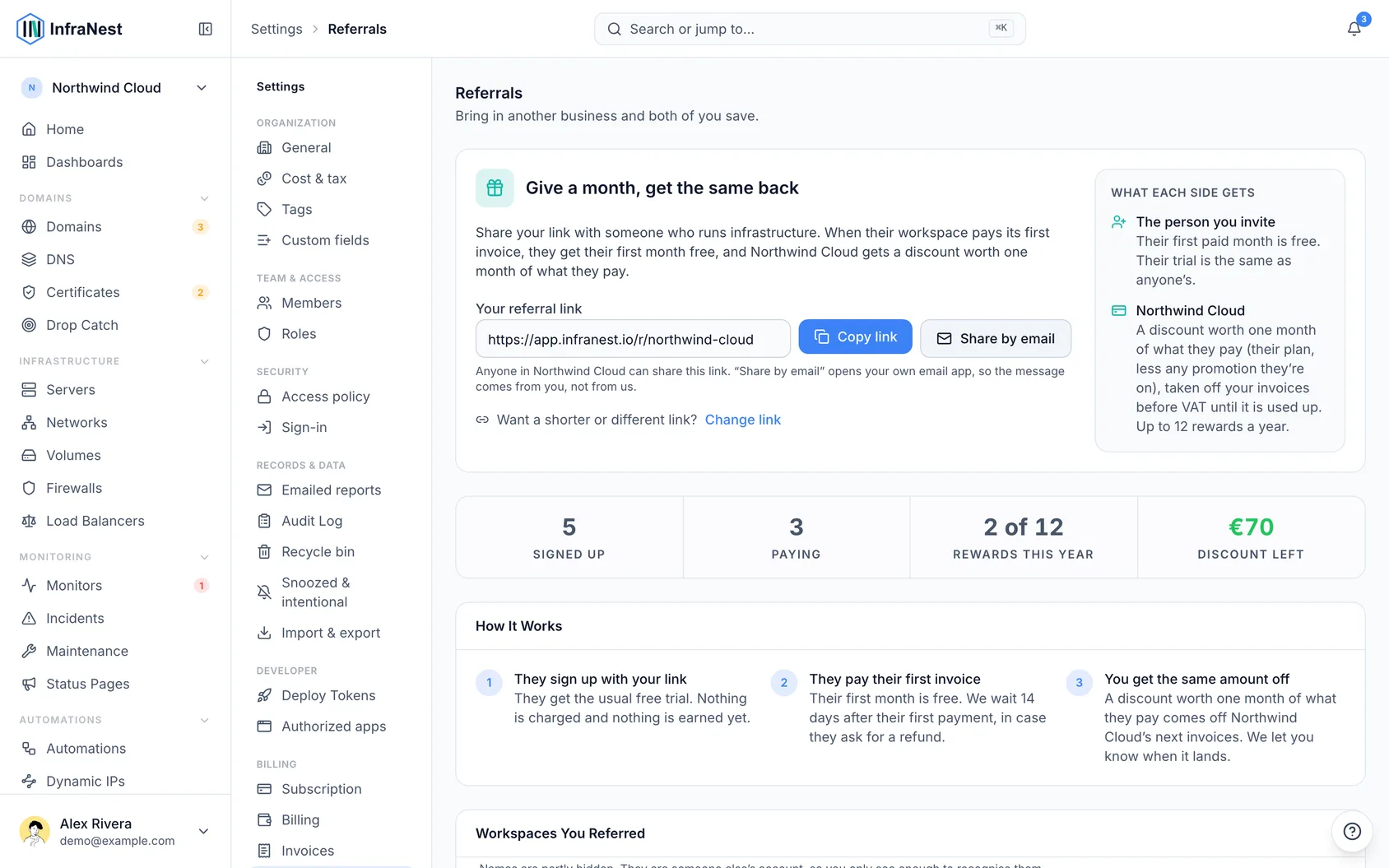
Share your referral link
- Go to Settings → Referrals.
- Select Copy link to copy your referral link, or select Share by email to open your own email app with a short message already written.
NoteInfraNest never emails the people you invite — sharing is always done by you.
Change your referral link
- Go to Settings → Referrals.
- Select Change link to choose a shorter or more recognisable link.
- Select Save link to confirm.
WarningChanging your link means the old one stops working immediately. Anyone who already signed up with it still counts toward your rewards.
See who signed up
- Go to Settings → Referrals.
- Scroll to Workspaces You Referred to see each workspace you've invited, its join date, and its reward status: Not paying yet, Reward pending, Earned, or Not eligible.
- Check the Signed up, Paying, Rewards this year and Discount left tiles for a quick summary.
Use a referral code instead of a link
- Share your referral code with the business you're inviting (by word of mouth, chat, etc.).
- They enter the code in the promotion code box on the plans screen during their trial.
Tips
TipIf the person you invite applies a promotion code instead of using your link's free month, you still earn your reward once they pay — the two just don't combine for them.
Troubleshooting
- Reward shows Not eligible — you may have reached the 12-rewards-per-year limit, or the referred workspace doesn't qualify (for example, it's your own workspace, or one managed by a reseller).
- Reward disappeared after being earned — this happens if the referred workspace was refunded within the 14-day window.
- Reward smaller than expected — if the referred workspace is on a discounted plan, your reward follows what they actually pay, not the full plan price.
- Discount not showing on invoice yet — rewards come off before VAT and may carry over to future invoices if they're worth more than one invoice; check Discount left on the Referrals screen.
- Remember: rewards are a discount, not cash — they can't be transferred to another workspace, and they expire 24 months after being earned.
Was this article helpful?
Related articles
Billing and plansManage your plan, see how much of each limit you're using, and view invoices.Cost & taxThe currency every price is reported in, your VAT rate, and whether the figures you see include tax.Upgrade or change your planHow to move to another plan, what you pay when you switch mid-cycle, and what happens to anything over the new limits.