

Your customer number is a fixed ID for your organization, useful mainly when contacting support or checking invoices.
Overview
- Every organization in InfraNest has a seven-digit customer number.
- It identifies your organization, not you personally, and it never changes — even if you rename the organization, switch plans, or update your payment method.
- If you belong to more than one organization, each has its own separate number.
You'll see the same number in three places, and they always match:
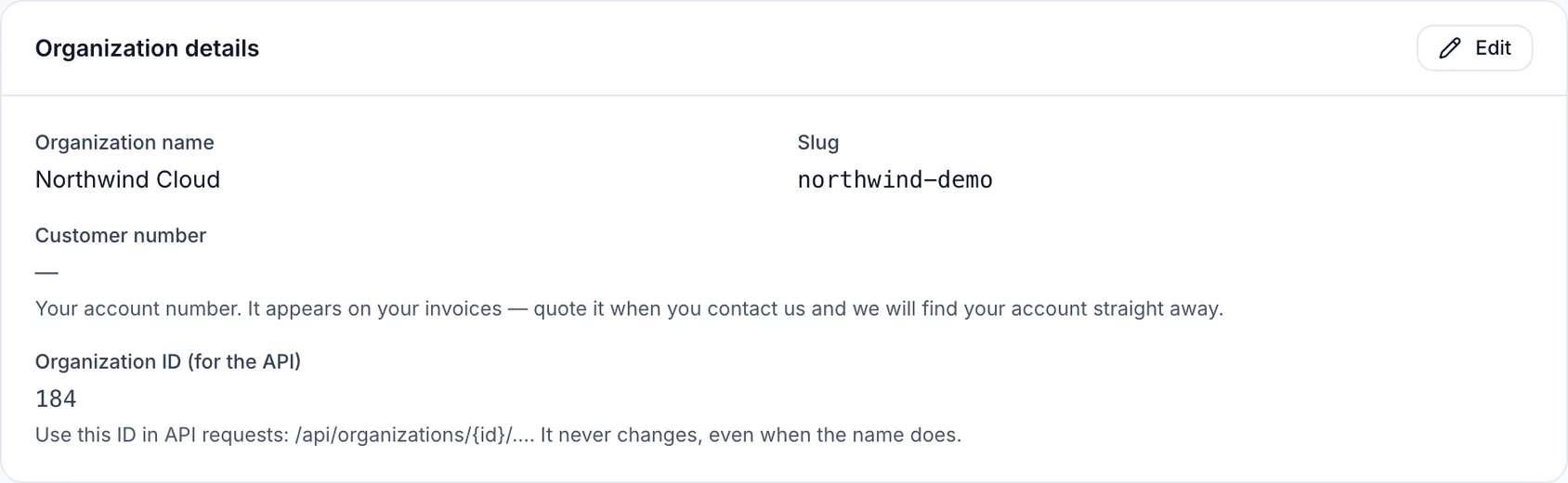
- Settings → Organization, next to your organization's name
- Every invoice you receive, in the header
- Any email or chat where InfraNest support refers to your account
Find your customer number
- Open Settings.
- Go to the Organization tab.
- Look under your organization's name — your customer number is shown there.
- Click it to Copy it.
Quote it to support
- When you contact InfraNest support, paste your customer number into your first message.
- This step is optional — your email address also identifies your account — but the number is faster and never ambiguous.
Find it on an invoice
- Open Settings.
- Go to the Billing tab.
- Open or download any invoice.
- Your customer number is printed in the invoice header.
NoteYour customer number is not a password, and InfraNest never treats it as one. It's printed on every invoice, so other people — a bookkeeper, an accountant, a former colleague — may know it too. It tells us which account you mean, not who you are. For anything sensitive, we verify your identity a different way.
Troubleshooting
- I can't change my customer number. That's expected — it's fixed for the life of the organization, so your invoices and records always point to the same account.
- An older invoice doesn't show a customer number. Invoices are finalized when issued and can't be edited afterward, so invoices issued before this feature existed won't display it. Your actual customer number is unaffected and stays the same.
Was this article helpful?
Related articles
Put your own brand on what we sendAlerts, domain notices and status-page updates can carry your logo, your colour and your name instead of ours — so the people you look after see your…Manage your organizationEverything in InfraNest — domains, servers, members, billing — belongs to an organisation. You can belong to more than one and switch between them.Invite your teamInvite teammates to your organisation and give each the right level of access.The monthly recap emailOnce a month InfraNest emails your workspace a short summary of what it did for you — and it sends whether the month was busy or quiet.